
Arts Management Systems

Main menu

  • AMS Cloud Status
  • Product Info
  • Community
  • Contact Us
  • Mailing List / RSS Feed
  • Privacy Policy
  • Installing Theatre Manager
  • Upgrading Theatre Manager
  • Quick Reference Guides
  • Self-Guided Demo Tutorial
  • Theatre Manager Online Help
  • Form Letters and EBlasts
    • Windows and Features
    • Form Letter Instructions
    • Merging Letters/Emails
    • Printing a Form Letter or Email
    • Tracking Success of the Eblast
    • Address Labels
      • Printing Address Labels while Printing Letters
      • Printing Labels Later
      • Printing Labels for Printed Letters
      • Patron Address Labels Window
    • Custom Letter Examples
  • Facility Management
  • Reports
  • Reveal Dashboards
  • REST API Overview
  • Web Page Documentation
  • Frequently Asked Questions
  • Theatre Manager: Responding to COVID 19
  • Newsletters
  • AMS Cloud Status
  • Product Info
  • Community
  • Contact Us
  • Mailing List / RSS Feed
  • Privacy Policy

You are here

Home › Form Letters and EBlasts

Address Labels

Subscribe to Syndicate

Employees are often called upon to assist with mailings and creating and printing labels. Theatre Manager can create the labels quickly and easily for you.
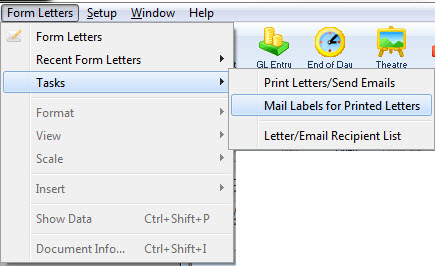
The default Mail List Criteria window opens.
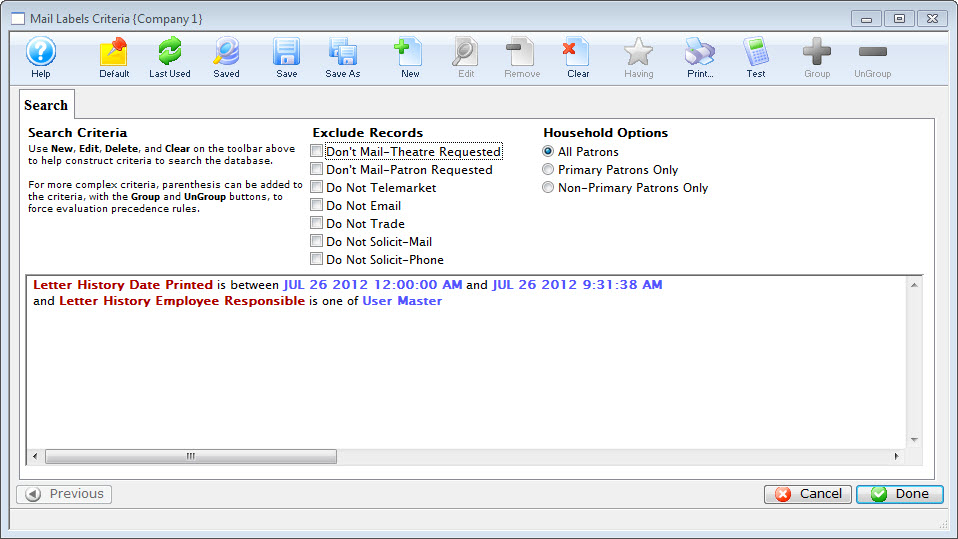
This section contains information on generating and printing address labels to use with Form Letters in Theatre Manager.

  • Printing Address Labels while Printing Letters
  • Printing Labels Later
  • Printing Labels for Printed Letters
  • Patron Address Labels Window

Book navigation

‹ Tracking Success of the Eblast up Printing Address Labels while Printing Letters ›
  • Printer-friendly version