
Main menu
You are here
Client or Interface Function Not Available

The error appears as: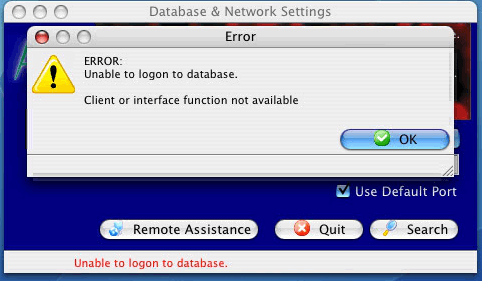
If you are using 10.6 or later, OSX might be picking up an older version of the library (or can't find it). If that is the case, use Activity Monitor and locate 'Theatre Manager'. Then double click to look at the list of open files. What we need to do is look to see which path name that the libpq.dylib file is found at -- and make sure that it is looking at a pathname internal to the Theatre Manager directory in applications. If it is not, then call support and we can help resolve the problem
Problem Resolution
You should normally never encounter an issue with Theatre Manager. If you do, then create a directory called /usr/local/lib and copy libpq.dylib into it. This will work until the TM installer is re-run on the machine.
The general steps in terminal are:
- sudo mkdir /usr/local/lib
- sudo chmod 777 /usr/local/lib
- and then either
- type in terminal:
cp /Applications/Theatre\ Manager/Contents/MacOS/libpq.dylib /usr/local/lib/ -OR- - use the Finder to copy the libpq.dylib from the Theatre Manager/Contents/MacOS folder into the >b>/usr/local/lib folder.
- type in terminal:
- Start Theatre Manager and try to connect to the database again
Alternate Solution
This generally seems to only occur on OSX machines that have gone through a few OS level upgrades. If you have this issue, walk around installs will re-introduce the problem as it takes away the link because it is deprecated. If you are having other issues with the machine, it may indicate that the machine should have a new software install ... or .. just redo the links if there is a walk around out install.