Editing a General Ledger Account
Editing a General Ledger Account
To edit an account, you change some of the account details. Accounts can be changed to debit or credit accounts, active or inactive etc.
- Open the Chart of Accounts.
For more information on accessing the Chart of Accounts, click here.
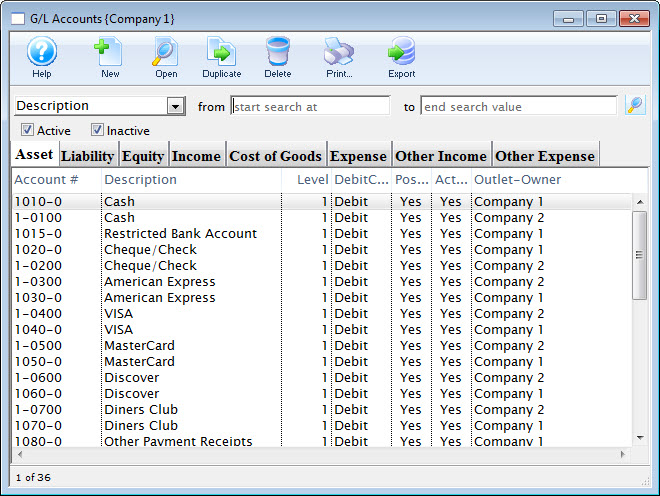
For a detailed description of this window, click here.
- Find the account to be edited.
For information on finding a G/L account, click here.
- Double click the account to open the Account Detail window.
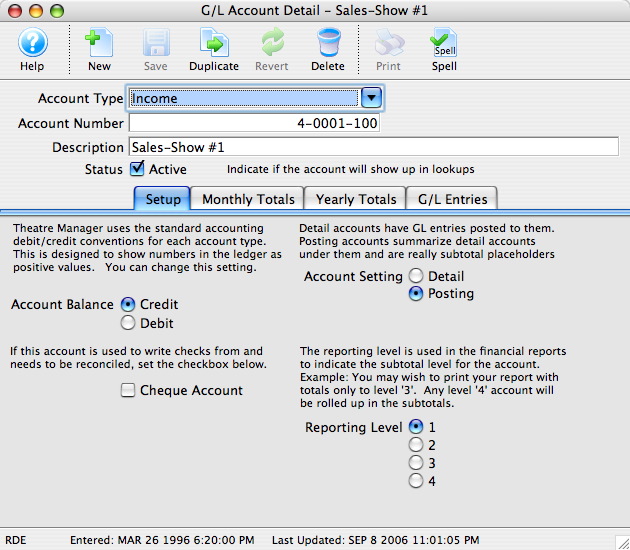
For a detailed description of this window, click here.
- Once the changes have been completed, click the Save
 button.
Setting an Account as Inactive
Setting an Account as Inactive
Over time, accounts in the GL may become obsolete. These accounts cannot be deleted because they still hold financial information. A user with the proper security clearance can set these accounts as inactive. Once an account is set as inactive it can no longer be used unless it it is reactivated.
- Open the Chart of Accounts window.
For more information on accessing the Chart of Accounts, click here.
- Find the account to be set as inactive.
For more information on finding a general ledger account, click here.
- Double click the account to open the Account Detail window.
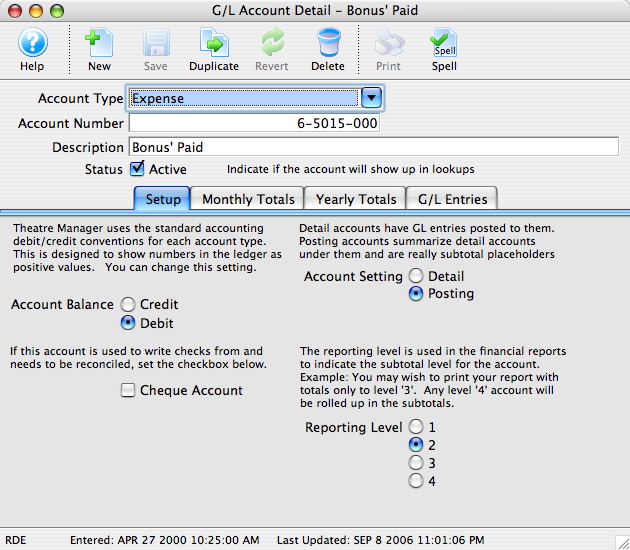
- Uncheck the Status Active
 box.
The account will now be set as inactive and can no longer be used.