Monterey - AirPlay Receiver
Monterey - AirPlay Receiver
You may see an issue with macOS Monterey where the TM Server processes are stuck in "Waiting" mode. This can occur due to a TCP port conflict on TCP Port 5000, due to the AirPlay Receiver being enabled.
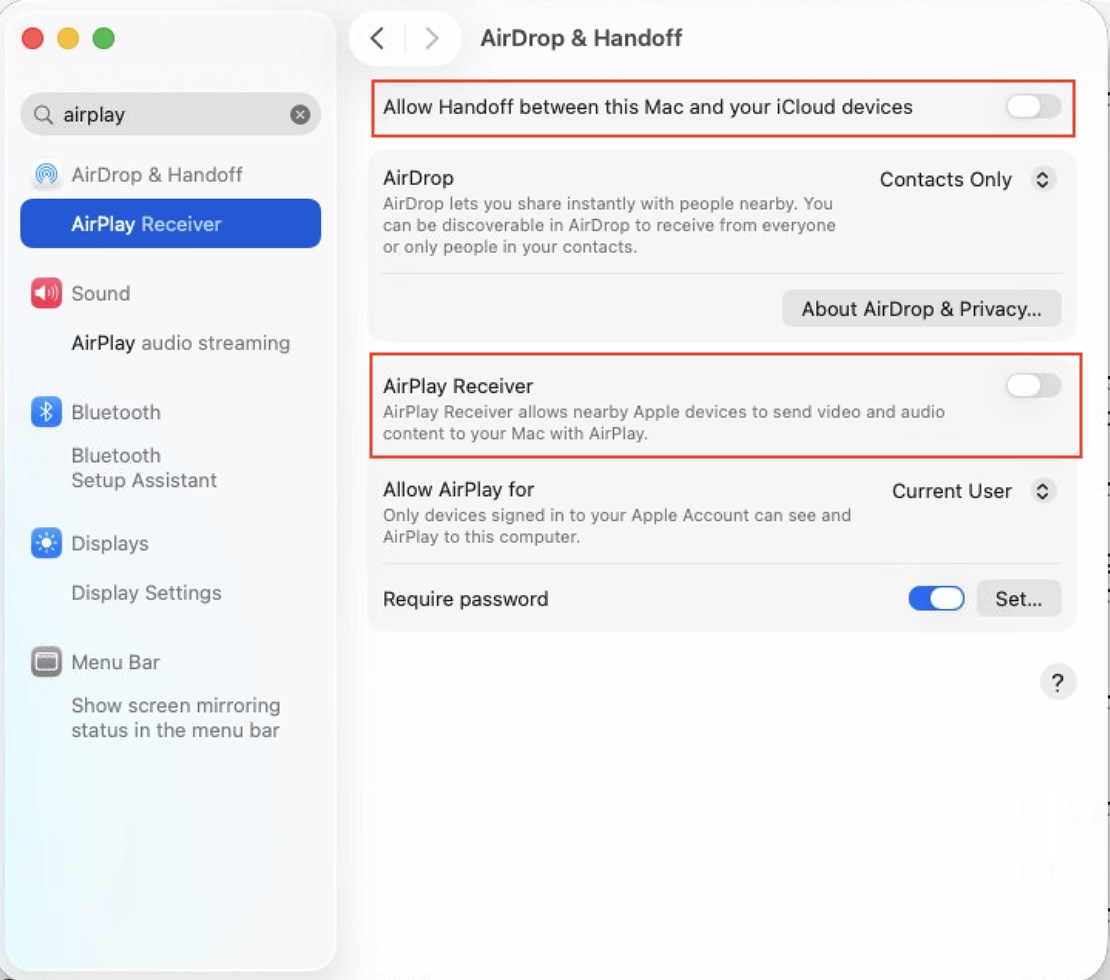
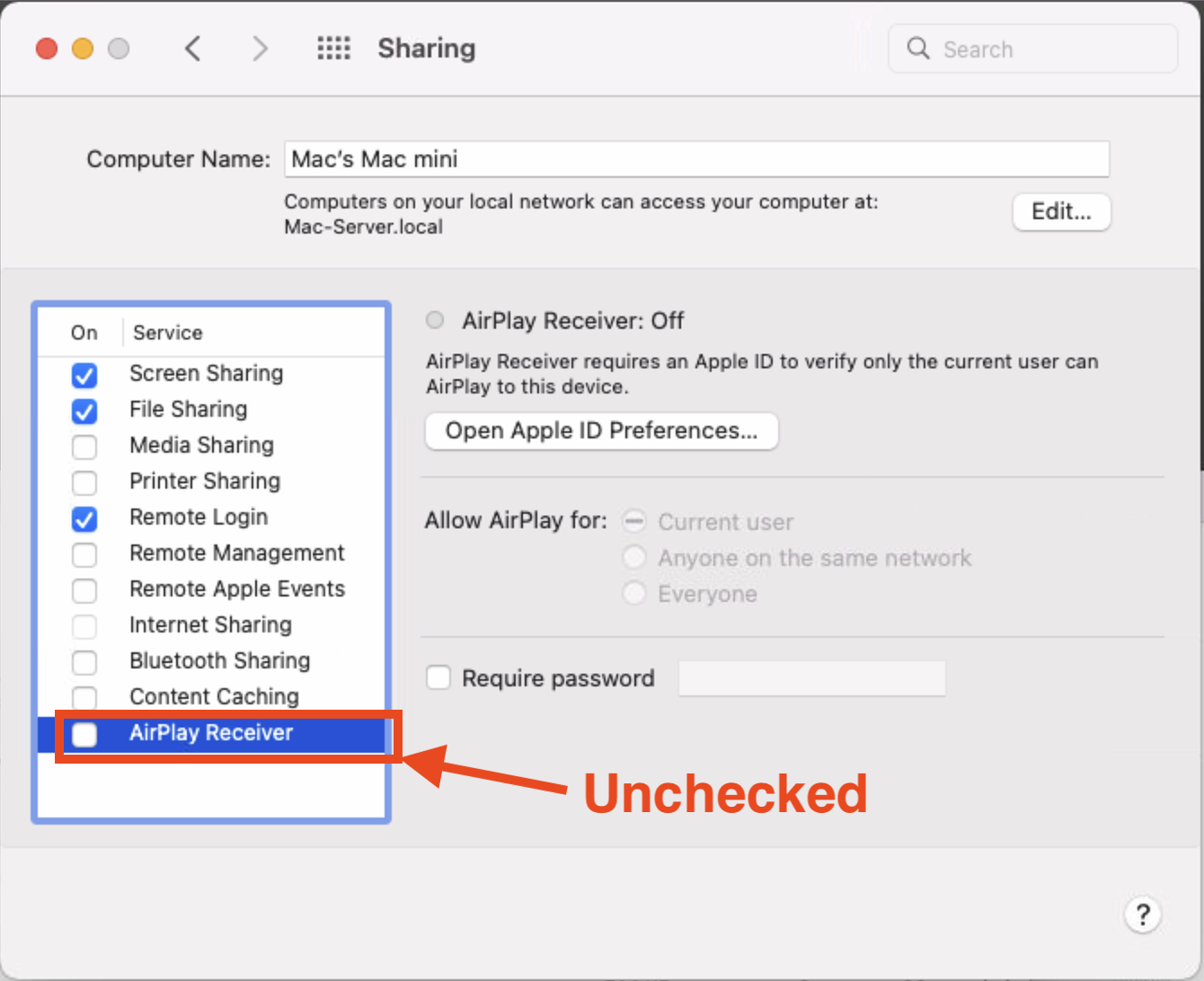
If you receive this message when running Theatre Manager, please
- Open System Preferences
- Click on the Sharing preferences (older MacoS) or look for Airplay in newer MacoS
- Disable the AirPlay Receiver option
 |
See the other power saving and setup procedures for OSX |
Big Sur and more recent versions of Mac OS
Monterey and earlier versions of Mac OS