Who's In Tab
Who's In Tab
- generate mail labels
- determine distance from your venue
- export them
- use them in criteria for reports or other mail lists
- drag individuals from one mail list to another to place them into two lists
- use the list to allow people to subscribe and unsubscribe to marketing lists online
- drag them onto tasks to indicate who is invited.
 |
Tracking unsubscribes: If a patron unsubscribes from the mail list online, they are not removed from the mail list. Their record gets marked with an unsubscribed date. This tracks who no longer wants information from your venue for a specific purpose.
This can be very useful for CASL purposes to track explicit opt outs and when the patron opted out. |
|
You may alter the subscribe status using the add and remove buttons as described below. |
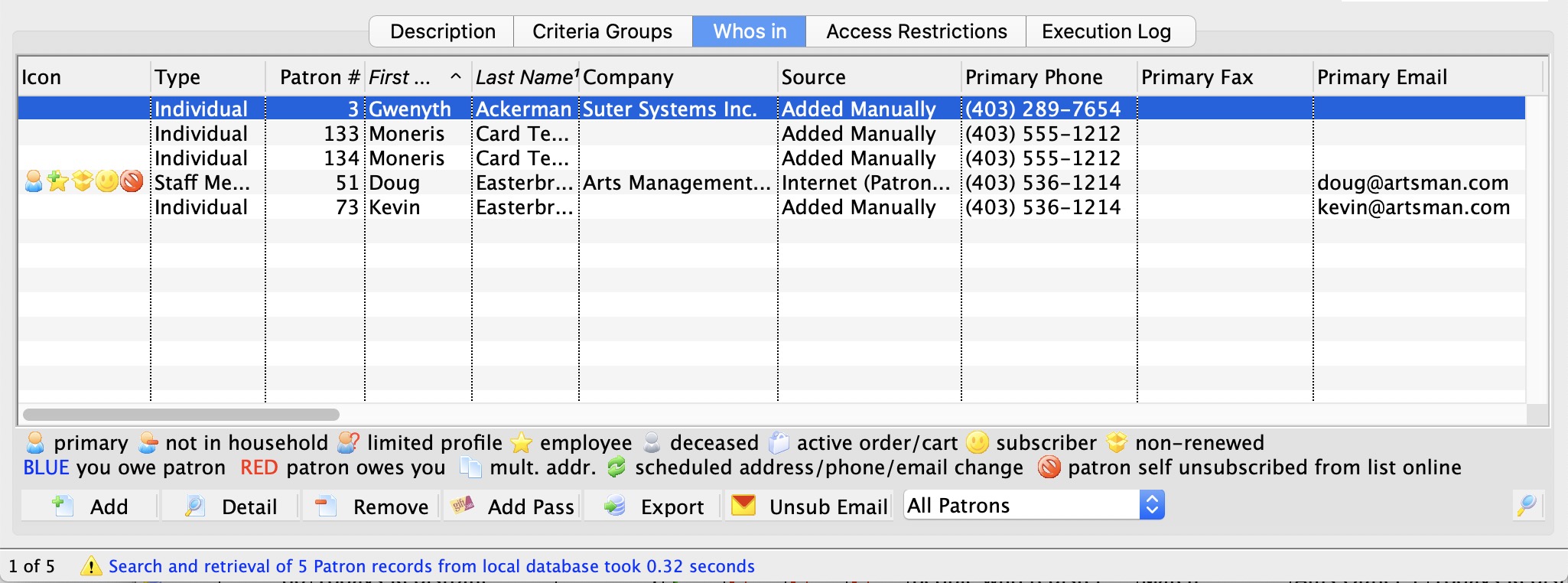
| Type | Customizable field that allows for classification of patrons by type (Individual, Student, Staff, etc.) |
| Patron # | Unique number assigned to a patron. |
| Patron Name | Patrons first, last name and business. |
| Source | How the patron came to be in the mail list:
|
| Primary Phone | Patron primary contact telephone number. |
 |
 Clicking on the New button causes a pop up to be shown that lets you:
|
 |
Opens the patron window of the selected patron. |
 |
 Clicking on the Remove button causes a pop up to be shown that lets you:
|
 |
Export the selected rows of contact information from a Mail List. If you want everybody in the list, select all the rows (or click on a line and the Ctrl-A or Cmd-A select them all) before clicking the export button.
|
| Add Pass | Can be used to add a pass or gift certificate to a number of patrons at the same time. |
| Unsub Email | Can be used to process an unsub/bounce file from an external emailer program and remove patrons from a mail list or remove their email addresses permanently. |
 |
Search options for finding patrons within the selected Mail List. |
 |
Search's the selected Mail List for patrons matching the selected search criteria. |
Using the Unsubscribe feature
Using the Unsubscribe feature
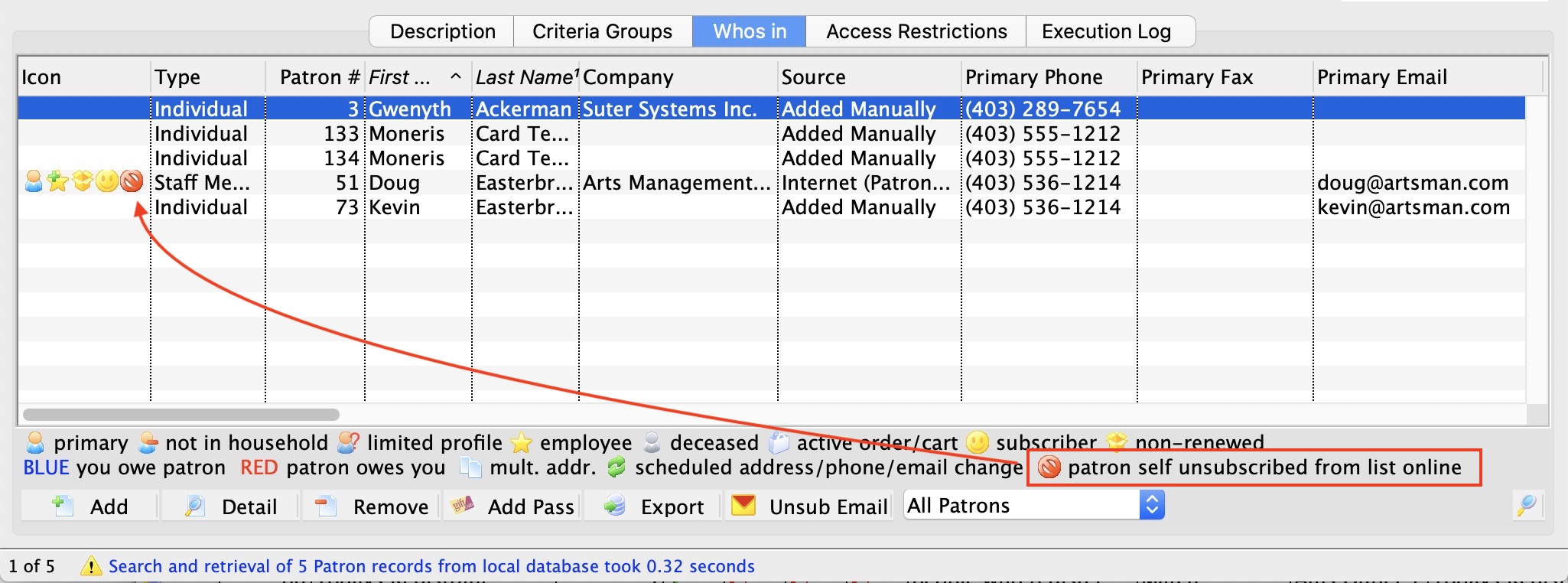
In the sample list above, one patron is marked as unsubscribed online. One of the columns in the list contains the unsubscribe date, so you know when people no longer wanted to be part of the mail list.
When building other mail lists or running reports, there are two key selection criteria that lets you select these people:
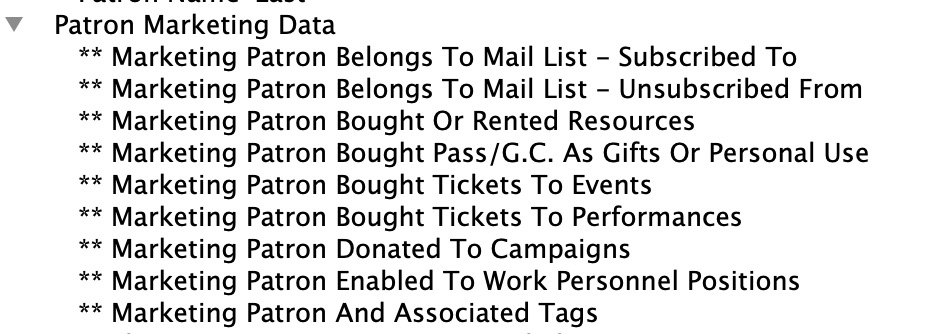 Marketing Patron Belongs to Mail List - Subscribed to
When used, this will find all the people in the mail list - except those patrons who unsubscribe themselves online. This makes selecting people on a public mail list easy. You don't need to worry about who doesn't want email since they are automatically ignored.
- Marketing Patron Belongs to Mail List - Unsubscribed from
This search criteria only picks people who have unsubscribed. Its best use might be for an eblast mail list where people say they no longer want a specific type of eblasts.
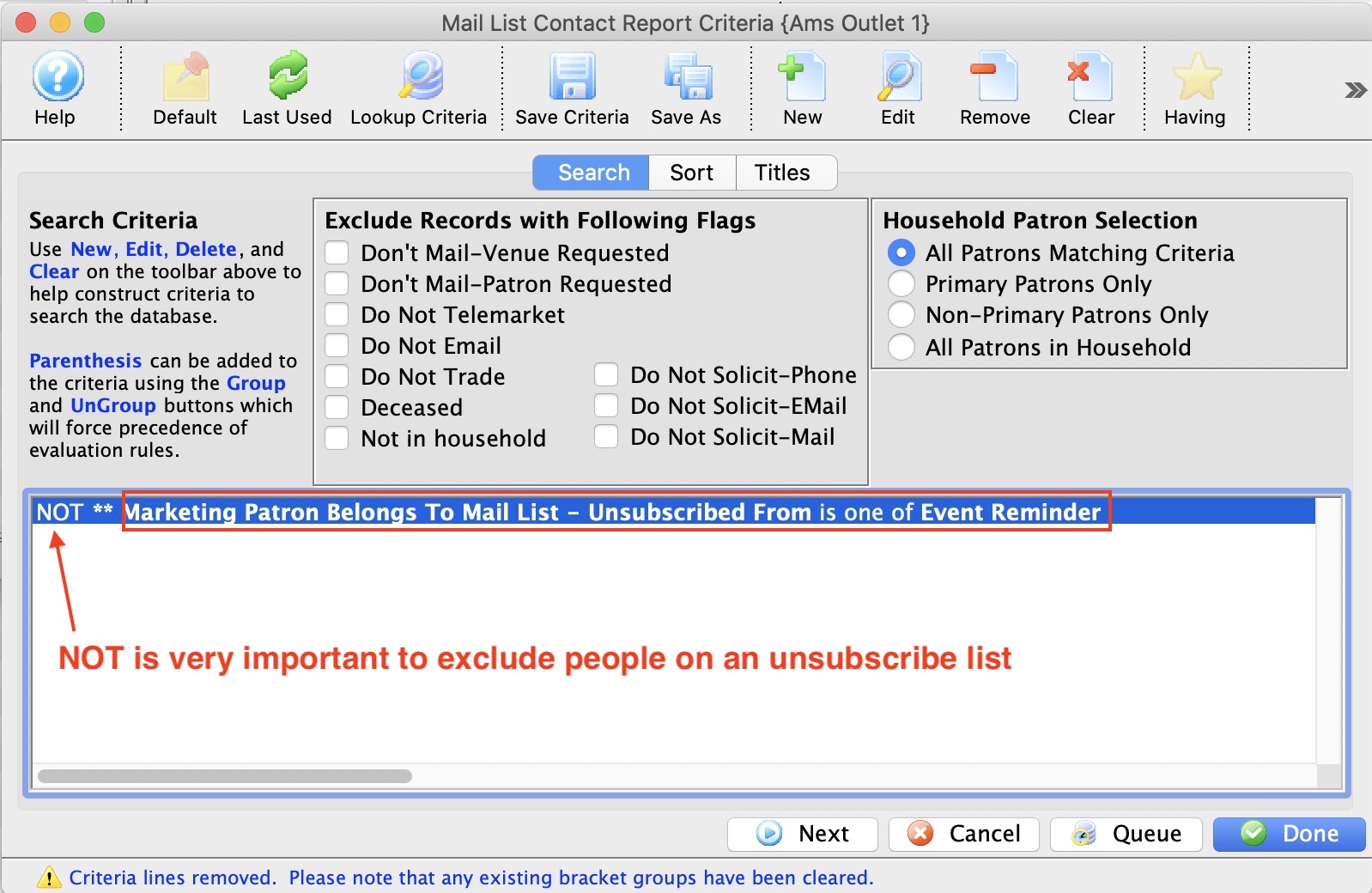
You can include patrons in your normal way and then use this list to eliminate people in the unsubscribed list using something like the criteria below.