TMlogin.html
TMlogin.html
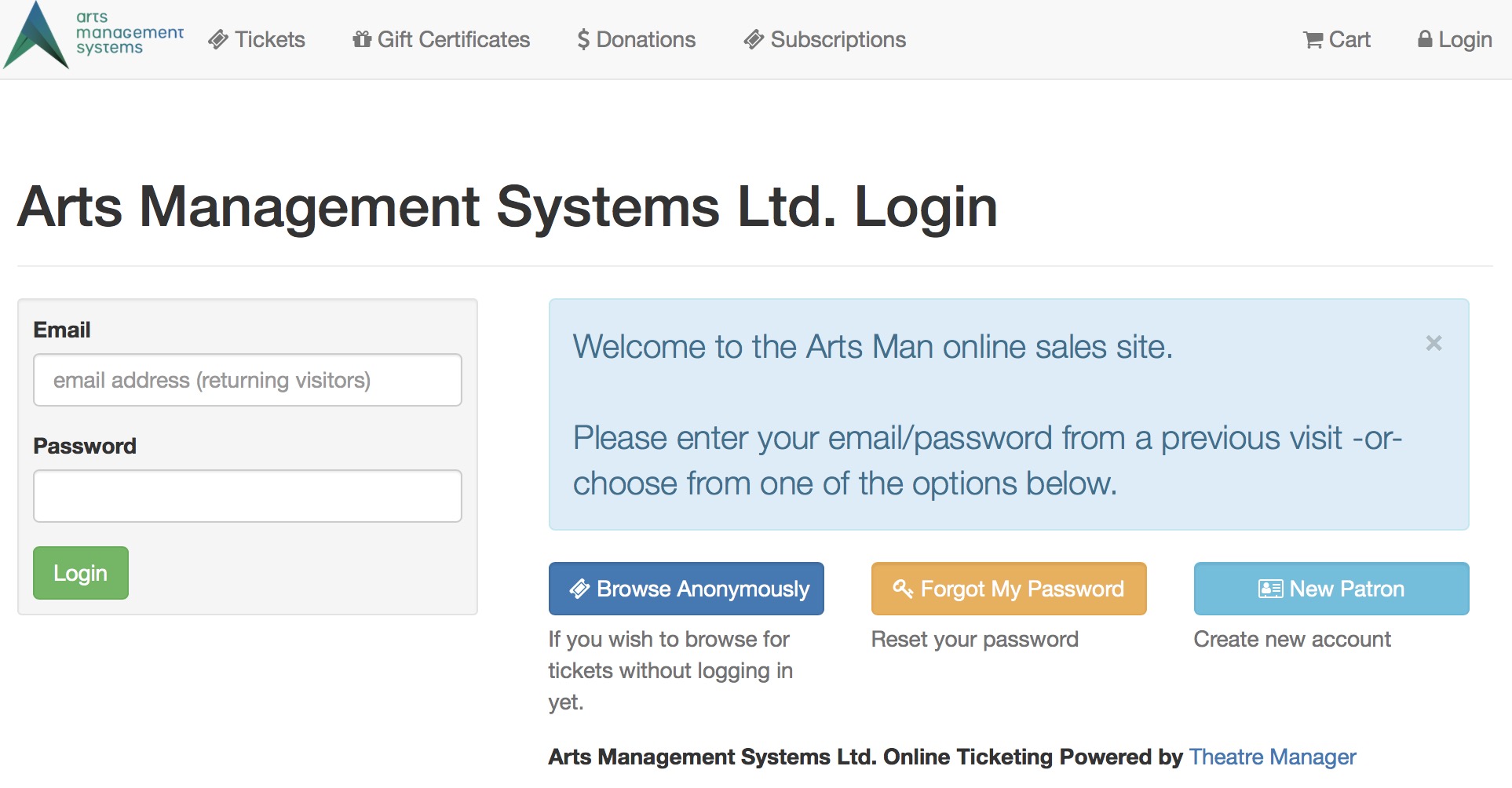
Description:
- This page allows patrons to login to the online sales in order to complete a transaction within Theatre Manager.
- By logging in to the online sales Theatre Manager can attach the patrons purchase to their patron record within the database.
- This is the mandatory initial page for all online sales when Allow Anonymous Login is not selected in the Company Preferences Web Options tab
- The Allow Anonymous Login, when selected in the Company Preferences Web Options tab
- causes the Browse Anonymously button to appear on the login page, which the patron uses to search for events without identifying themselves -and-
- allows a web developer to redirect the patron using specific URLs to almost any starting page.
 |
The Forgot my password button takes the patron to a web page where they can request their password to be re-sent to them.
Alternatively, if the patron is unable to do this for any reason, the box office can initiate a password reset from the patron window |
Location:
htdocs/1/WebPagesEN
Able to Call Page(s):
Called By Page(s):
- tmLoginForm.html
- TMloginSelectPatron.html
- TMpatronLimitedProfile.html
- TMpatronNew.html
- TMpatronUpdate.html
- TMsysCookiesDisabled.html
- Any page containing the navigation buttons.
Page(s) Referenced: