Redeeming Multiple Memberships, Passes, G/Cs In a Single Order
Redeeming Multiple Memberships, Passes, G/Cs In a Single Order
|
A pass/gift certificate can be redeemed if all the following are true:
|

To redeem multiple Memberships, Passes, G/Cs as payment for an order, you perform the following steps:
- Select tickets for the order.
- On the Payment screen, select Pass as the payment method.
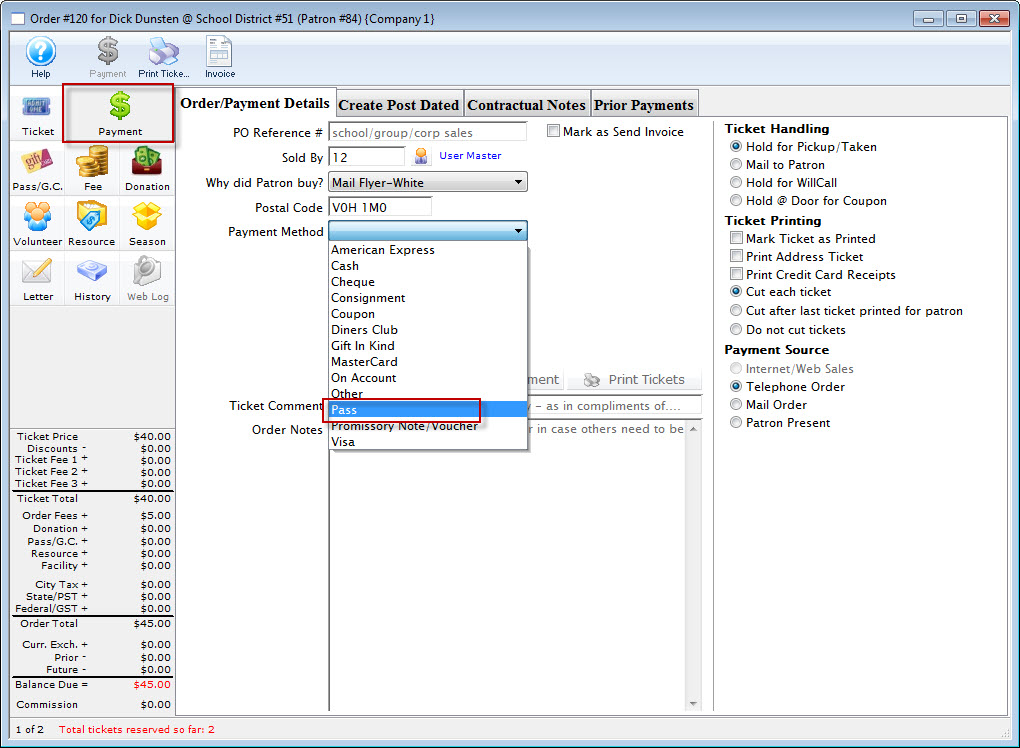
- You are prompted to enter or lookup the patron's pass control number.
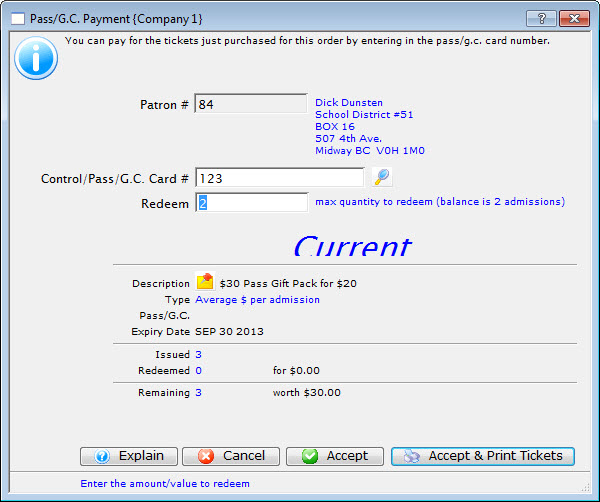
- Enter the patron's membership control number.
- use the Search
 button to bring up a gift certificate lookup window.
- Use lookup to search for the membership via the patron's name (or other such criteria) or to look up a different patron if the membership was received as a gift.
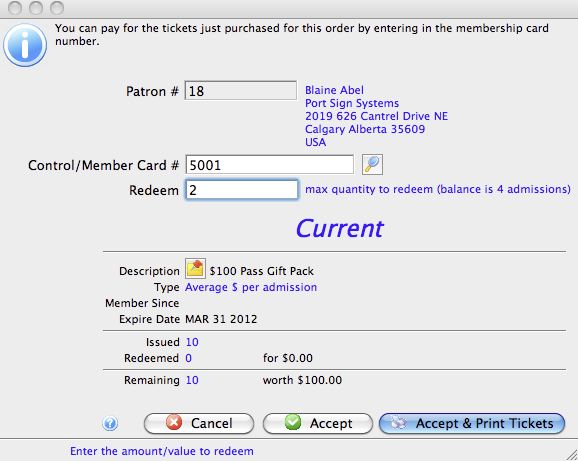
- When a membership is selected and the Select button clicked or the control number is manually entered it's details will appear in the Membership Payment window.
By default, Theatre Manager will populate the total number of tickets in the order in the "Redeem" text box. You can change that number to reflect the quantity of tickets to redeem using the selected pass.
- use the Search
- Click the Accept
 Button to accept the pass payment and put the tickets in the print batch or click the Accept & Print Tickets
 Button to accept the pass payment and print the tickets.
No matter which Accept option you choose, Theatre Manager will prompt you that you have changed the quantity and will need to select which tickets to redeem with the selected pass.
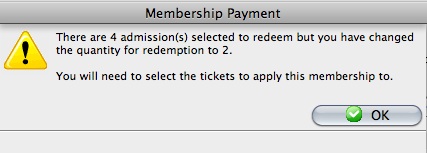
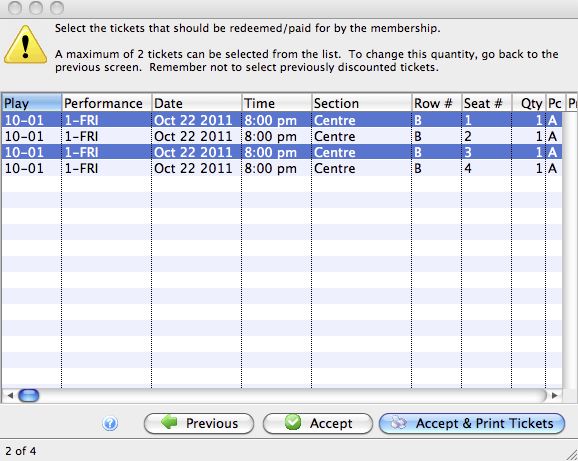
A window opens showing all of the tickets in the order which have not been selected for payment.
- Select the tickets to redeem using the selected pass and click either Accept or Accept & Print.
- Theatre Manager will prompt you to enter another payment for the remaining tickets in the order.
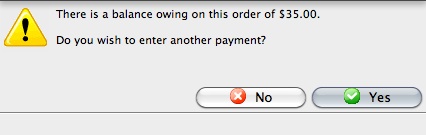
- Click the
 button.
- Enter Pass as the payment method again.
- You will again be prompted to either enter or lookup the patron's pass control number.
Once the pass is entered, you'll notice the quantity to redeem has been reduced by the quantity paid for in the initial payment (there were 4, we paid for 2 with the first pass, there are only 2 left to redeem).
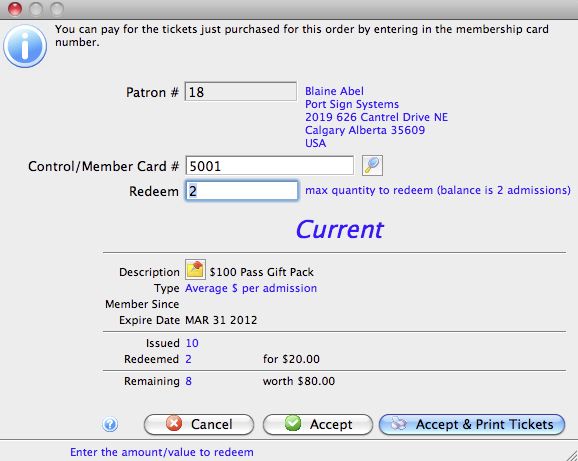
In cases where more passes are being used than there are tickets purchased that qualify, you can change the quantity and select from the remaining tickets the ones to redeem with the second pass just as above.