Restricting Access To Donor Information
Restricting Access To Donor Information
This function is used to restrict employee access to the donor tab within the patron window. For details on setting access within Employee Setup click here.
- Open the Patron Record.
For details on locating a Patron Record click here.
- Click the Donor
 tab.
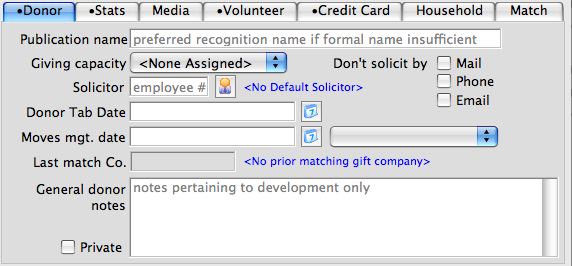
- Check the Private
 box.
If the Publication Name is left blank a warning screen will appear.
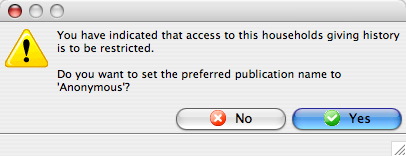
- If the preferred Publication Name is to be Anonymous click the Yes
 button.
Anonymous will be entered in the Publication Name field.
If the patron Publication Name needs to be entered click the No
 button.
Enter the patron Publication Name.
The donor's General Donor Notes are now restricted to employees with security clearance to this tab. It is important to note that the actual donation history in the lower part of the screen is not restricted with this option, but rather in Employee Setup on the Data tab.
To allow viewing of the donor's information
- Open the Patron Record.
For details on locating a Patron Record click here.
- Click the Donor tab.
- Uncheck the Private box.
A warning screen will appear asking if you are sure you wish to allow access to there information.
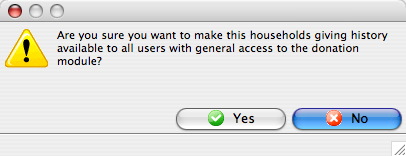
- Click the Yes button to allow access to all users or the No
button to keep the information restricted.