Setting an Account as Inactive
Setting an Account as Inactive
Over time, accounts in the GL may become obsolete. These accounts cannot be deleted because they still hold financial information. A user with the proper security clearance can set these accounts as inactive. Once an account is set as inactive it can no longer be used unless it it is reactivated.
- Open the Chart of Accounts window.
For more information on accessing the Chart of Accounts, click here.
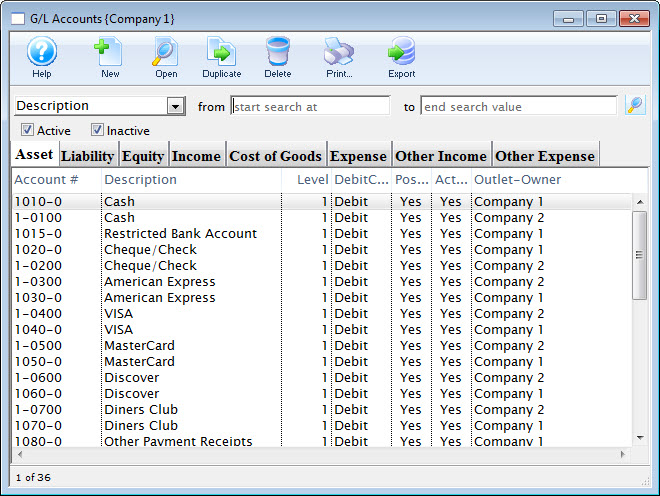
- Find the account to be set as inactive.
For more information on finding a general ledger account, click here.
- Double click the account to open the Account Detail window.
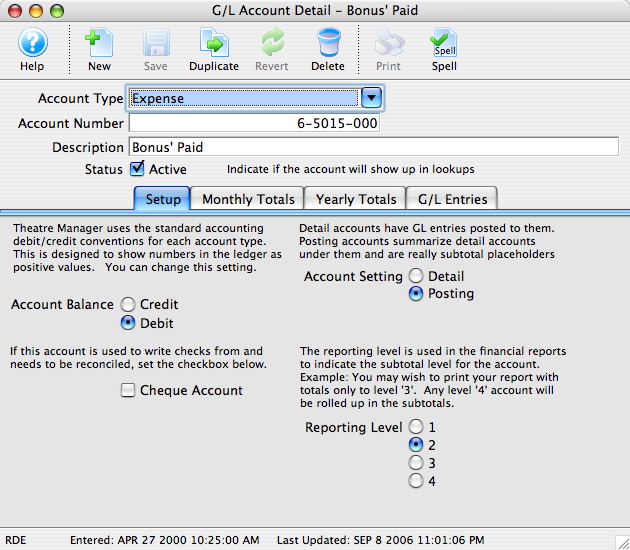
- Uncheck the Status Active
 box.
The account will now be set as inactive and can no longer be used.