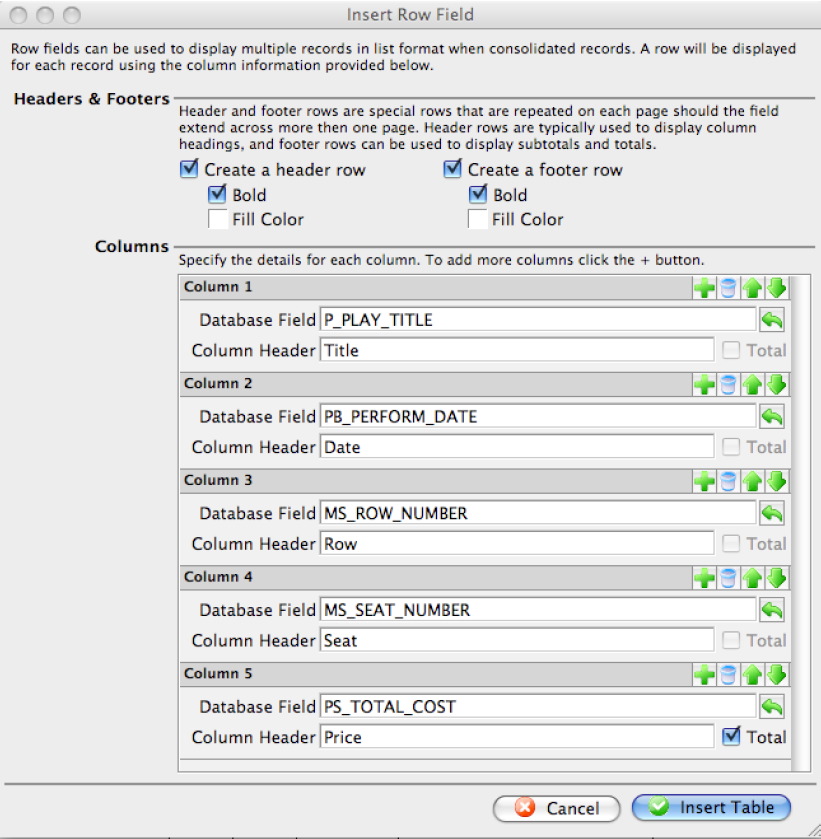
Insert Row Field Window
Insert Row Field Window
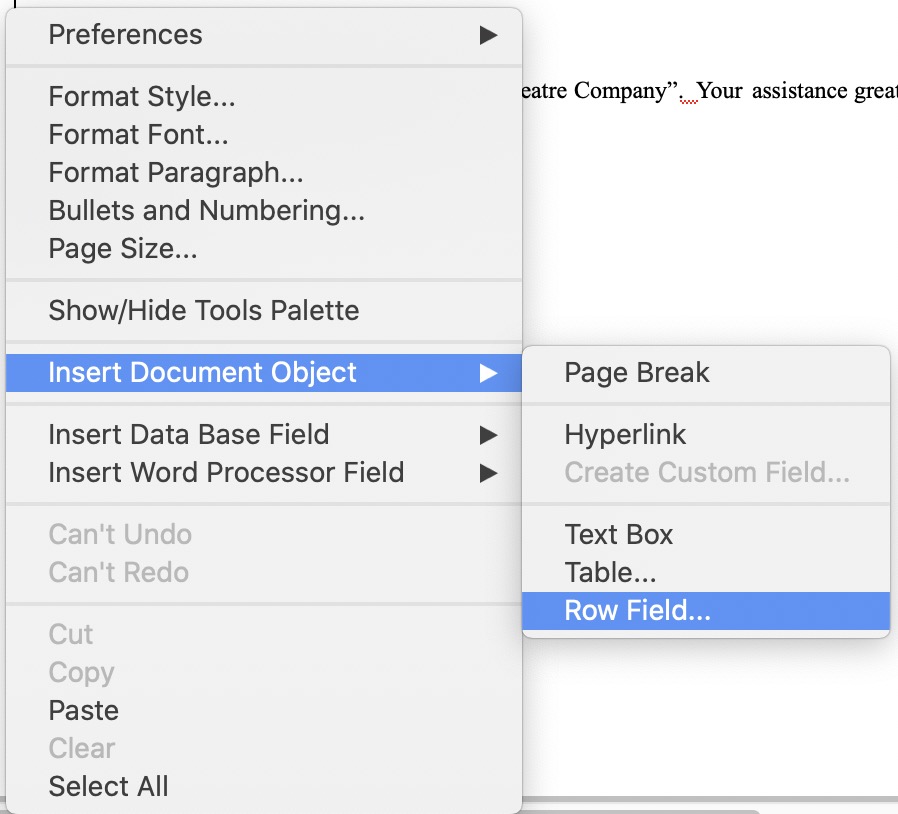 The Row Field menu item is used for inserting a table with data fields into the letter. This table consists of columns of data fields to present a list of information. This is typically used in form letters to list things like the examples below:
- tickets that have been purchased for an order, subscription or what have you.
- donations that have been made for a year, a specific campaign, or part of an ongoing-never ending donation
- volunteer of staff activity assignments for an upcoming period of time
- a notice of gift certificates that are still active, available and assigned to a patron so that they can redeem them
- or anything else where you want a list of some data on the form letter.
Row fields can have:
- Multiple columns of data from related records in the database
- Column headers
- Detail rows containing the data for each column
- Subtotals, averages, max and minimum on rows that are numeric
- Separate subtotals, averages, etc outside the row field
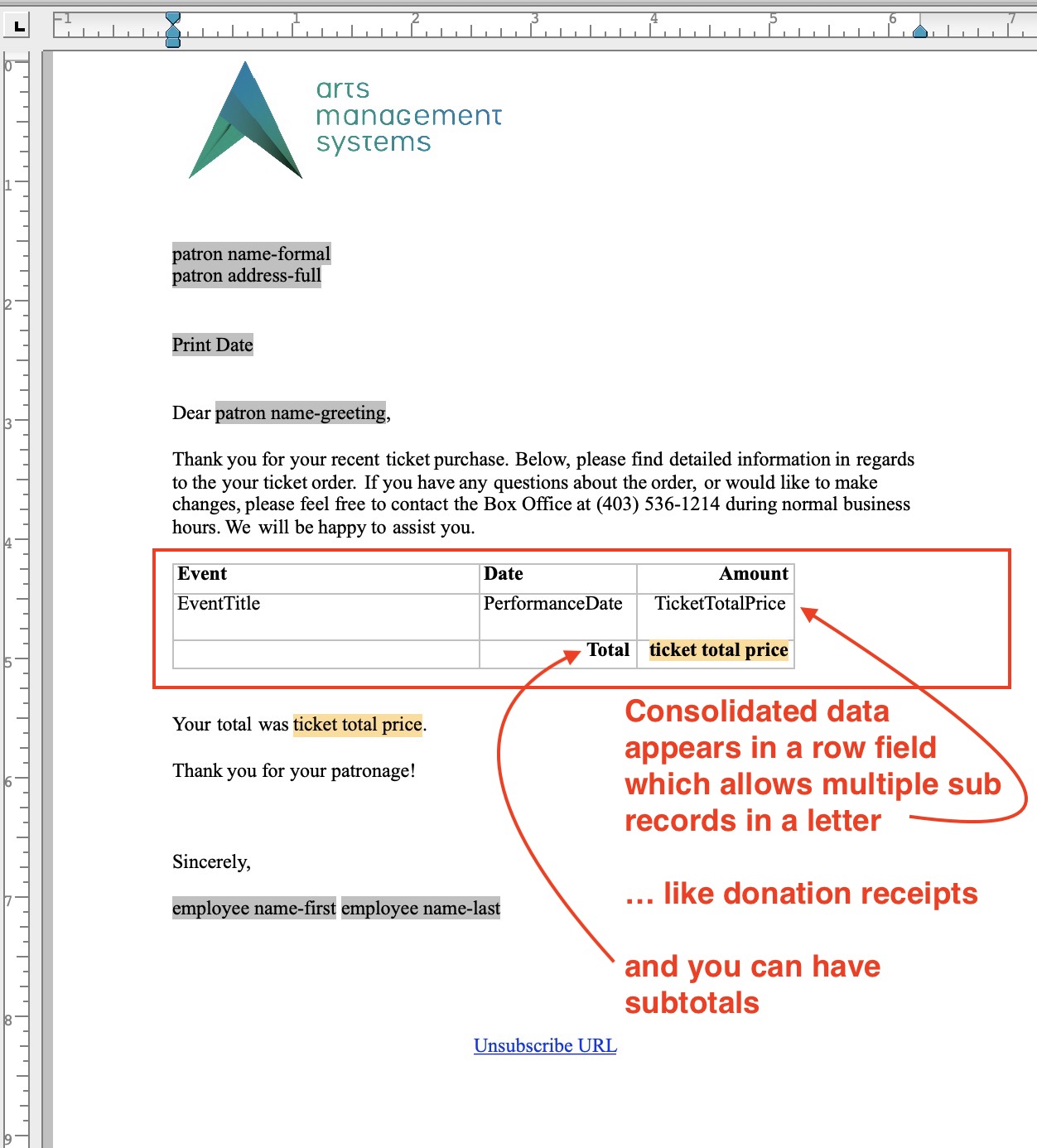
Sample of Row Field In a Form Letter
Sample of empty Row Field
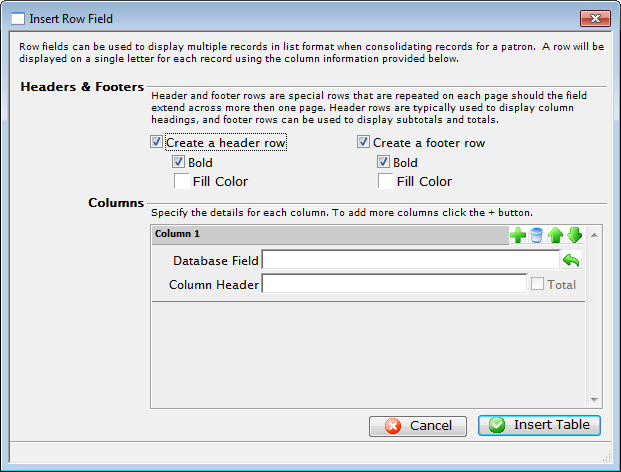
Parts of the Insert Row Field Window
Headers & Footers |
|
| Create a header row | Creates a header row for the table listing the fields that are used. |
| Bold | Sets the header row in bold typeface. |
| Fill Color | Allows changing the color of the header row background. |
| Create a footer row | Creates a footer row for the table. The footer row typically contains sub-totals of the information in the table. |
| Bold | Sets the footer row in a bold typeface. |
| Fill Color | Allows changing the color of the footer row background. |
Columns |
|
 |
Adds another row field to the table. |
 |
Deletes the row field from the table. |
 |
Moves the placement of the row field up. This will place the column farther left in the table. |
 |
Moves the placement of the row field down. This will place the column farther right in the table. |
| Database Field | The database field to be used as a column header. |
 |
Displays a drop-down menu to allow the lookup of database fields. |
| Column Header | Allows a description to be entered as the column header rather than using the database field. |
| Total | When checked, the total will be displayed for this field instead. |
 |
Cancels the current operation. Closes the window and performs no action. |
 |
Performs the current operation. This will add the table to the letter. |
Sample of row field for some ticket data
The example below shows a row field containing some ticket data. Refer to creating a ticket example for more information.