Emailing Any Report
Emailing Any Report
Click the Email
 button at the top of the window.
The Email Report To Patron window opens.
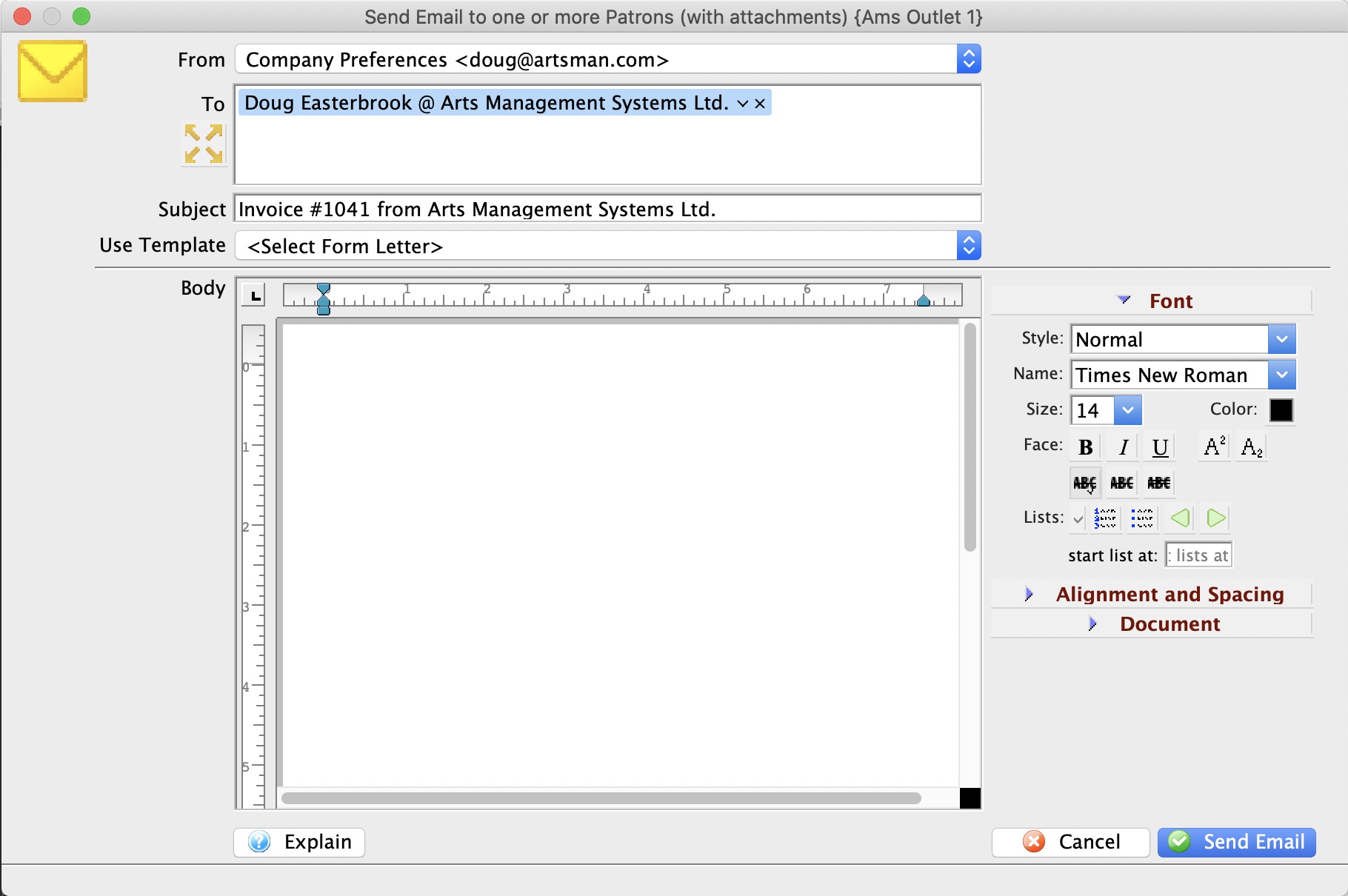
Edit the Subject as desired.
Choose the send From email address.
Choices include either the Web Server email address (the web listener) as set up in Setup >> Company Preferences in the Company tab, or the current user's email address as set in Employee Preferences >> Email Tab.
If you choose the Web Server email address, the email will be sent by the Web Listener. If you choose the employee's email address, the email will be sent right away from the workstation.Enter any desired text in the Body field below the subject.
You can type something or pick from the template letters set up as a Cover Letter
The Report will be sent to the primary email address pulled from the patrons record. You can choose other recipients by:
- Typing part of the patron name or company
- Typing part of an email list name
Click the Send Email
 button in the lower right corner of the window.