Recurring Donations Create From Existing Gift
Recurring Donations Create From Existing Gift
Using an existing donation as a starting point to populate the Recurring Donation's fields is an easy process. In a situation where the patron may have made a donation and realizes that they wish to become a recurring donor, you're able to transfer the donation information along with the payment information over to the recurring donation.
|
If the donation being used has a donation date of today, it will be automatically linked to the Recurring Donation as the 1st gift. The 'Next Gift Date' will be set in the future based on the 'Frequency'. |
- Open the Patron Record.
For details on locating a Patron Record click here.
- Click the Donation
 tab.

- Select the Donation to edit.
Single click on a donation to select it.
- Click the Open
 button.
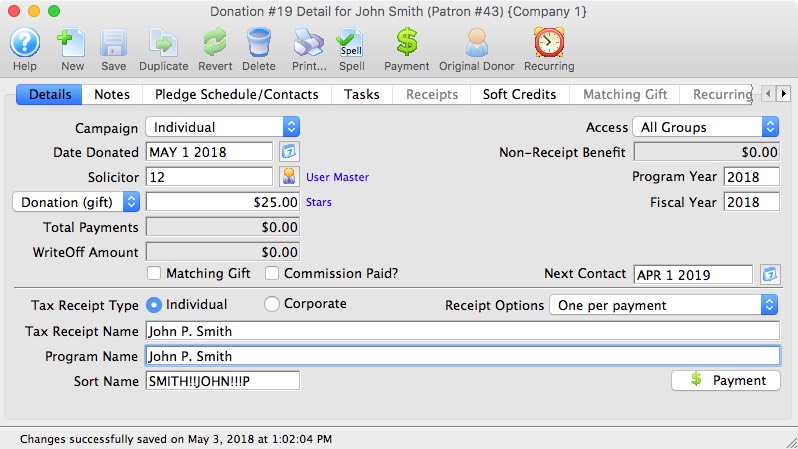
- Click the Recurring
 button in the top toolbar.
A confirmation window will open to confirming the creation of a Recurring Donation from the existing donation.
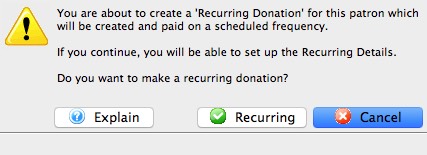
- Click Recurring
 button.
The Recurring Donation will now be created and the Recurring Donation Detail Window will open to allow for any additional changes to the setup.

The payment method for the recurring donation will be the same payment method applied to the originating donation. Only payment methods of type Credit Card and EFT will be applicable; all others will be assigned as 'On Account'.