DonorSearch Importing Analytic Results
DonorSearch Importing Analytic Results
The following process is for importing the analytic results from DonorSearch that were through the Text File option.
|
If your submitted a Direct Submission for processing and are wanting to retrieve those results into Theatre Manager, you will need to follow the steps at Retrieving DonorSearch Analytic Results. |

|
The access to import DonorSearch menu option, an employee must have either Insert or Edit access to the "Donor - Manage DonorSearch Analytic Analysis Results" Data Security functions. in their employee profile. |
Importing Analytic Results
- Goto menu options File >> Import/Export >> Donation >> DonorSearch Analytic Results.
This will open the Import Data Window.
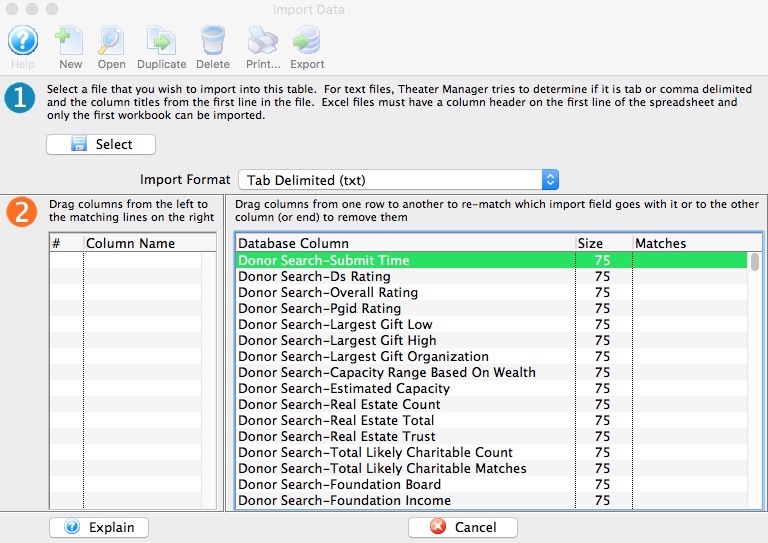
- Click Select button.
- Select the file that was provided from DonorSearch containing the analytic results.
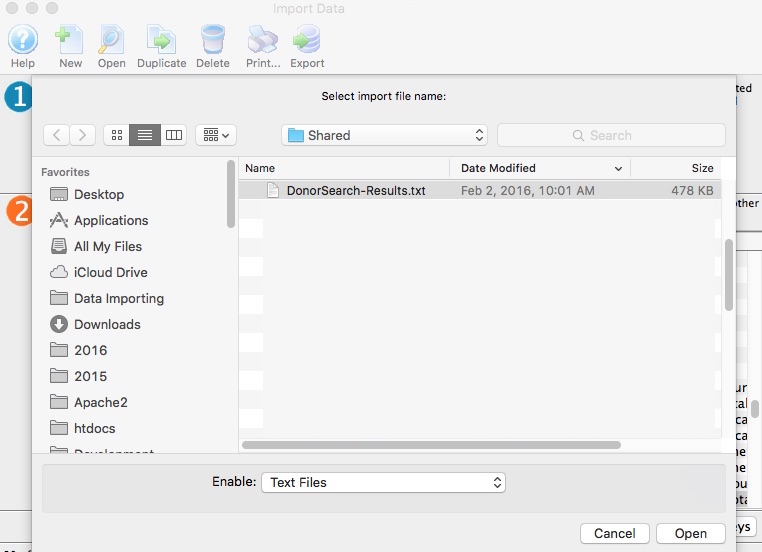
- Click Open button.
- Match Fields to the Database.
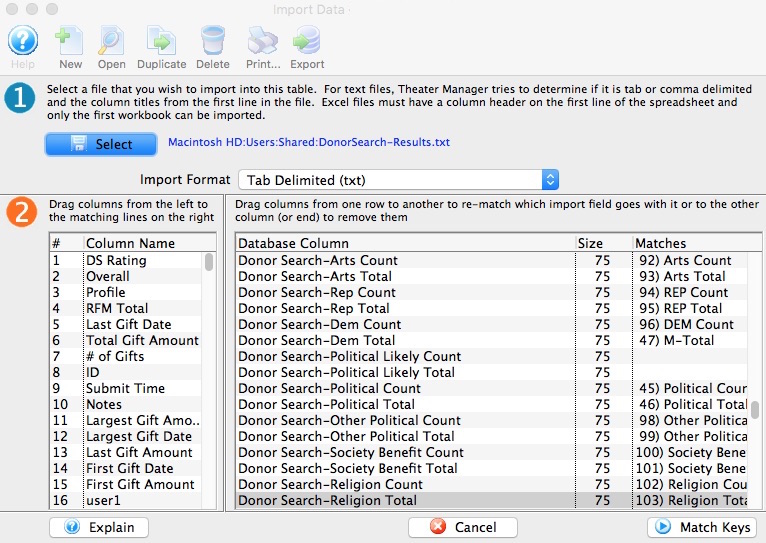
- Click Match Keys button.
- Select Key Field to Match On.
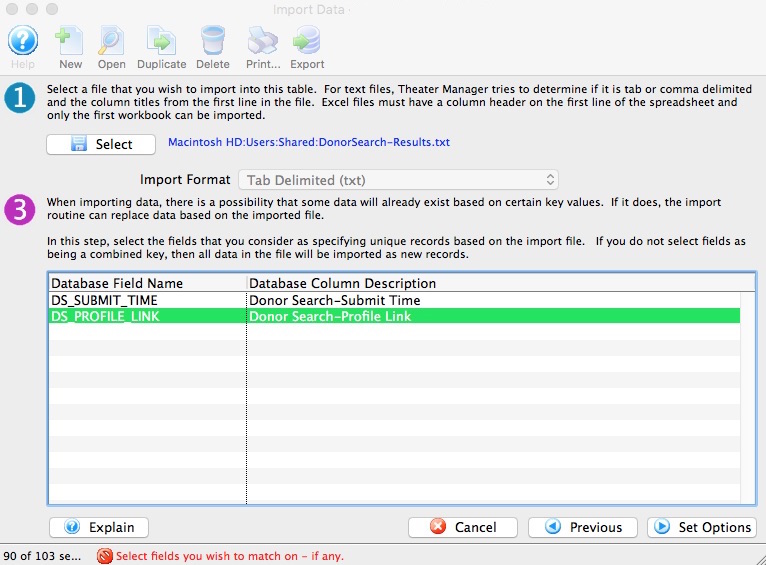
In most cases, select "DS_PROFILE_LINK - DonorSearch-Profile Link"
- Click Set Options button.
- Select Data Import Options.
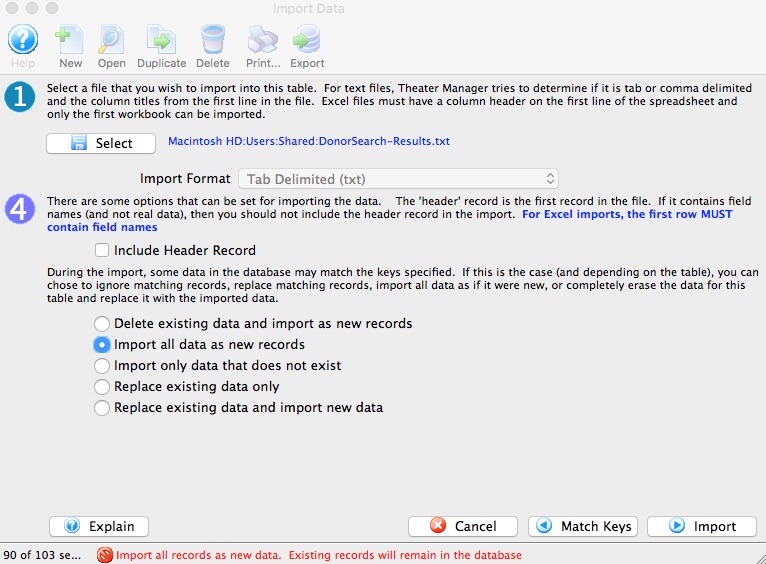
In most cases, select "Import all data as new records"
- Click Import button.
- Click Import to proceed with the import process.

- Proceed to the steps on how to View Analytic Results in Theatre Manager from DonorSearch.