Course Reports
Course Reports
Course Attendance Sheet
Course Attendance Sheet
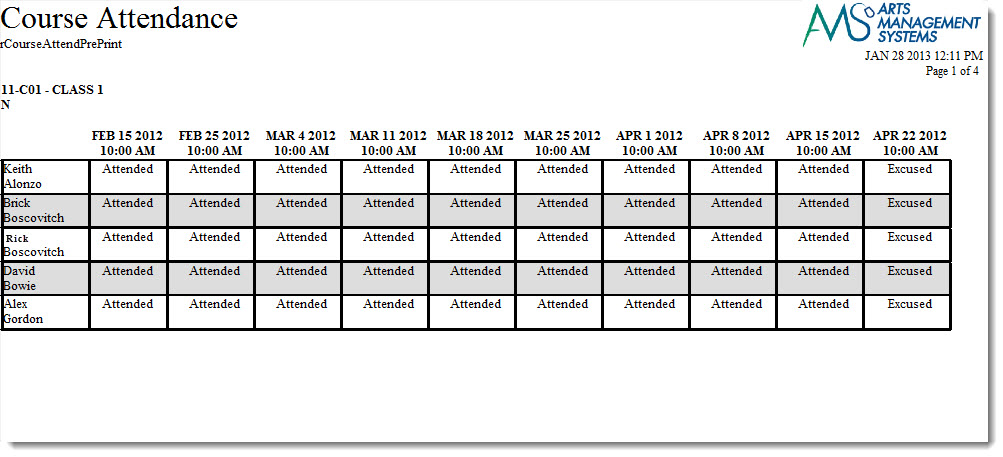
The Course Attendance Sheets can be found under the Course Reports category. Below the image are detailed notes to help you in using the report.
Click here for information on generating a report. Click here for information on the Finished Report window.
Purpose of the Report
You use the Course Attendance Sheet ti generate a sheet to be used for attendance.
Purpose of the Report
You use the Course Attendance Sheet ti generate a sheet to be used for attendance. As attendance is entered into theatre amanger, the results can be printed using this report.
Departments Who Benefit From This Report
| Instructors | To print the donations in order of Fiscal Year
Use this report to track attendance. |
Criteria Hints
It is recommended that this report be run using:
| Parameter Field | Condition | Value |
| Preformance | = | Desired Class |
| Donation Date | is | Date Entered |
Course Report Card Summary
Course Roster
Course Roster
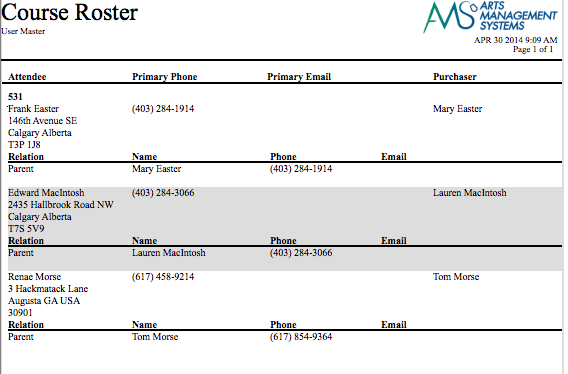
The Course Roster report can be found under the Course Reports category. Below the image are detailed notes to help you in using the report.
Click here for information on generating a report. Click here for information on the Finished Report window.
Purpose of the Report
You use the Course Roster report to print a list of of patrons who are attending a class or course, along with their relationships to other patrons such as a parent or teacher.
Departments Who Benefit From This Report
| Education | Managing the Course Roster and Emergency Contacts |
| Marketing | Cross selling other classes and courses to the parents |
| Box Office | To provide a list of who is in the building to fire personnel |
Criteria Hints
It is recommended that this report be run using:
| Parameter Field | Condition | Value |
| Event # | is one of | Desired Class or Course |
| Performance Series Code | contains | Day of the week for the class (if appropriate) |
Course Report Cards
Course Report Cards
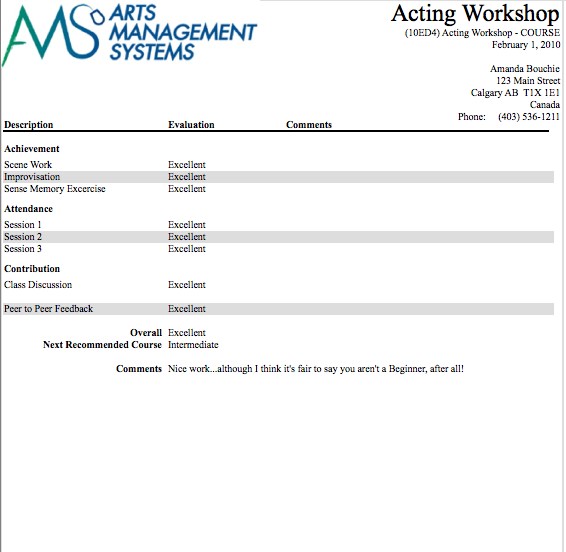
Being able to create, assign, and print report cards is part of the Courses module. Before report cards can be used, you need to set up the following in the Setup >> System Tables >>code tables:
- Report Card Templates, click here for more information,
- Course levels, to assign different levels or grades of classes, click here for more information,
- Report Card Categories for different areas to assess students, click here for more information,
- Report Card Ratings, to describe your system of assessment, click here for more information.