Duplicating Passes / G.C.s
Duplicating Passes / G.C.s
To issue a number of Passes you can duplicate an existing Pass.
 |
The rules for duplication to be allowed are:
|
To duplicate a Pass, Gift Certificate, you perform the following steps:
- In the order window click the Membership
 button.
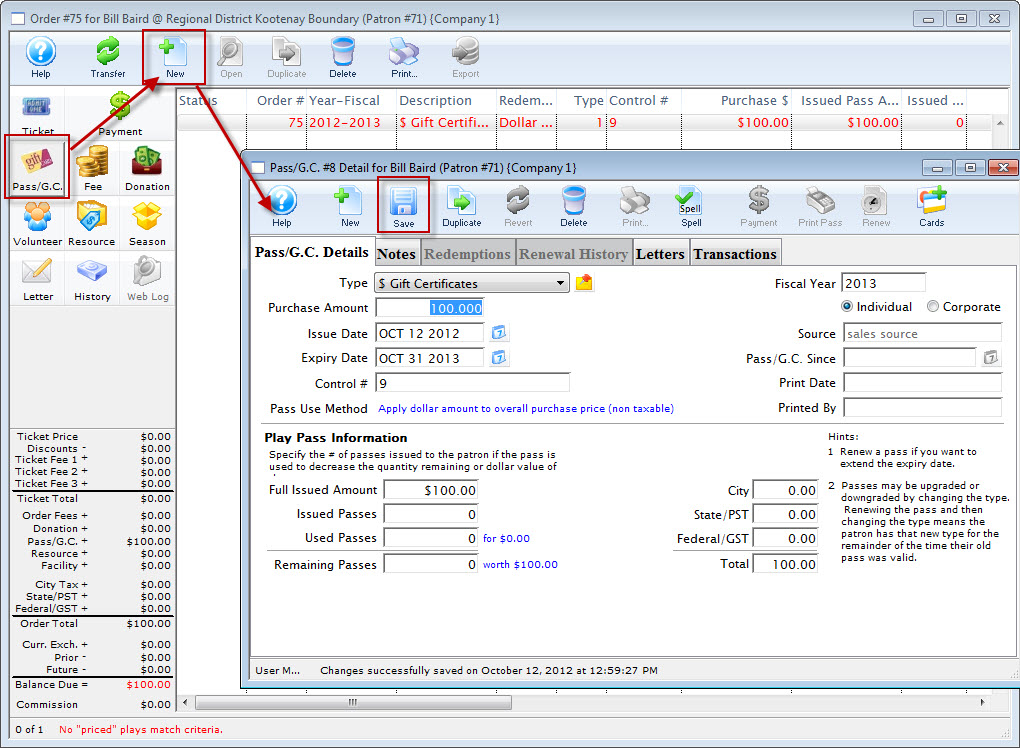
- Click the New
 button.
The Membership Detail window for the current patron window opens.
- Enter the details for the donation.
The details of the member type will be displayed in the window. Click here to learn more about adding Member Types.
- Edit the membership data as needed.
- Click the Save
 button.
At this point, you can continue and take a payment.
- Click the Duplicate
 button.
The Duplicate dialog opens.
Here you can enter the number of new pass/g.c.s to be created when the order is duplicated. All will be added to the same order and the total owing is adjusted accordingly.
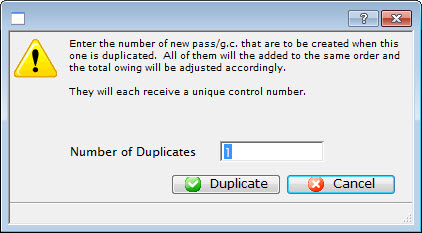
- Enter the number of duplicates and click the Duplicate
 button.
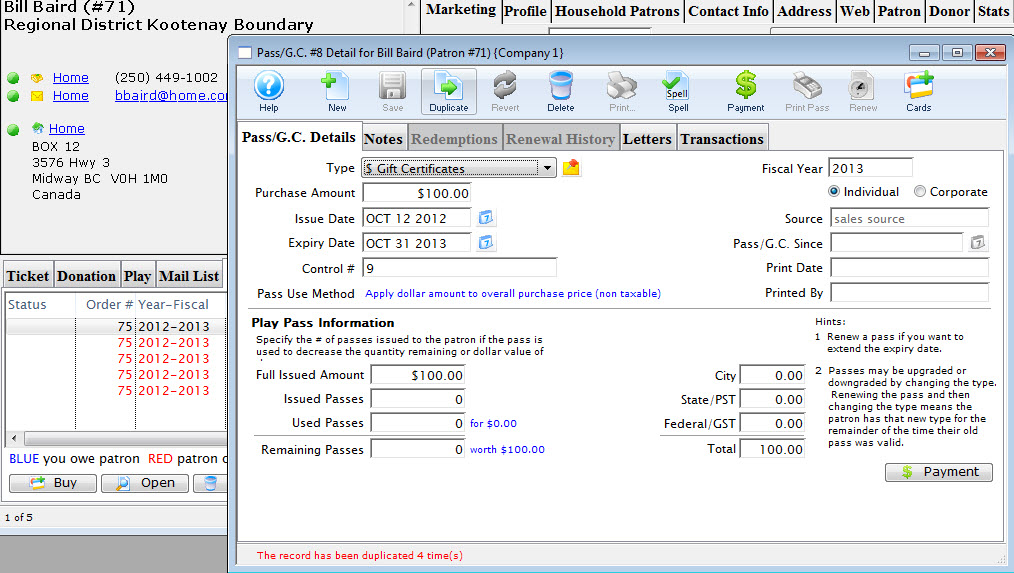
The Pass is duplicated the number of times specified.
- Click the Payment
 button.
- Enter the payment information.
For more information on accepting payments click here.
- Click the Accept Payment
 or Print Tickets
 button.
The membership sale and the sale of any other items that have been purchased in this order is now complete. The screen will return to the Patron window.
At a future date, or before you take the payment in the current order, from the Pass/G.C. details window, you: