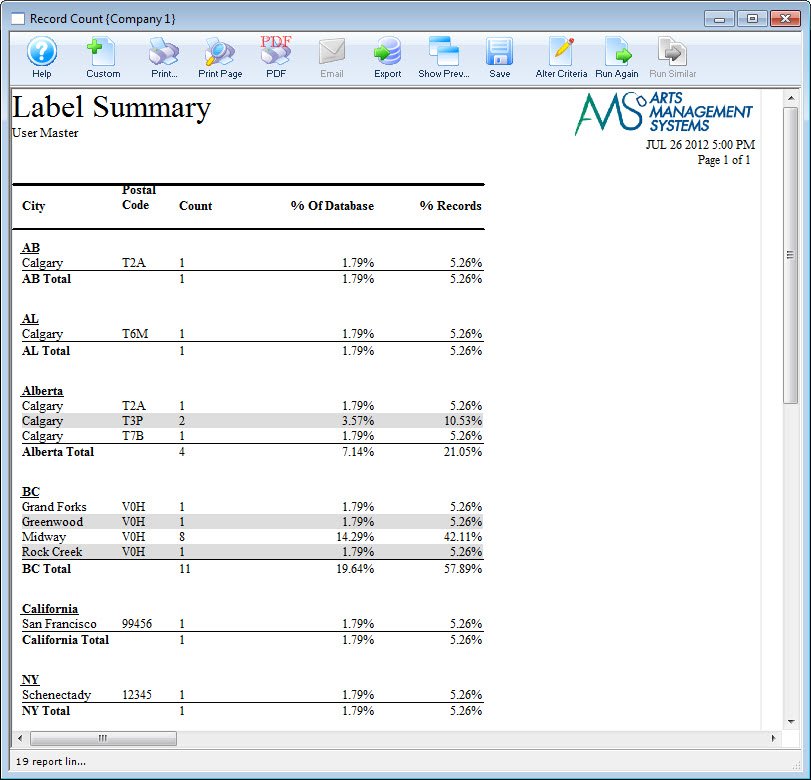
Postal Code Report
Postal Code Report
To create a report of the Postal Codes of your labels, you perform the following steps:
- Open the Patron Address window.
Click here for more information on how to open the window.
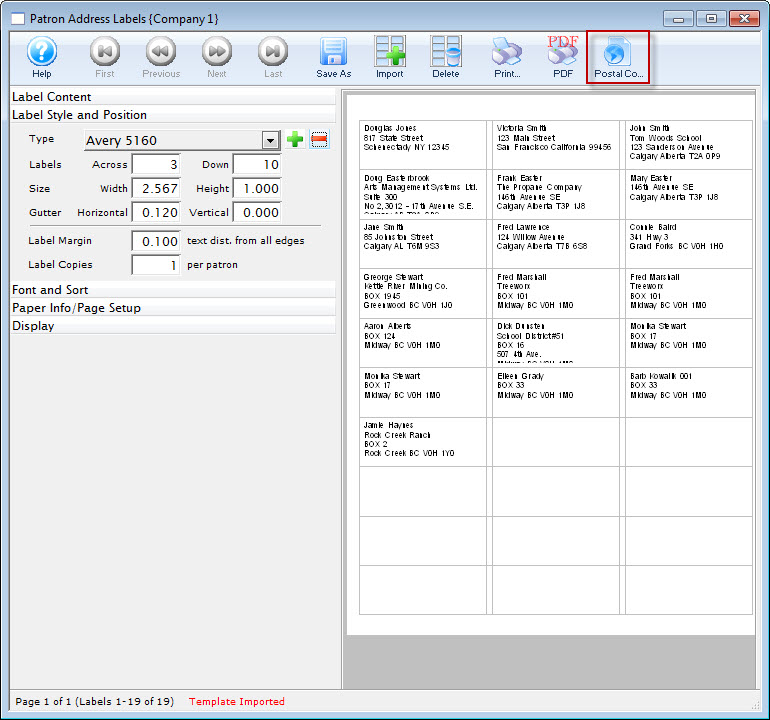
- Click the Postal Code
 button.
The Record Count Criteria window opens to the Sort & Subtotal Tab.
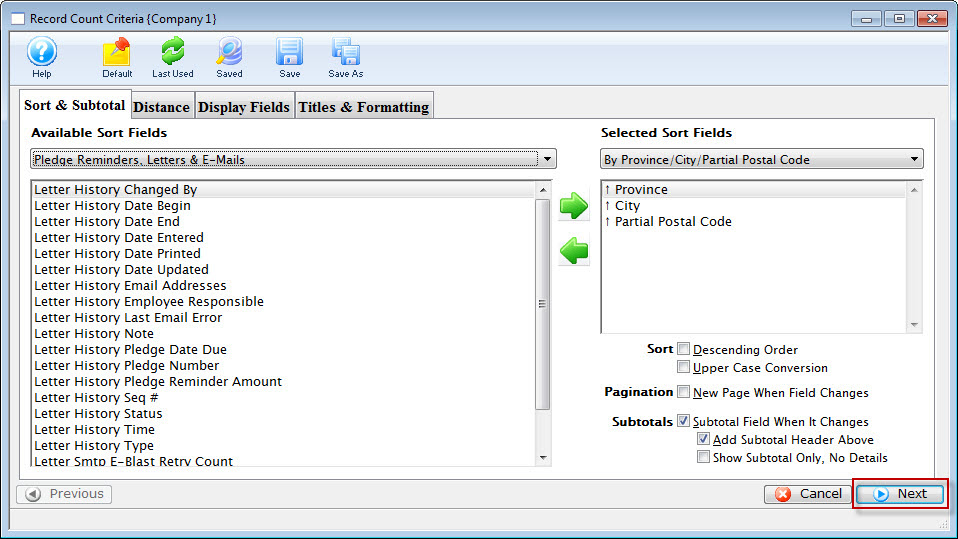
For information on how to change a Sort, click here.
- Review the sort fields, making any afdditions, deletions or changes as necessary.
- Click the Next
 button.
The Distance tab opens.
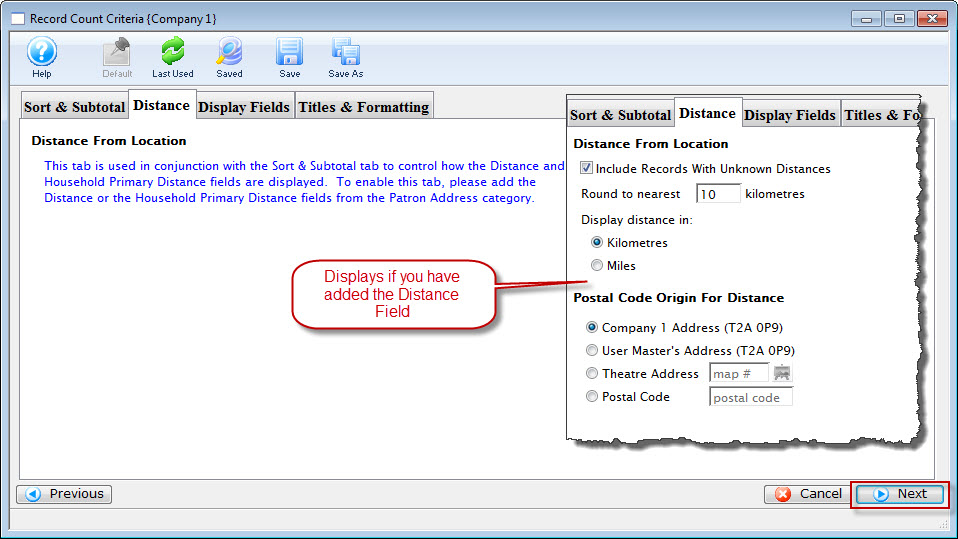
- Review the tab, when complete, click the Next button.
The Display Fields Tab opens.
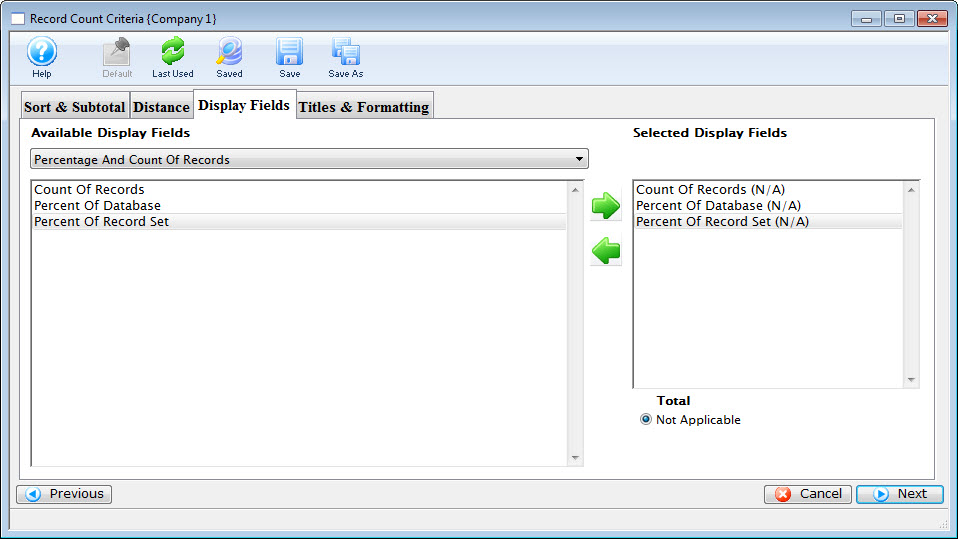
- Review the tab, when complete, click the Next button.
The Titles and Formatting Tab opens.
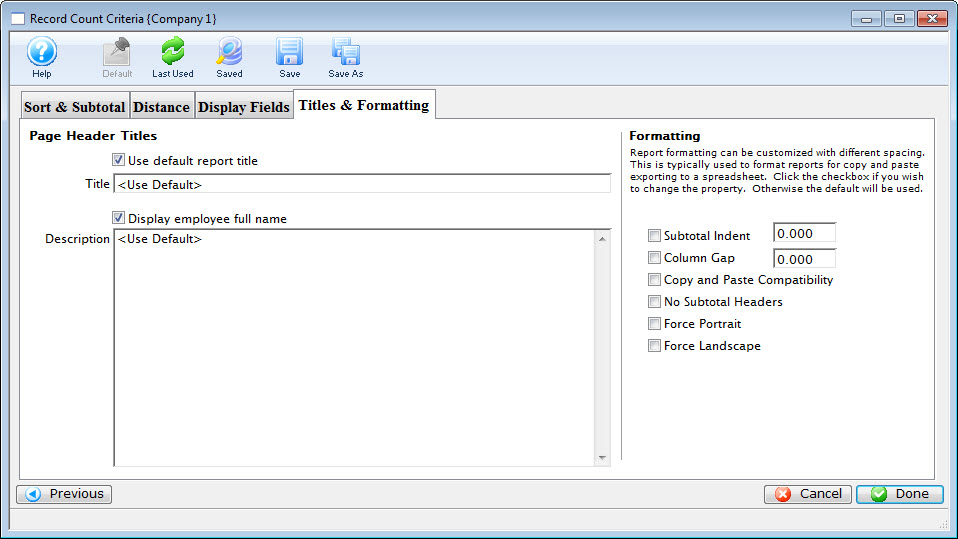
- Review the tab. Click here for more information on this tab.
- When complete, click the Done
 button.
Your report is displayed.