Media Management
Media Management
Theatre Manager accommodates media management. This feature can be used to track members of the media and various attributes about them as patrons. The attribute information is found under the 'Media' or 'Press' tab. Correspondence with the media should be place under the Letters tab.
Media Management can be found under the Media  tab
in the Patron window.
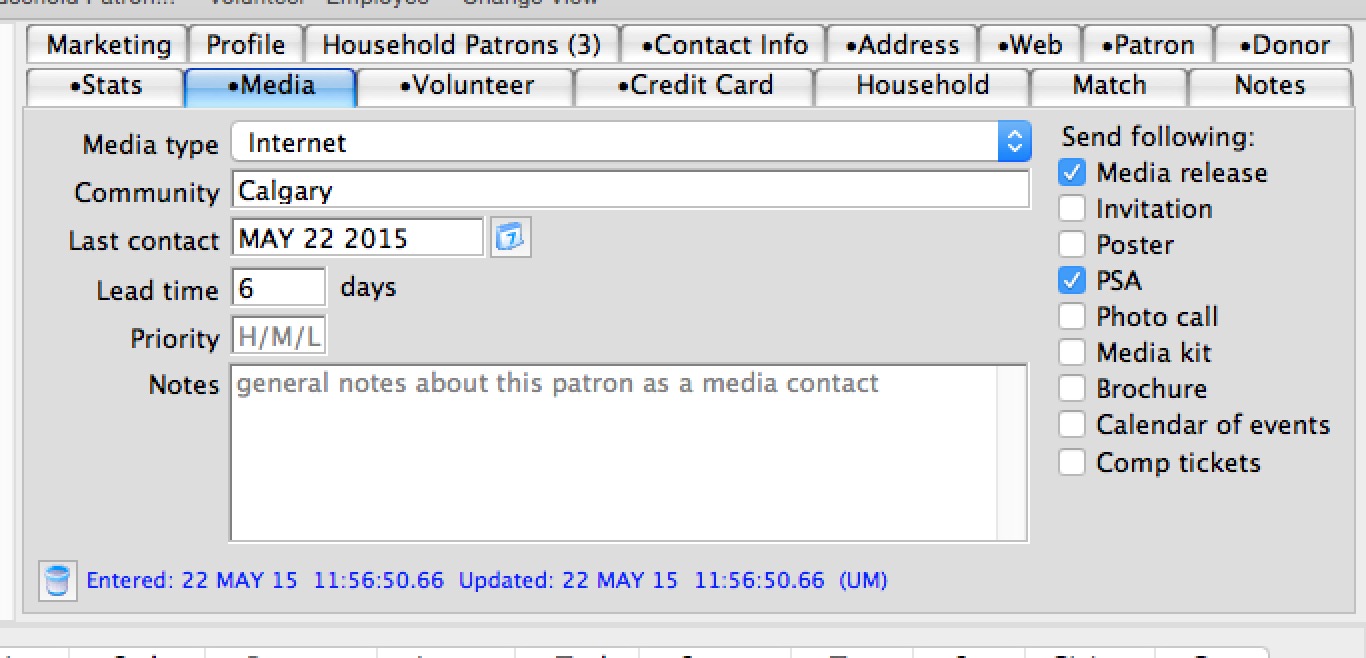
For more information on this tab click here.
Adding a Media Member
Adding a Media Member
A current patron can be a media member or a media member can be added as patron then media information added to the record.
- Find the patron to make a media member.
Click here to learn how to search for a patron
If the media member is not a current patron, enter them as a new patron to add them to the database. Click here for more information on adding a patron.
Once they have been added the following steps can be taken to add media information.
- Click the Media tab.
Click here for a detailed description of the Media Tab.
- Select a Media Type.
This list is customizable in the code tables menu. Click here for more information on changing media types.
- Fill in the fields with the information as needed.
If the complimentary ticket box is checked the number of tickets will be required. This field is for reference only and does not reserve or sell tickets. Click here for descriptions of the different fields.
- Click the Save
 button.
This will save the media information entered. If information should not be saved click the Revert
 button.
Media Management - Deleting a Media Member
Media Management - Deleting a Media Member
- Find the Media Member to delete.
Click here to learn how to find a patron or media members.
- Click the Media tab.
- Click the Delete
 button in the lower left corner of the tab.
The following confirmation window will appear.
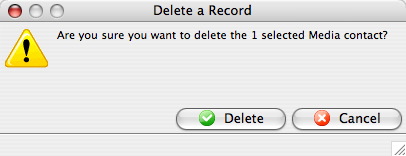
- Click the Delete
 button.
This deletes the media information only. For information on deleting the patron click here.