Editing a Personnel Position
Editing a Personnel Position
You may need to edit a volunteer position to update notes about the position or the last play the volunteer worked. This is done in the Positions Tab on the Volunteer Window.
- Find the Patron Record and open the Volunteer Window.
- Click on the Positions Tab at the upper right of the window.
Click here to learn more about the Positions Tab.
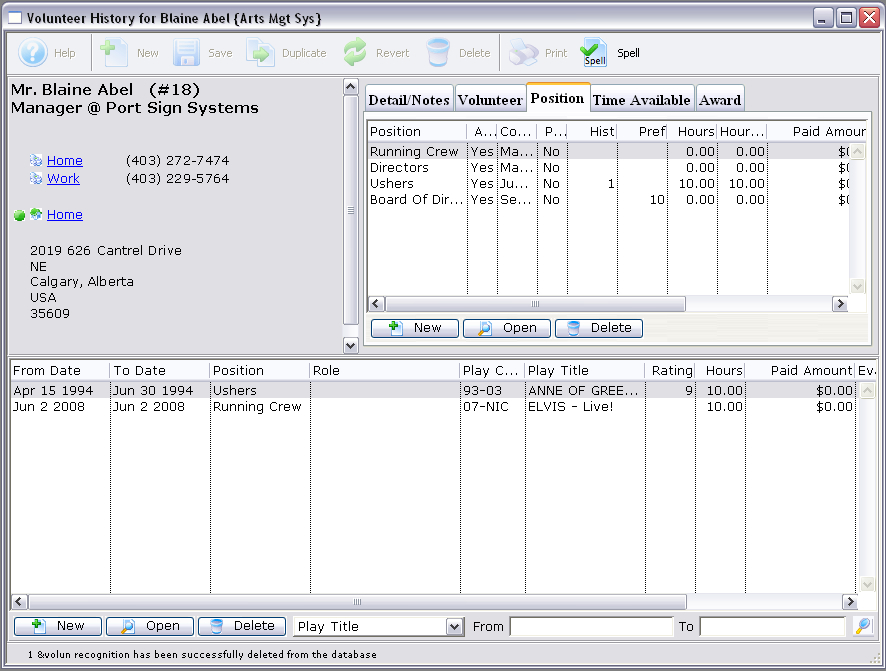
- Click on the position you wish to edit.
- Click the Open
 button.
This will open the Position Window for the position.
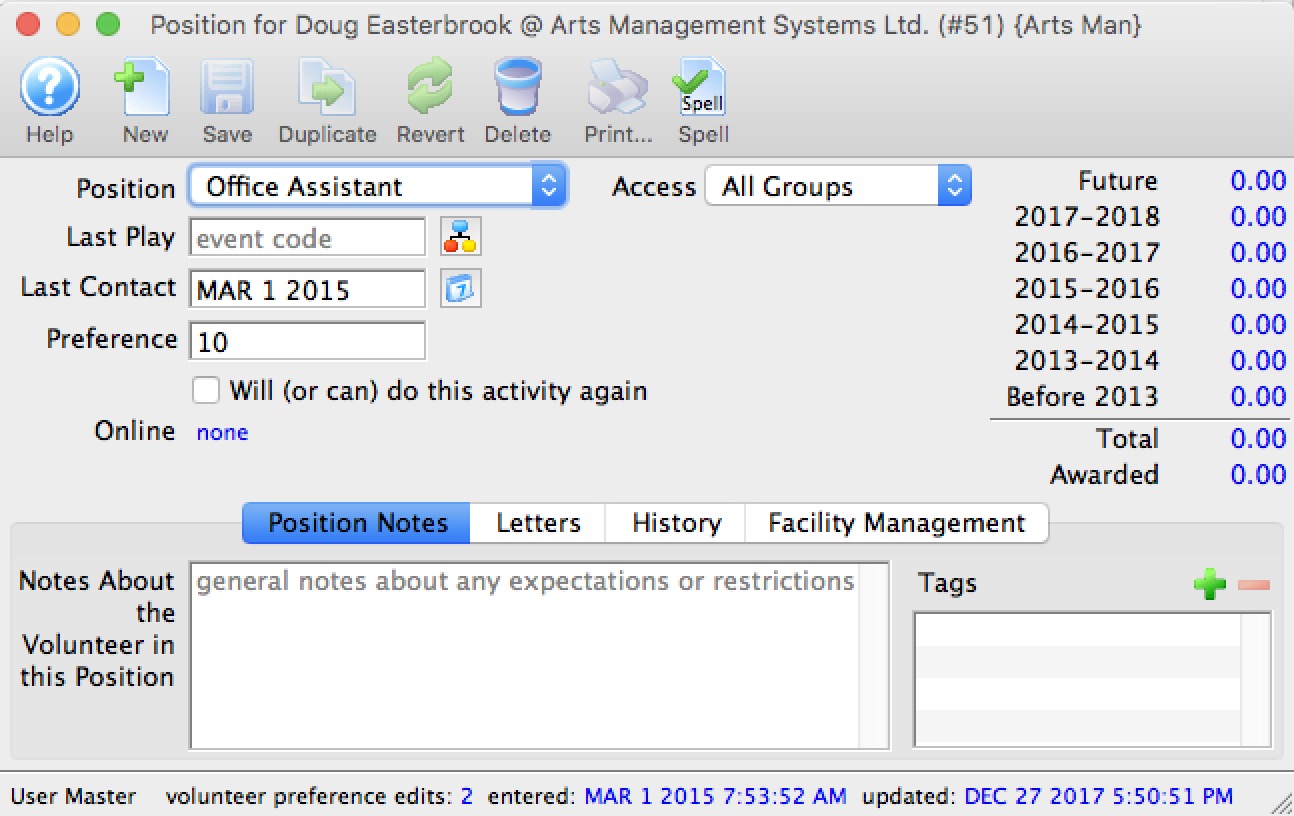
- Change any data as needed.
- Click the Save
 button.
You return to the Volunteer Window and any changed data will be saved and displayed under the Position Tab.