Converting Refunded Tickets to Donations
Converting Refunded Tickets to Donations
A patron may come to you and tell you that they cannot attend an upcoming event / play and therefore they would like you to refund their tickets, but they also tell you that they would like the company to keep the money as a donation.
To convert a refunded tick to a donation, you would perform the following steps:
- Open the Patron Record.
For details on locating a Patron Record click here.
- Select the ticket(s) to be refunded.
Only tickets within the same order can be refunded at the same time.
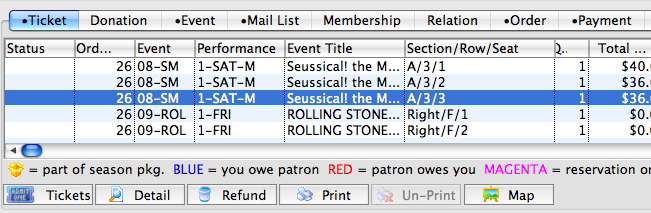
- Click the Refund
 button.
The Order window will open.
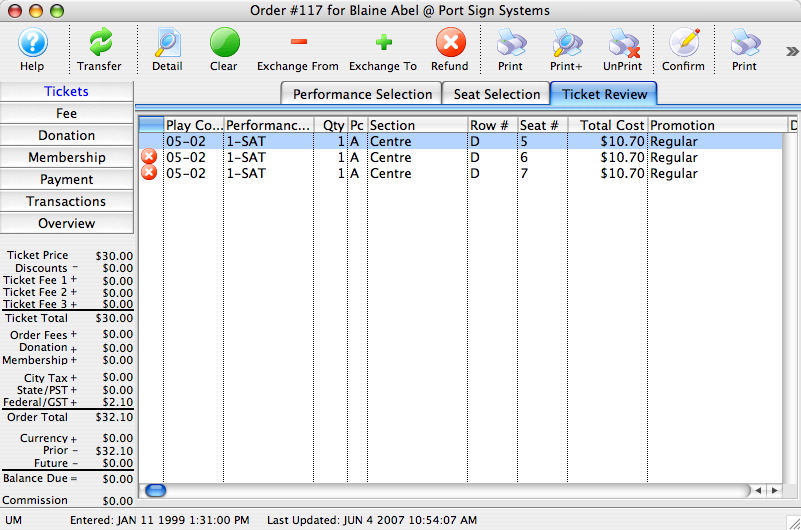
- Click the Confirm
 button.
This will release the seats to be refunded back to the Box Office. The order will now have an outstanding CREDIT balance.
- Click the Donations
 button located in the left column of the window.
- Click the New
 button in the top icon bar.
The Donation Default Settings window will open.
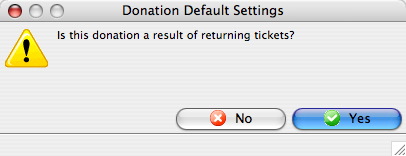
- Click the Yes
 button.
A new Donation Detail window will open.
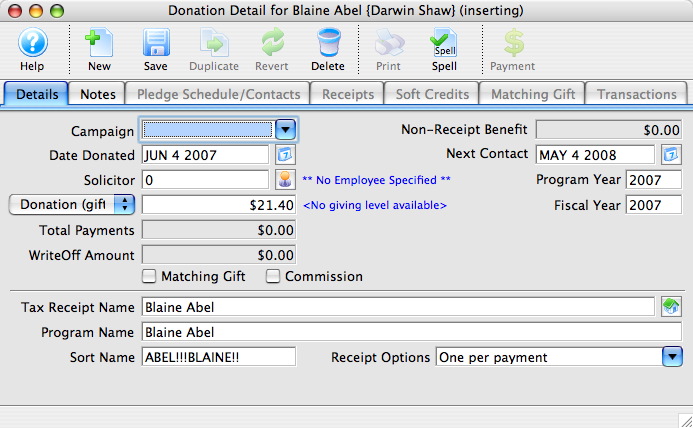
- Enter the Donation information.
Certain detail information will automatically be inserted by default i.e. Donation Amount and Date Donated. Click Donation Detail for more information on entering Donation information.
- Click the Save
 button.
- Close the Donation window.
The Order window will return. The balance in the lower left corner will be zero.
- Close the Order window to complete the transaction.
Theatre Manager will have refunded the tickets from the patrons account and converted the value of those tickets into a donation. The tickets will then be returned so they can be sold to other patrons.
|
Quick reference information for convertioning a refund to a donation, you can download: |
Flash |
MP4 |

