Arts Management Systems

Main menu

  • AMS Cloud Status
  • Product Info
  • Community
  • Contact Us
  • Mailing List / RSS Feed
  • Privacy Policy
  • Installing Theatre Manager
  • Upgrading Theatre Manager
  • Quick Reference Guides
  • Self-Guided Demo Tutorial
  • Theatre Manager Online Help
  • Form Letters and EBlasts
  • Facility Management
    • Definitions
    • Facility Management Set Up
    • Calendars
    • Tasks
    • Projects
      • Project List Window
      • Adding a New Project
      • Editing an Existing Project
      • Duplicating a Project
      • Project Window
      • Project Detail Toolbar / Ribbon Bar
    • Gantt Chart and Treelist Project Viewing
    • Billing and Accounting
    • Notifications
    • Manage Volunteers
  • Reports
  • Reveal Dashboards
  • REST API Overview
  • Web Page Documentation
  • Frequently Asked Questions
  • Theatre Manager: Responding to COVID 19
  • Newsletters
  • AMS Cloud Status
  • Product Info
  • Community
  • Contact Us
  • Mailing List / RSS Feed
  • Privacy Policy

You are here

Home › Facility Management › Projects

Project List Window

Subscribe to Syndicate
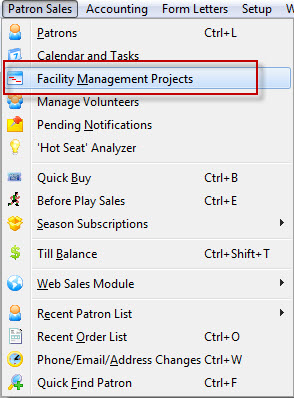
A Facility management Project can be accessed through the Patron Sales Menu or by clicking the Projects button in the top toolbar / ribbon bar.


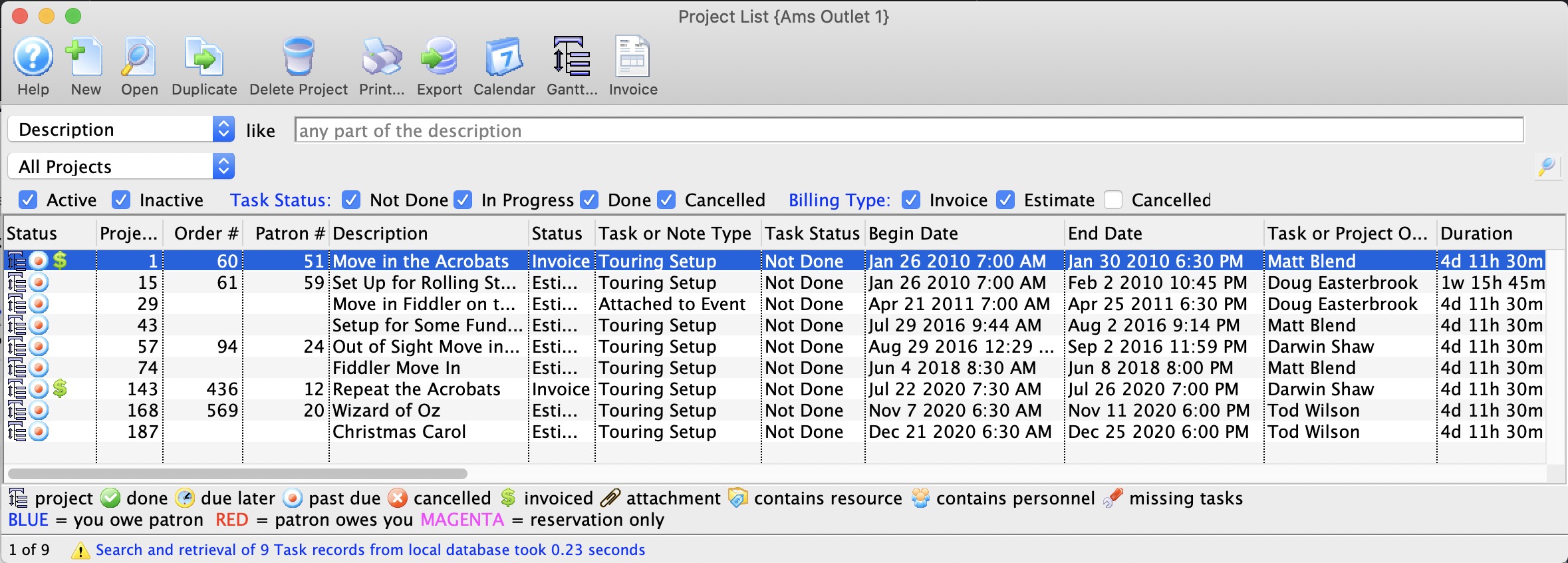
The Project List window opens:

From this window you can search for projects, create a new project, edit projects, open an existing project, or duplicate projects.
Book navigation

‹ Projects up Adding a New Project ›
  • Printer-friendly version