
Arts Management Systems

Main menu

  • AMS Cloud Status
  • Product Info
  • Community
  • Contact Us
  • Mailing List / RSS Feed
  • Privacy Policy
  • Installing Theatre Manager
  • Upgrading Theatre Manager
  • Quick Reference Guides
  • Self-Guided Demo Tutorial
  • Theatre Manager Online Help
  • Form Letters and EBlasts
  • Facility Management
  • Reports
    • Generating a Report
    • Parts of the Reports Window
    • The Add/Edit Parameter Window
    • Customizing a Report
    • Using Custom Categories in Reports
    • The Finished Report Window
    • Reports - PDF Generator
    • Viewing Queued Reports
      • Queued document detail
    • Steps for Printing an Invoice
    • List of Available Reports
  • Reveal Dashboards
  • REST API Overview
  • Web Page Documentation
  • Frequently Asked Questions
  • Theatre Manager: Responding to COVID 19
  • Newsletters
  • AMS Cloud Status
  • Product Info
  • Community
  • Contact Us
  • Mailing List / RSS Feed
  • Privacy Policy

You are here

Home › Reports › Viewing Queued Reports

Queued document detail

Subscribe to Syndicate
If you view the document detail for a report in the queue, you can:
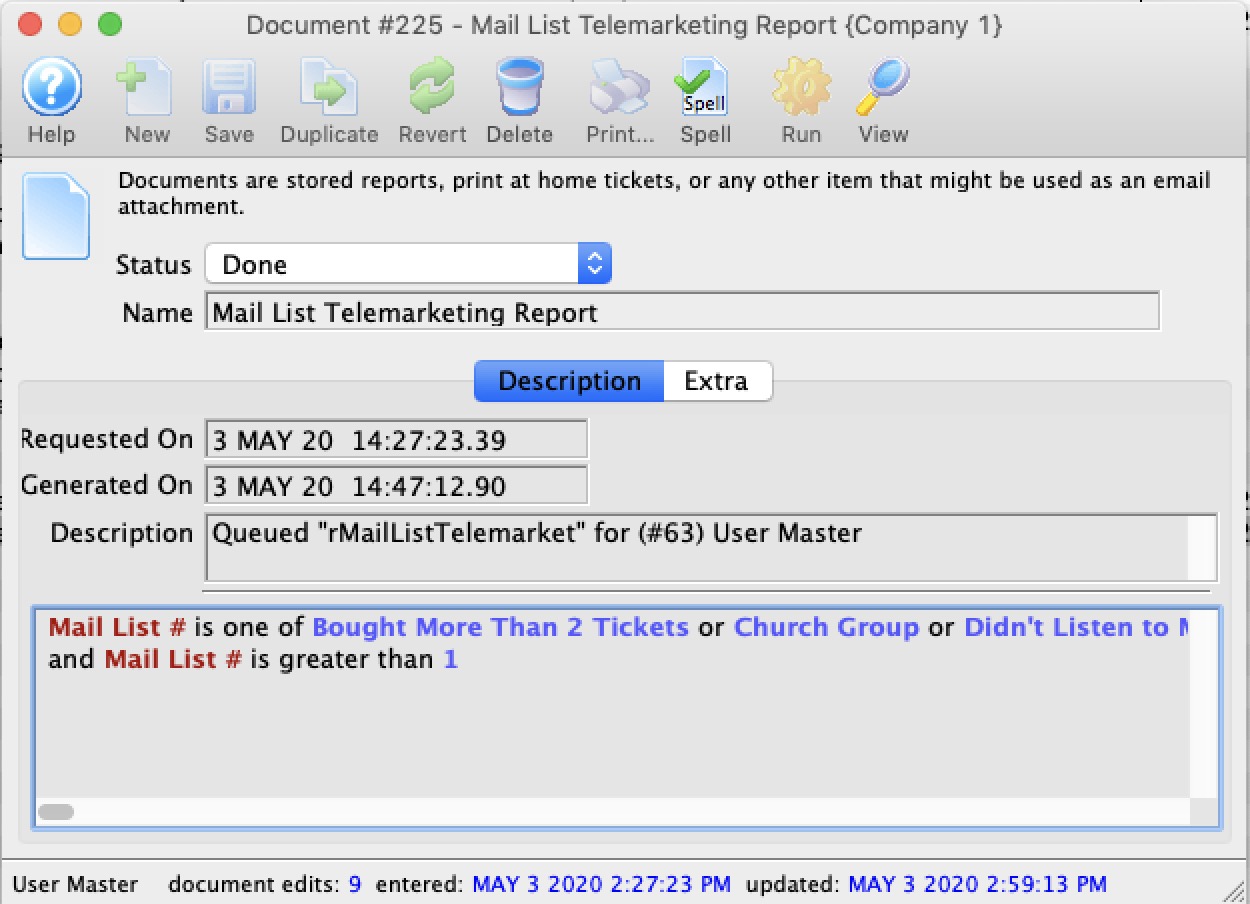
  • Change the report name and description
  • View the criteria that was used to create the report
  • View the actual report itself using the View button
  • Cause the report to run (if it was stalled) or run again using the Run Button

Book navigation

‹ Viewing Queued Reports up Steps for Printing an Invoice ›
  • Printer-friendly version