G/L Account Detail Setup Tab
G/L Account Detail Setup Tab
The account detail window is accessed by opening the G/L Chart of Accounts and double clicking on an account or when inserting a new account.
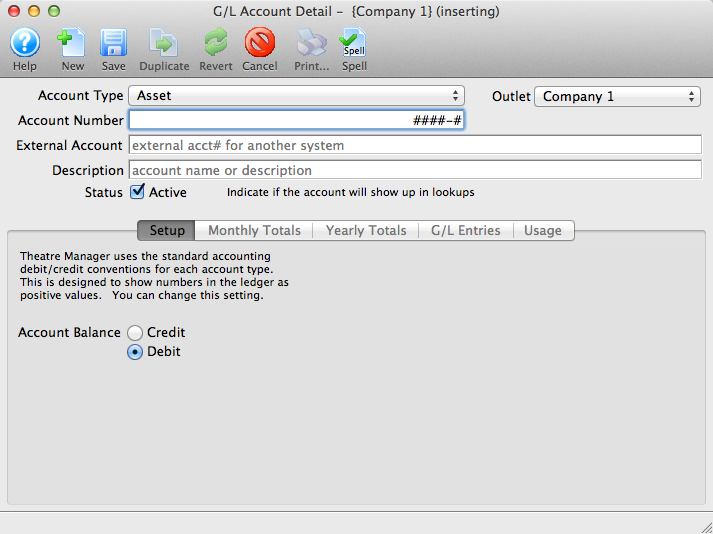
Parts of the Account Detail Setup Tab
- Account Type indicates if the GL account is to be an Asset, Liability, Equity, Income, Cost of Goods Sold, Expense, or Other Income/Other Expense type.
- Account Number is the GL Account Number that will be assigned to this account.
- External Account gives you the opportunity to display a longer GL account number for reporting. This field is alpha-numeric.
- Description is the common name of the GL Account. This, in conjunction with the Account Number will appear on reports.
 |
The Monthly Totals tab shows a breakdown of the monthly totals for the general ledger account. For more information on the Monthly Totals tab, click here. |
 |
The Yearly Totals tab shows a breakdown of the yearly totals for the general ledger account. For more information on the Yearly Totals tab, click here. |
 |
The G/L Entries tab shows transactions that are associated with the general ledger account. For more information on the G/L Entries tab, click here. |
| Account Balance | Depending on the account type selected, Theatre Manager will using standard accounting conventions to determine in the account should be a Credit or a Debit. |