Selling New Subscriptions During the Renewal Period
Selling New Subscriptions During the Renewal Period
You have a great season ahead of you, and everyone wants to get in on the subscription process! You have promised all your existing subscribers that they will get the same seats they had last year. So what do you do with all the patrons who want to buy new subscriptions while at the same time honoring your promise to your existing subscribers? You don't want to have checks and credit card numbers lying around for months waiting until you can sell new subscriptions, and you want to get the money in the bank where you can use it to grow your business.
This help page discusses how to deal with the new subscribers that want to "buy in" before you have completed renewing your existing subscribership.
Your process may vary, however the typical chronology of events in the renewal period for Season Subscriptions is:
- Renewal notices are printed and sent
- Renewals are received back from patrons
- Regular ("straight") renewals with no changes are processed immediately
- Renewals with changes are processed for payments only, but no changes to the seat assignments are made at this time
- The Change Request tab in the Favorite Seats file is filled out for reference during change request fulfillment
- New subscriptions may be sold, but as with the above change requests, payments are processed, but seat assignments are not made
- The renewal deadline passes
- A short period is allowed for existing subscribers to get their renewals in (generally 7 - 14 days)
- Change requests are processed and seated using the Season Subscription-Change Requests report
- New subscriptions that were sold during the renewal period are seated
- New (and very late renewing) subscriptions are sold and immediately processed.
Process a Payment without booking a subscription
When a patron wants to purchase a new subscription during the renewal period, you will need to explain that you can process their payment, but cannot assign their seat until all existing subscribers have been seated. Following that (and you can provide the renewal deadline), you will be able to assign seats to new subscribers.
- In most instances, subscriptions are assigned in the same order they reached your office. It benefits the patron to subscribe early for the best seats, even if the seats cannot be actually assigned for months.
There are two methods that you can use to process a payment without booking a subscription.
Method 1 (Recommended):
- Open the Patron Window.
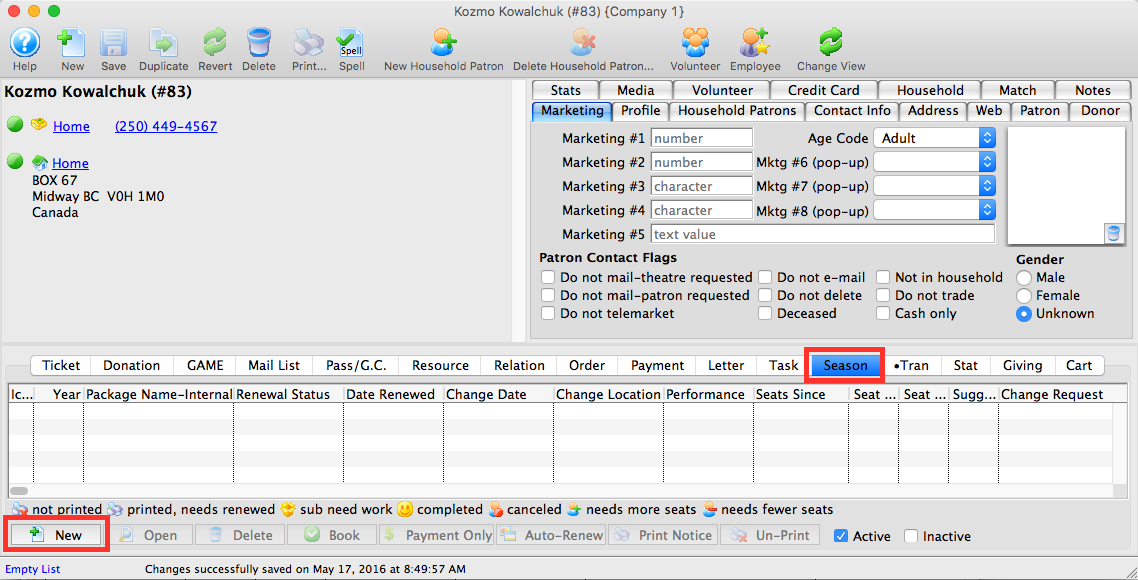
For information on accessing the Patron Window click here.
- Select the Season
 tab in the Patron Record.
- Click the New
 button.
The Select A Season Package window opens.

The Select A Season Package window will not open if there is only one active season package.
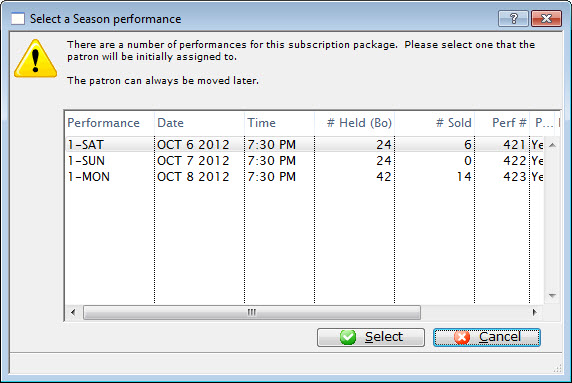
- Single click the desired Season Package and click the Select
 button.
The Subscription Detail window opens.
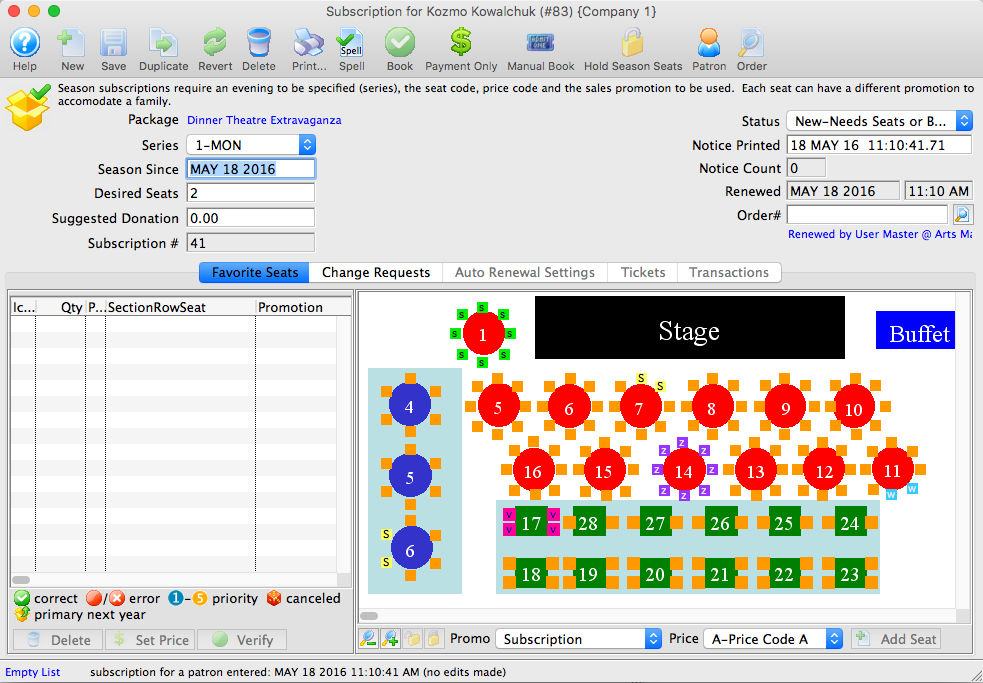
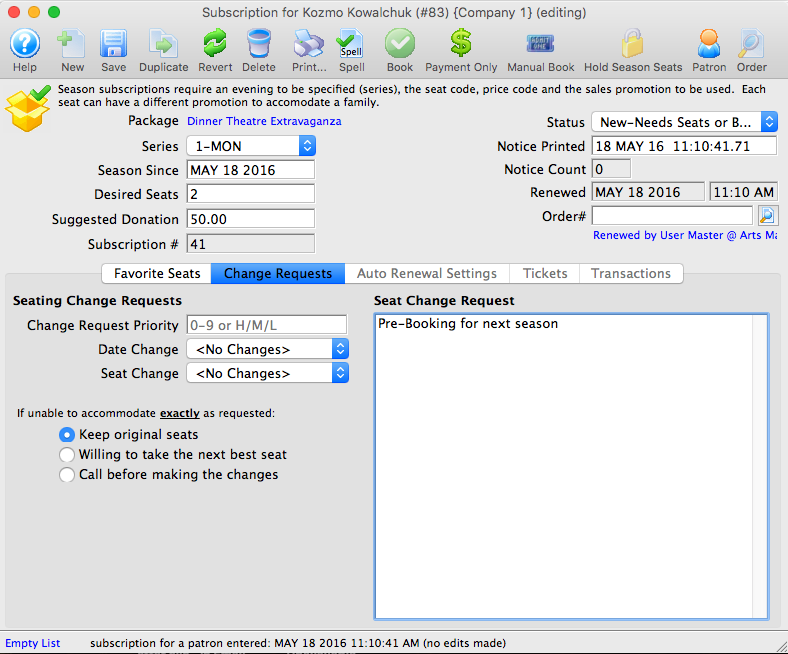
- At the top, indicate:
- The correct series
- The date of the request (this will default to today's date)
- The number of desired seats
- The suggested donation amount specific for this subscription
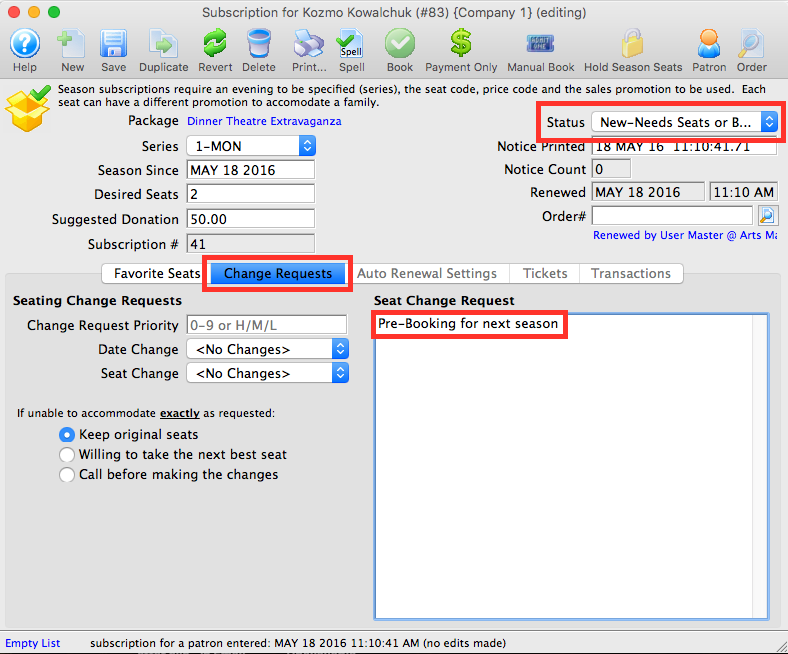
- Change the Status to "New-Needs Seats or Booking".
- Click on the Change Requests
 tab.
- Click the Payment Only
 button.
- Add the payment amount for the expected subscription.
- Process the payment.
Add any notes about the seat request in the Seat Change Request text box.
The payment window opens.
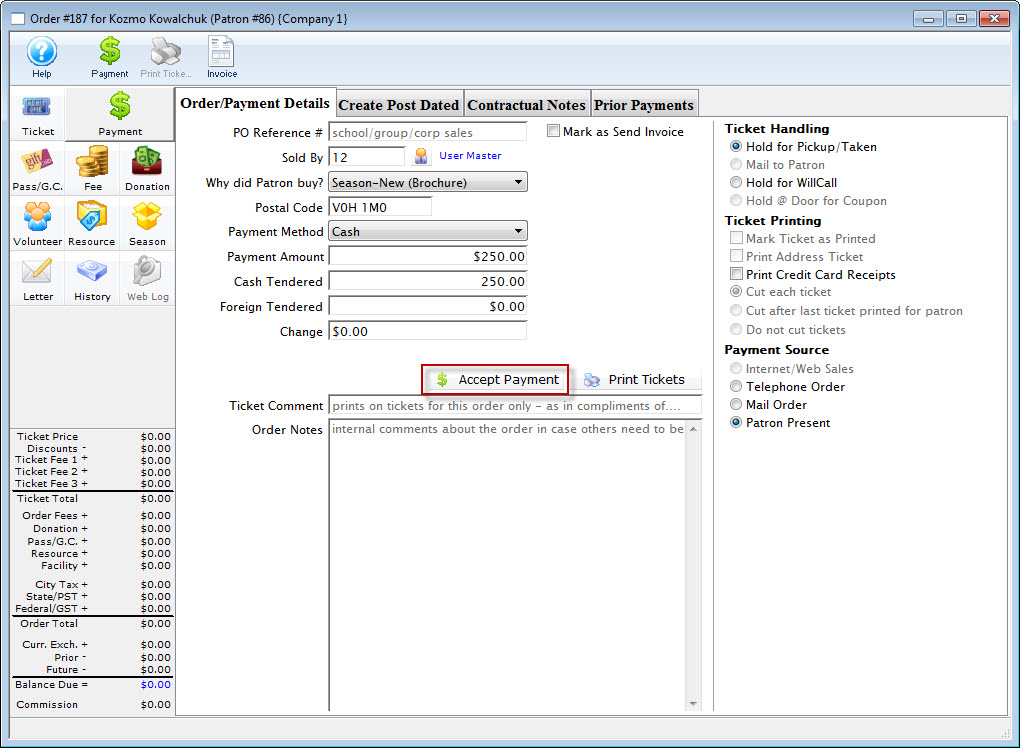
When you are able to assign and book the tickets:
- Locate the patron record.
- Select the Season tab, and double click on the season package.
- Add the seats to the Favorite Seats tab.
- Click the Book
 button.
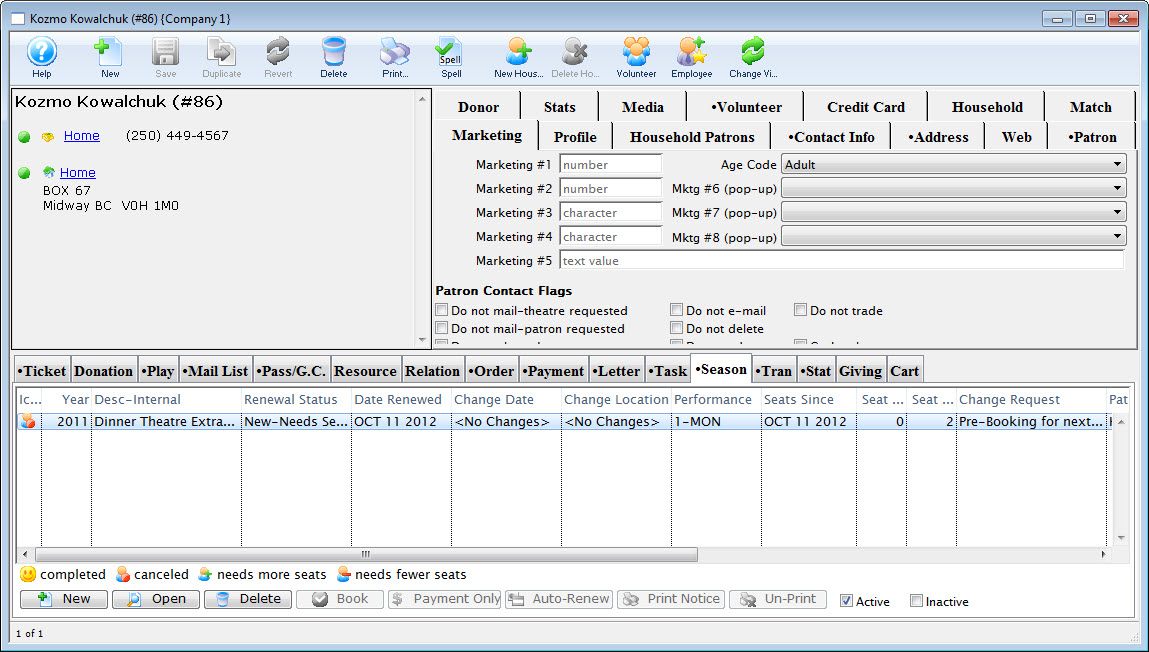
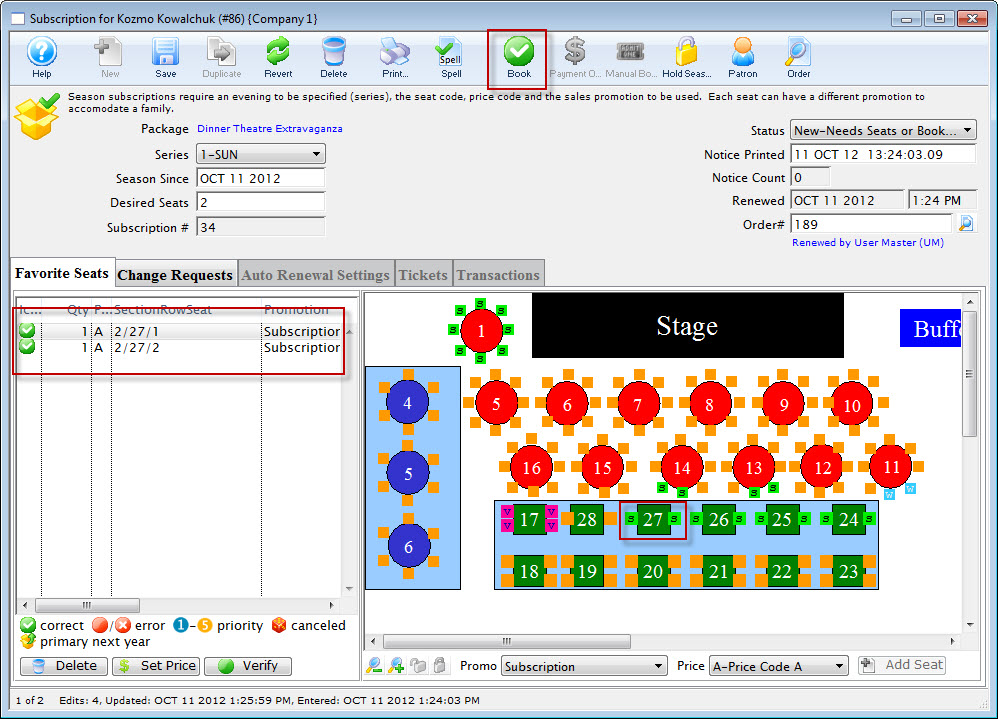
The payment window opens, but because of the prior payment, the balance due should be zero. If it is not, review the tickets assigned in the Ticket Review tab, and the prior payment to ensure they are correct.
Method 2 (Optional):
Method 2 is sometimes preferred by auditors who like to see that the patron has something of value, rather than the company having just processed a payment without giving anything in return. Most people understand the concept of Gift Certificates, so auditors will ask that you issue a Gift Certificate (or other Membership) in exchange for the payment. Then, when you are able to process the subscription, use the Gift Certificate to pay for the tickets.
The end result is the same - the patron has given you money, you have put it in your bank, and then that money - at a future date - pays for the tickets.