Printing an Invoice
Printing an Invoice
Printing an invoice is similar to printing an Estimate.
To print an invoice, you perform the following steps:
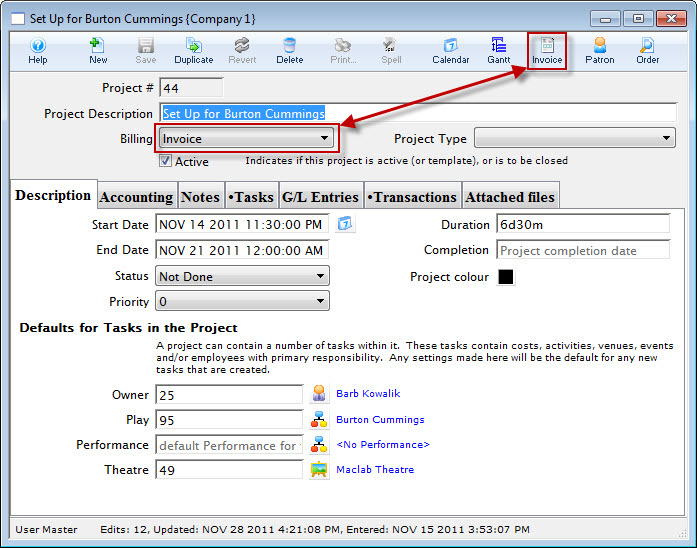
- In the Project window, click the Billing drop down and choose Invoice.
The Estimate button in the Project window ribbon bar / toolbar changes to Invoice.
A dialog opens, stating that changing to an order causes the Order to be posted during the end of day process and asks if you want to continue.
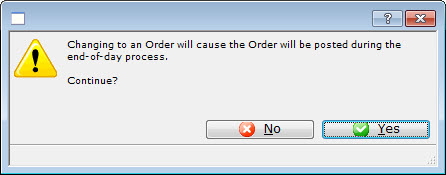
- Click the Yes
 to continue.
You are returned to the Project window.
- Click the Invoice
 button.
The Print Invoice Criteria window opens.
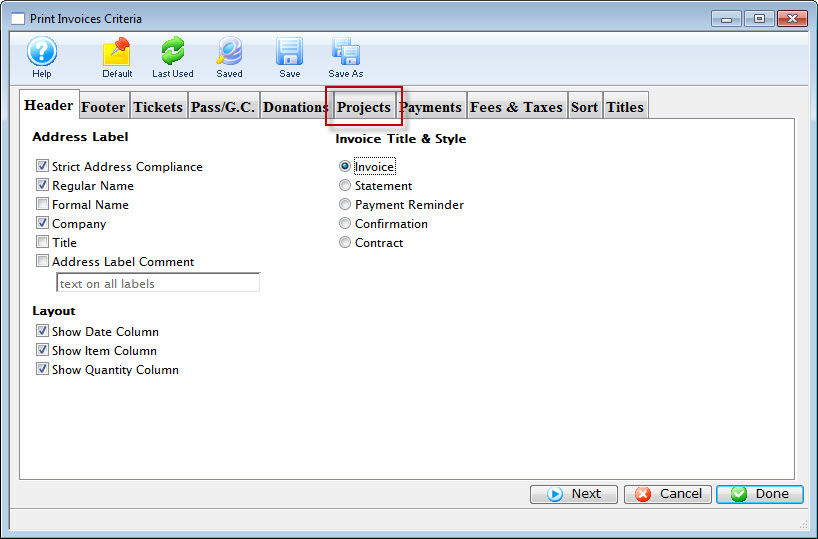
Review the information on the tab to ensure that the information you want printed on the invoice is selected.
- Click the Projects tab.
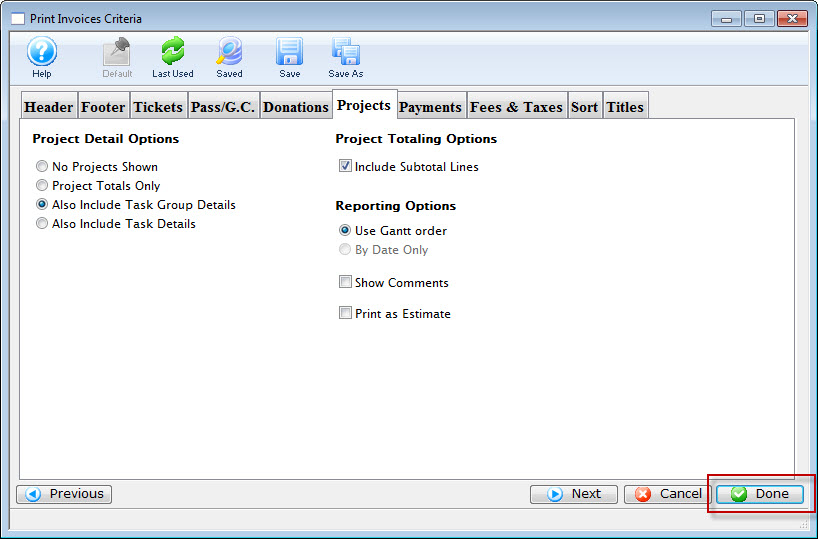
Review the information on the tab to ensure that the information you want printed on the invoice is selected.
- Click the Done
 button.
The Estimate prints.

Click here for more information on the Finished Report window.
You can review the other tabs as necessary.