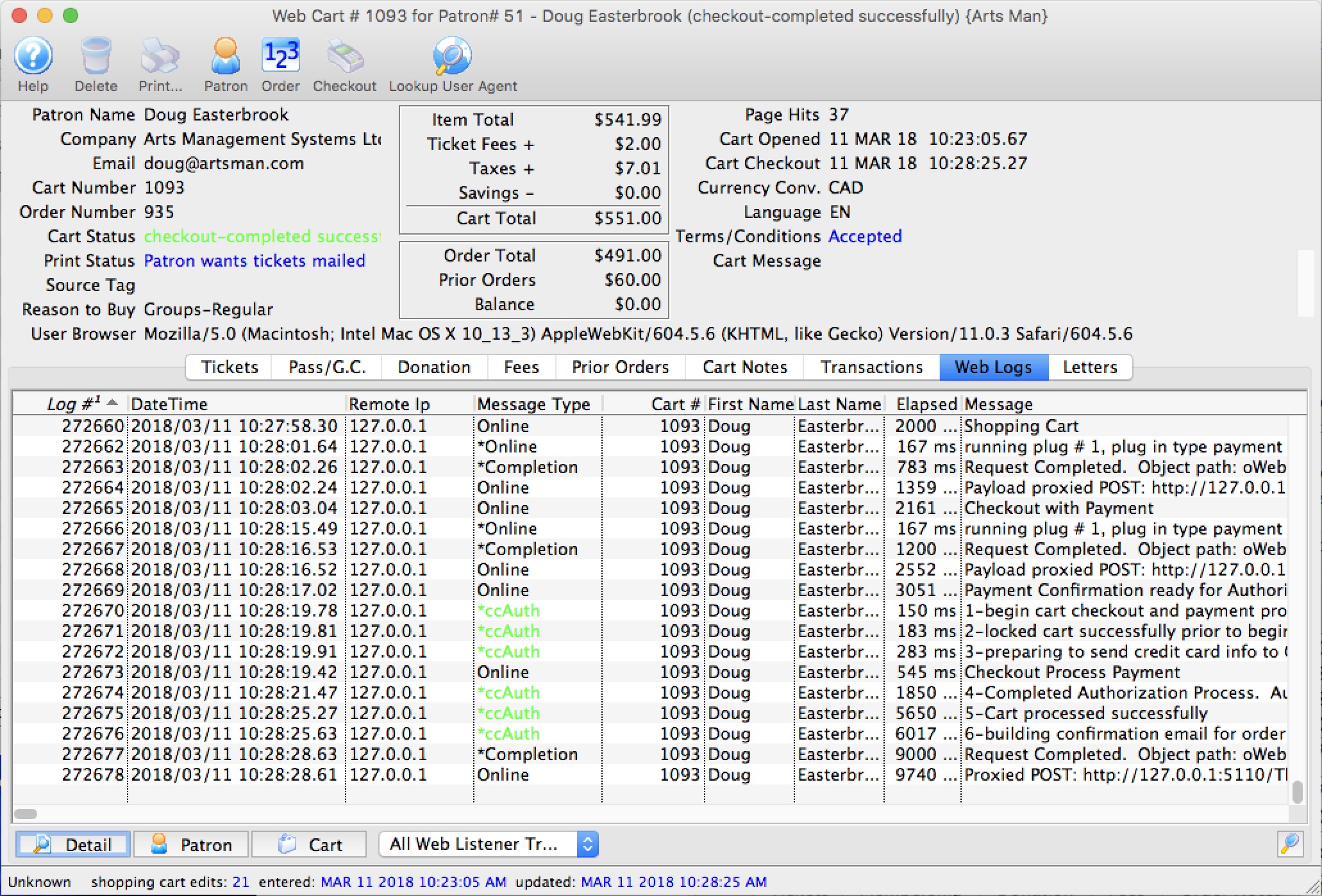
Web Cart Log
Web Cart Log
The log window shows all the activity that the patron did at the web listener - but is restricted to this cart only.
By looking at the cart, you can tell:
- when they started browsing
- which events they looked at
- what seats they added to their cart and the sections they were interested in
- If they discarded seats
- other fees, coupons, donations, etc that they placed in their cart
- when they logged in - if they were browsing anonymously)
- any issues with checkout such as declined cards
- any TM errors such as seats not priced properly
- and more
If you read this log carefully in the comments on the right side of the list (not shown in picture), you can actually tell which buttons that the patron clicked on their web browser and help them along if you are mentoring them through a sale.
As a patron clicks on web pages, you will need to use the 'search' icon on the lower right of list to refresh the current cart log. If the cart is still active and the patron calls you, you can take over the cart and check the cart out out on their behalf.
 |
The most common complaint is card rejection. If a patron
|