TMpatronLimitedProfile.html
TMpatronLimitedProfile.html
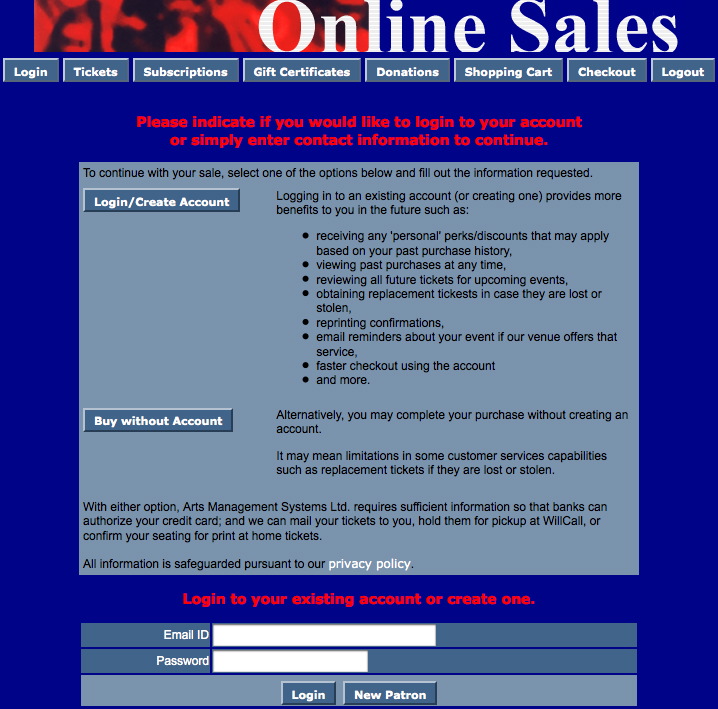
Description:
- Allows for patrons to login to the online sales without creating a full patron profile.
- This page is only accessible is a patron is not logged in and click the checkout button in the online sales window.
- Only those options with an asterisk next to them are mandatory fields.
Questions and Answers:
Q: Where is the limited profile option enabled?
A: In Theatre Manager click Setup >> System Preferences. Select the Mandatory Data tab. Check the desired locations in the Allow Limited Profile Patron On section.
____________________________________________________________
Q: Where are the limited profile account settings in Theatre Manager?
A: In Theatre Manager click Setup >> System Preferences. Select the Mandatory Data tab. Place a check mark next to the desired fields for limited profile in the Limited Profile Web Sales Checkout Patron Data section.
____________________________________________________________
Q: How can I hid fields that are not mandatory?
A: Fields that are not mandatory can be commented out in the tmLoginLimitedPatron.html page.
____________________________________________________________
Location:
htdocs/1/WebPagesEN
Able to Call Page(s):
Called By Page(s):
Page(s) Referenced:
- buttonRollover.html
- pleaseWaitMessage.html
- pleaseWaitMessageFunction.html
- rowPatronAddress.html
- rowPatronContact.html
- rowPatronEmail.html
- rowPatronEmailLimitedProfile.html
- setSALUTATION_LIST.html
- setSALUTATION_LISTempty.html
- showhidediv.html
- styleButtons.css
- stylePages.css
- TMError.txt
- tmFooter.html
- tmLoginForm.html
- tmLoginLimitedPatron.html
- tmnavButtons.html