Transaction List Window
Transaction List Window
You use the General Ledger Transaction History List window to access specific transactions based on your lookup. The General Ledger Transactions List Window is accessed through the Accounting >> General Ledger >> Transactions List menu.
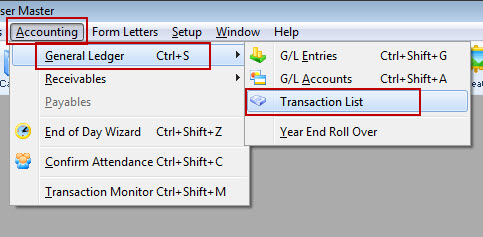
The G/L transaction List Window opens.
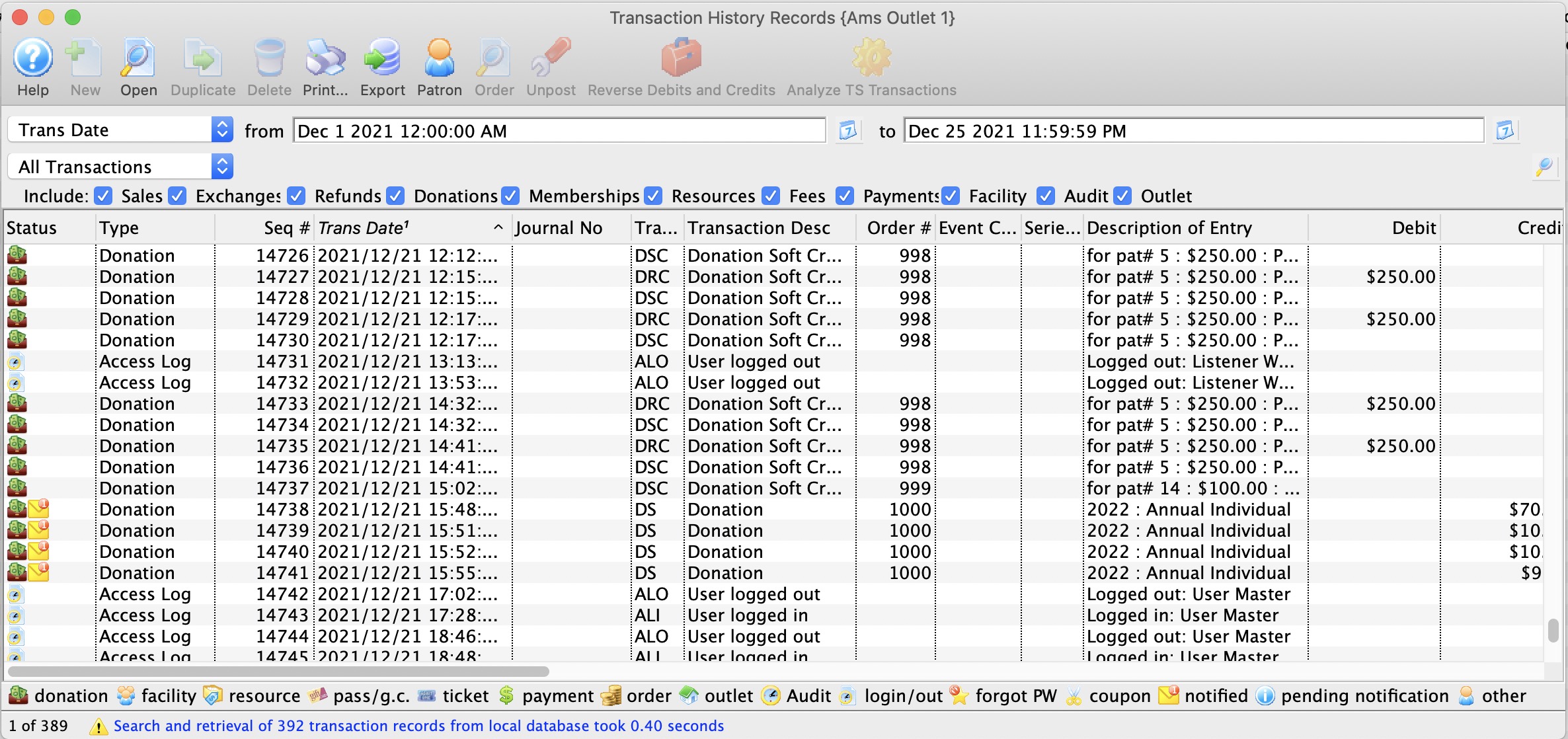
For more information on the G/L Transaction History window, click here.
Transaction History List
Transaction History List
You use the Transaction History window to review transactions that occurred within a certain date and time range. This can be useful when trying to discover an error that may have occurred during the day.
Parts of the Transaction History Window
 |
This function is not available in this window. |
 |
Opens the Transaction Detail window for further detail about the transaction. |
 |
This function is not available in this window. |
 |
This function is not available in this window. |
 |
Prints a copy of the information in the window. |
 |
Exports the information in the window to a TXT document for the purpose of importing into another program. |
 |
Opens the Patron record of the patron associated with the transaction. |
 |
Attempts to unpost the transaction where applicable. |
 |
Creates a reverse debit or credit for the transaction. This function is not yet available. |
 |
Analyzes the TS transactions to verify that they are in balance. |
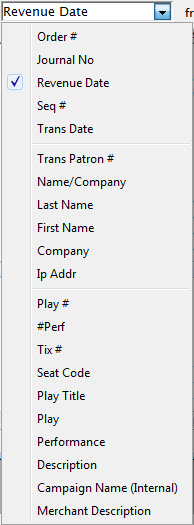 |
A drop down menu of the available search functions. |
 |
Initiates a search based on the parameters in the To and From fields. |
| Include | The items checked will be included in the search. Uncheck an item to remove it from the search. |
| Seq. # | The sequence number of the transaction. |
| Trans. Date | The date of the transaction. |
| Journal No | The journal number of the transaction. |
| Code | The transaction code associated with the transaction. |
| Transaction Desc | A description of the transaction. |
| Order # | The order number the transaction was part of. |
| Event / Play | The event / play the transaction is associated with. |
| Performance | The performance the transaction is associated with. |
| Description of Entry | An entry description. |
| Debit | The amount of the debit associated with the transaction. |
| Credit | The amount of the credit associated with the transaction. |
| User | The user who handled the transaction. |
| Qty | The quantity of items in the transaction. |
| Total | The total of the transaction |
| First Name | The first name of the patron associated with the transaction. |
| Last Name | The last name of the patron associated with the transaction. |
| Company | The company associated with the transaction. |
| Patron # | The patron number associated with the transaction. |
| Campaign | The donation campaign associated with the transaction. |
| Description | A description of the donation campaign. |
| Promotion | The promotion that used with the transaction. |
| Group | The report group of the promotion. |
| Merchant | The merchant that was used to process the transaction. |
| Event / Play Title | The event / play title associated with the transaction. |
| Event / Play Code | The event / play code associated with the transaction. |
| GL # | The general ledger number associated with the transaction. |
| Fee | The fee associated with the transaction. |
Transaction History - Detail
Transaction History - Detail
Displays the information about the transaction selected in the Transaction History window.
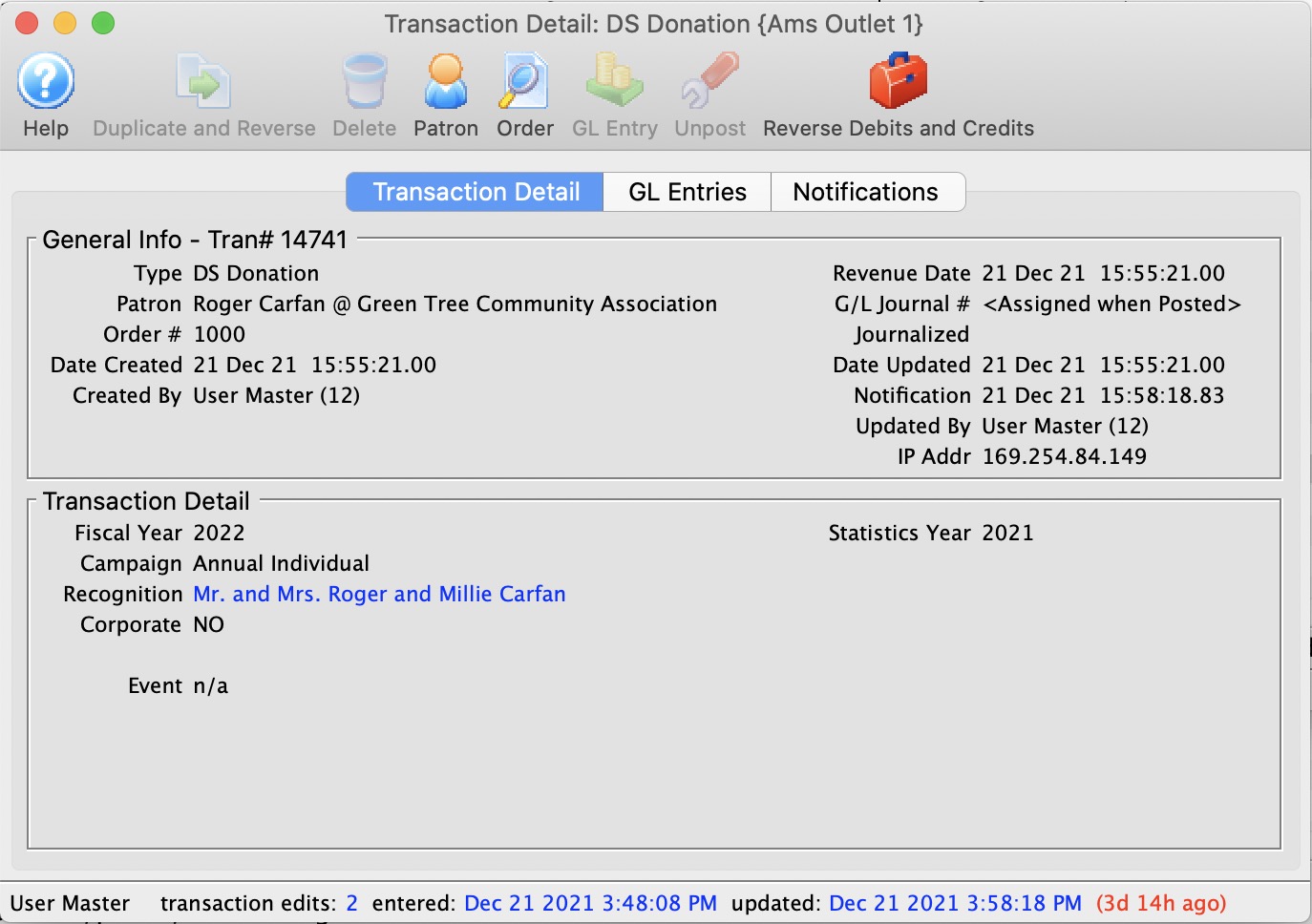
The parts of the window are:
Toolbar / Ribbon Bar
 |
Help - Opens the online help. |
 |
Duplicate - Duplicates and Reverses the transaction to create an offsetting entry |
 |
Delete - Unavailable |
|
Patron - show the patron this transaction belongs to. Opens the Patron record for the patron associated with the transaction. |
 |
GL Entry - Show the GL Entry containing this transaction if it has been posted |
|
Unpost - Clears the journal number on the transaction if it can be unposted so it can be posted again |
General Information
Displays general information about the transaction, such as:
- Type
- Patron
- Order Number
- Date Created
- GL Journal Number
- Transaction ID Number
- Dated
Transaction History - GL tab
Transaction History - GL tab
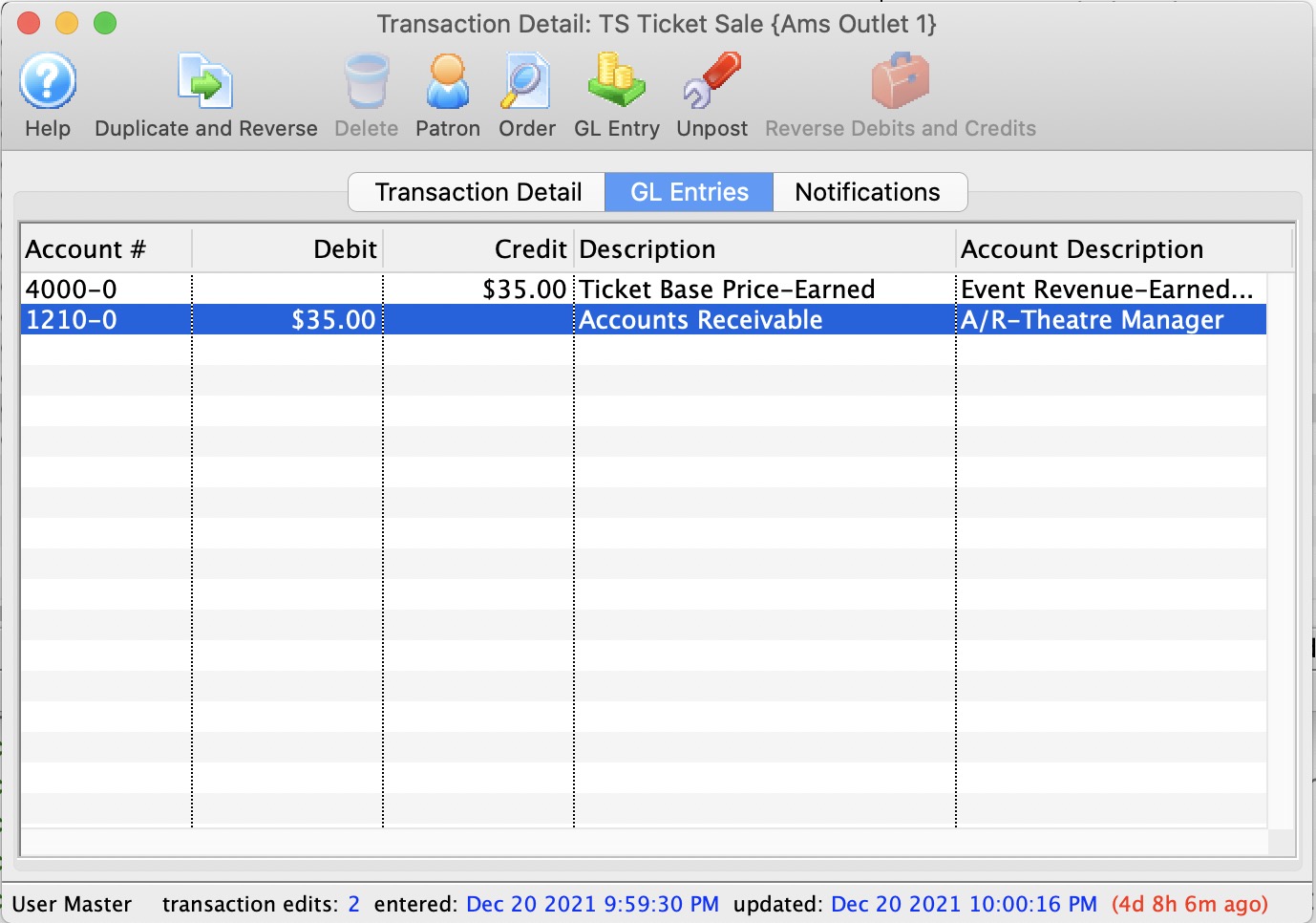
The GL Entries tab displays:
- for posted transactions - the accounts that the entry has posted to and contained in the G/L
- for not-yet-posted transactions - the accounts that the entry is expected to post to during end of day using the current account setup in events, passes, donations, etc. If those setup accounts are changed, prior to posting, the transaction will post to those changed accounts. In other words, the accounts that the system posts to is determined during end of day posting.
 |
|
Transaction History - Notifications
Transaction History - Notifications

If a transaction has any notifications associated with it, you will see the recipients in this list. You can:
- View the contents of the notification sent to the employee
- See whether it has been read (or not)
- Resend the notification by changing its status to Not Done