Exporting Theatre Maps For Use In Other Theatre Manager Databases
Exporting Theatre Maps For Use In Other Theatre Manager Databases
Exporting Theatre Map Files
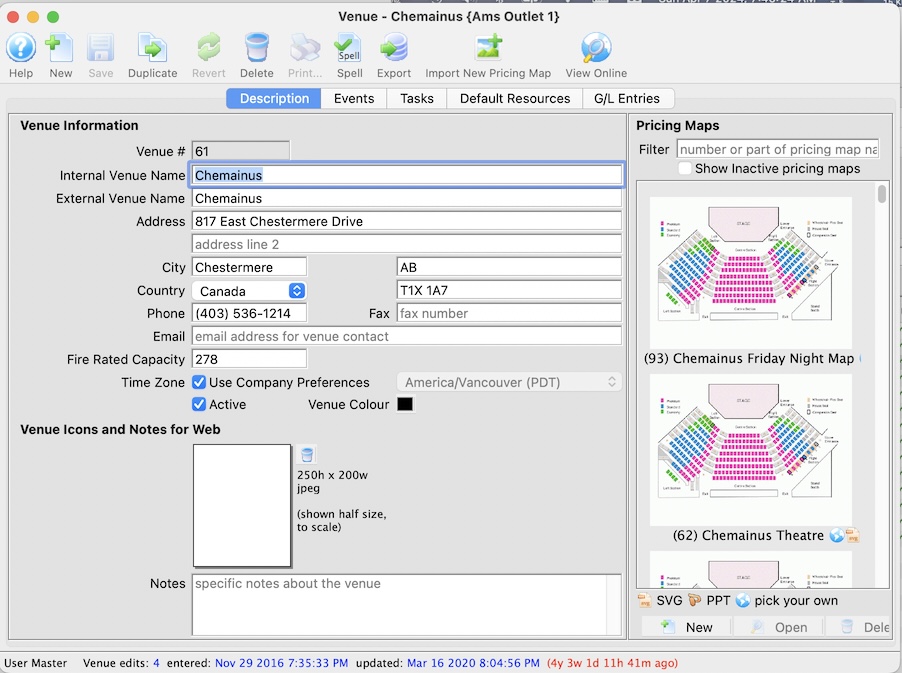
There may be a time when you need to export your Theatre Map to send to Arts Management Systems.- Open the Venue window that contains the theatre map of interest.
- This link describes the difference between a Venue and. Theatre Map
- This link describes how to find the Venue containing the Theatre Map that you want to export
-
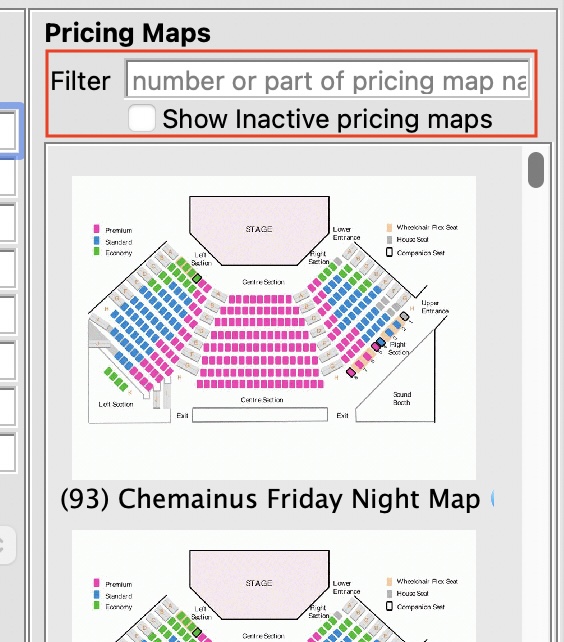 Find the Theatre Price Zone Map to be exported
On the right side of the venue information, is a list of price zone map configurations that can be used in that venue. You need to find the one that you want to export by:
- Scrolling down to find the on you want -or-
- Using the filter feature to find the one you want by:
- Typing the map number(s of the price zone map(s) you want to find. (if you know them). Separate multiple map numbers by comma's -or-
- Typing some part of the name you gave to the price zone map to make it memorable, like 'two zone map' or 'Orch and Balcony price map'. -or-
- Typing some words in the note field you put in the pricing map as a convenient way to find it
-
Double click on the price zone map to open it
- Click the Export Pricing Map to see the export options. Do two exports
- Export the seats in Excel Format
- Export the entire map in TM interchange format. This has the seats, image and all the rest of the data
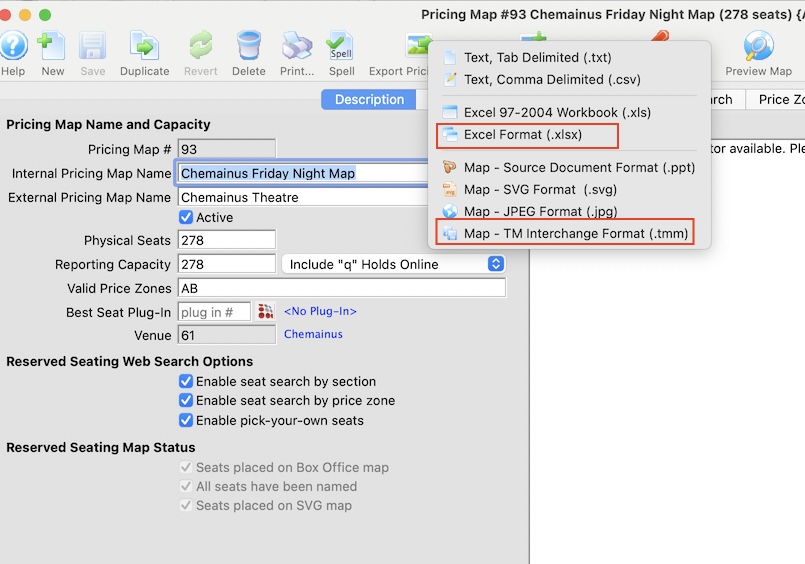
- Click the Export Pricing Map to see the export options. Do two exports
- Import the two files into anothe database or outlet
- Log into the other database as a user with permission
- Insert a new venue, if need be
- when you have created or found the venue that you want to add the venue map to, then:
- Click the Import Pricing Map button and pick the .tmm file you saved
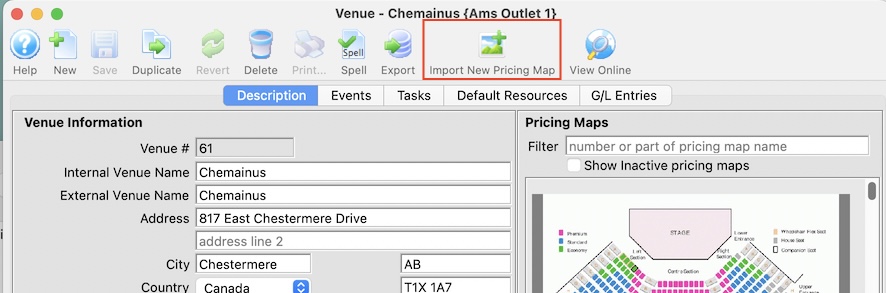
- Click the Import Pricing Map button and pick the .tmm file you saved
- Open the pricing map and then click on the Name seats button.
- Click the Import seats button and pick the Excel Seat Map file you saved moments ago
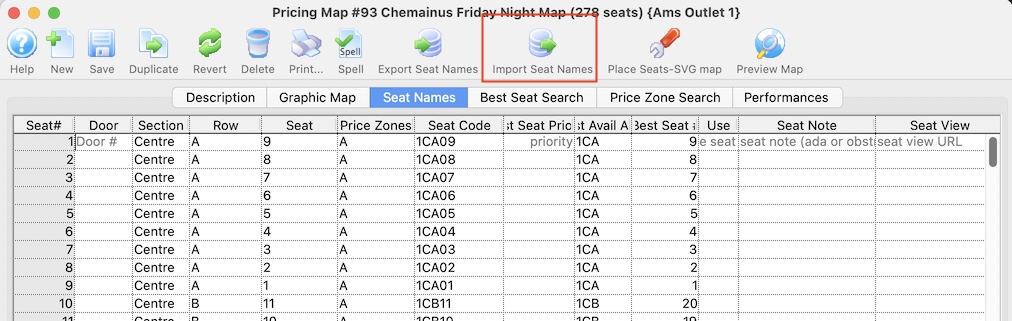
Now, all the other outlet or company need to do is import those two files.
To do that