Revenue Tab
Revenue Tab
This tab displays a detailed summary of the revenue taken in for each performance of an event. The Play is broken down into individual performances.
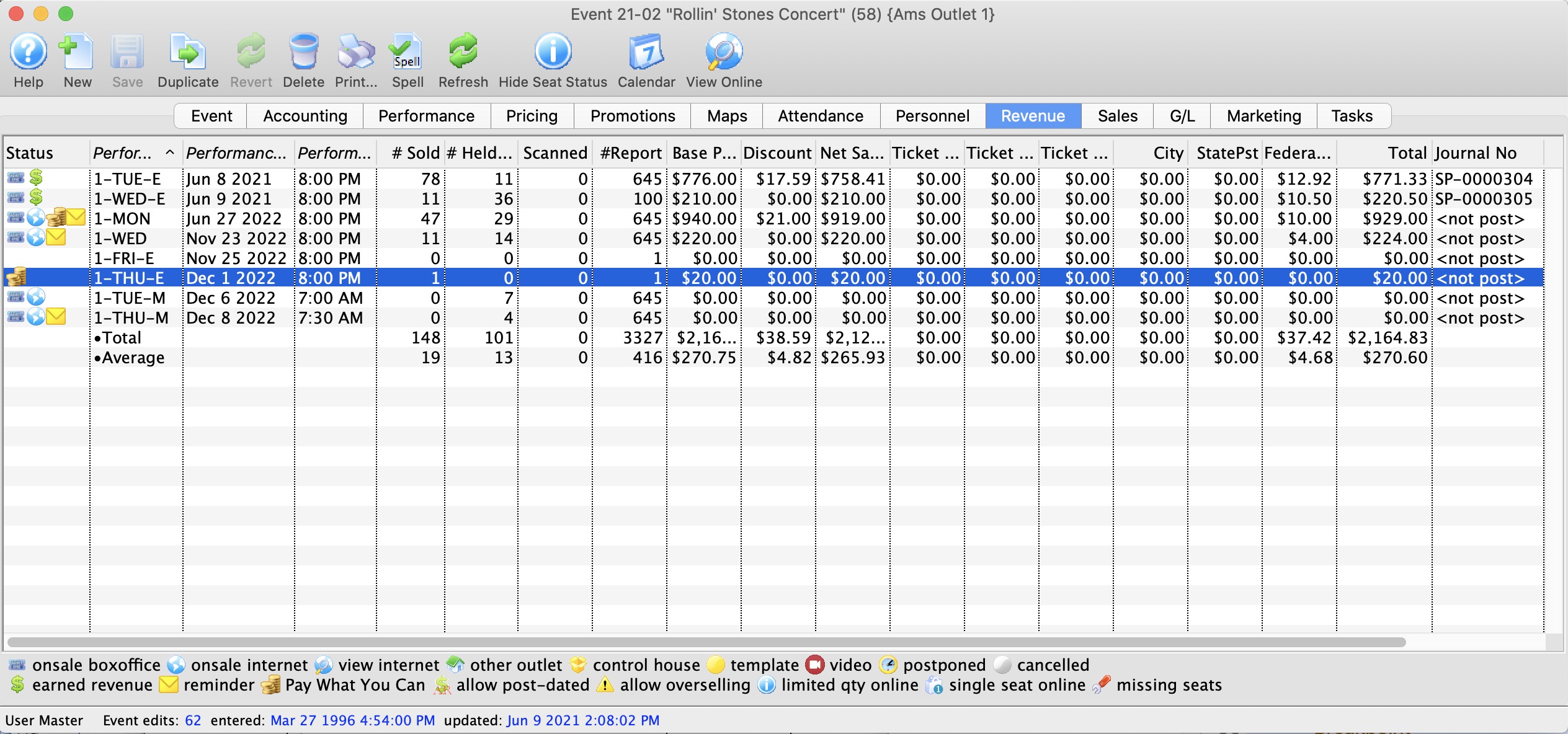
Below is an explanation about each column on this tab.
| Performance Code | This is the code used to track the performance by. |
| Performance Date | The date of the performance. |
| Performance Time | The time of the performance. |
| # Sold | The current number of tickets sold to the performance. |
| # Report | The number of tickets being used for reporting. |
| Scanned | The number of tickets where the patron was marked as attending the event, either from scanning them in using a wireless scanner or by manually setting attendance for the event. |
| Price | The base price pf the ticket. |
| Discount | The total of all discounts. |
| Gross Sales | The total amount of sales minus all discounts, fees, and taxes. |
| Ticket Fee 1 | Total of all fees categorized to this fee. |
| Ticket Fee 2 | Total of all fees categorized to this fee. |
| Ticket Fee 3 | Total of all fees categorized to this fee. |
| City Tax | The total of all City taxes. |
| State / PST Tax | The total of all State or PST taxes. |
| Federal / GST Tax | The total of all Federal or GST taxes. |
| Total | The total of all money collected during payment. This includes fees and taxes. |
| Journal No Code |
If the performance has occurred and you are using deferred revenue accounting, this will be the G/L number that it was posted to.
If the sales posting is SP-000000, then:
If the Journal code is something like SP-xxxxxx, then double click on the line to see the journal entry that shows the quantity of tickets sole and revenues at time or rollover during end of day. Note: the '$' in the status column also indicates that the performance has been rolled over to earned revenue. |
| Performance # | The performance number assigned by Theatre Manager based on order inputted. |