
Main menu
You are here
Selection Tab

You use the Season Ticket Renewal Notice Selection tab to determine which packages will have renewal notices printed in this run.
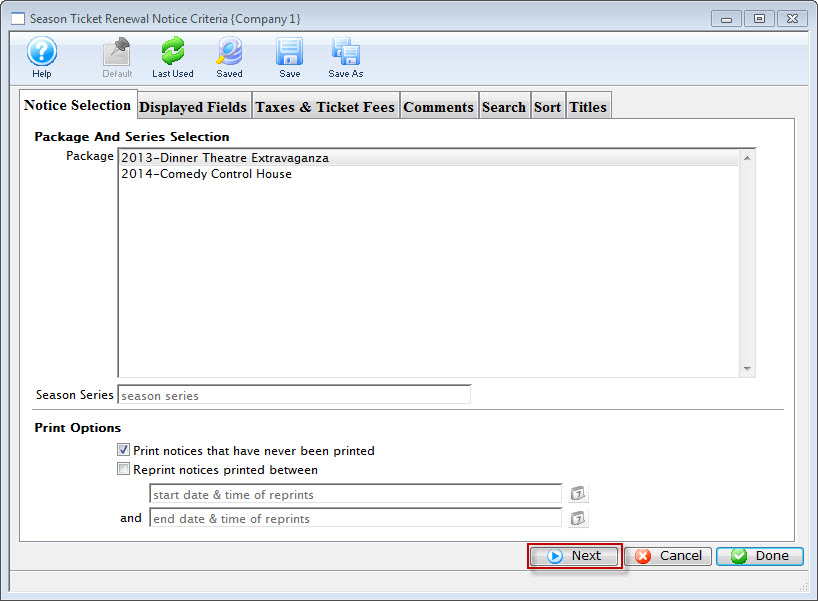
Parts of the Season Ticket Renewal Notice Selection Tab
Package and Series Selection |
|
| Package | Select the packages for which season renewal notices are to be printed. To select multiple packages, either use the SHIFT key to select a series of packages or the CTRL key (Windows) or OPTION key (Mac) to select multiple individual packages. |
| Season Series | Enter the season that the package will be part of. |
Print Options |
|
| Print notices that have never been printed | When checked, only notices that have never been printed will be searched for based on the package selections. |
| Reprint notices printed between | When checked, two dates will need to be entered by the user. Theatre Manager will find all renewal notices that were printed during that time frame and select them for printing. |
 |
This button will open the mini-calendar for easier entry of dates. |
 |
Moves to the next tab of the process. |
 |
Cancels the renewal notices process. |
 |
Leave the criteria entry process and begins assembling the renewal notices. |