Importing Values
Importing Values
You can import your own list of values from a tab or comma delimited file into your database using the steps below.
- Open the City/Postal Code Lookup List window.
Click here to learn how to access this window.
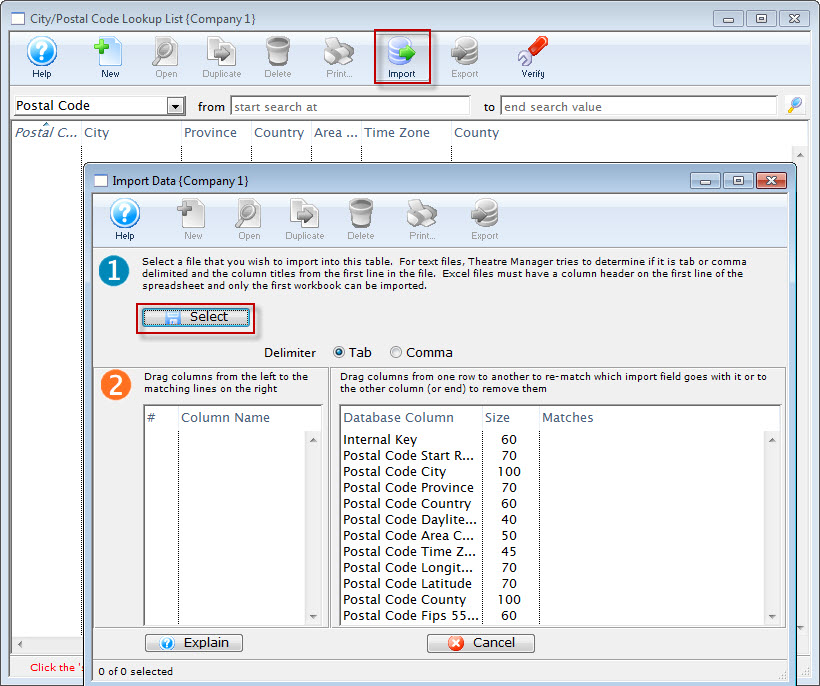
- Click the Import
 button
The Import Data window opens.
- Click the Select
 button.
- Select the file you wish to import.
Do this by single clicking the value.
- Click the Open button.