Initializing a Season Package
Initializing a Season Package
Using the initialize button on a season package will clear all renewal information. This is used for the purposes of starting over.
- On the main menu bar, click on Patron Sales >> Season Reservations >> Setup Season Packages.
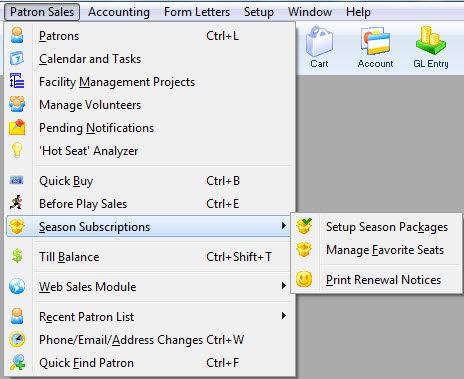
The Season Package List window opens.
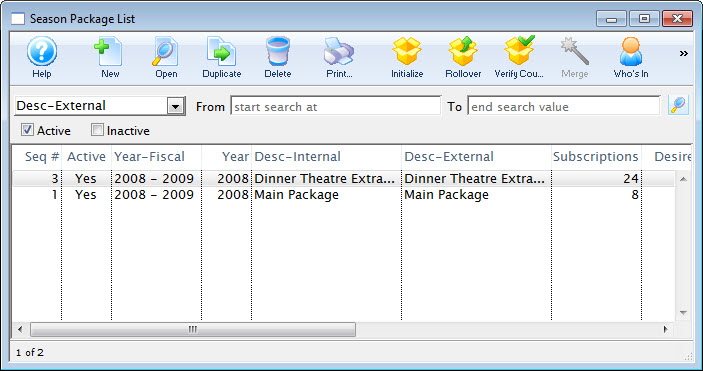
Click here for more information on the Season Package List window.
- Select the season package to be initialized and then click on the Initialize
 button.
The initialize Season Package dialog opens.
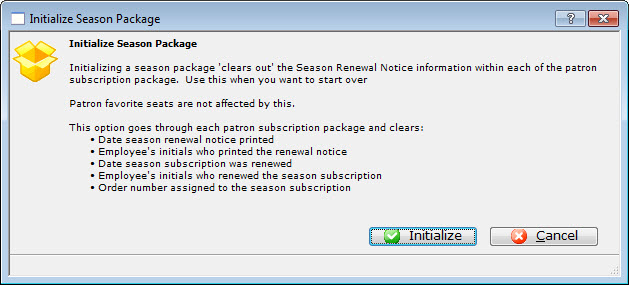
This process clears out the following information:
- Season Renewal Notice information- Date season renewal notice printed- Date the season subscription weas renewed- Employee who renewed the information- Order Number assigned to the season subscription - Read the warning, if everything is appropriate, click the Initialize
 button.
Theatre Manager initializes the season package. When complete, you are returned to the Season Package List window.