Seat Management and Pricing Map Section
Seat Management and Pricing Map Section
You use the Seat Management and Pricing Map Section to select the promotion and price code used with the seats the patron is subscribing to.
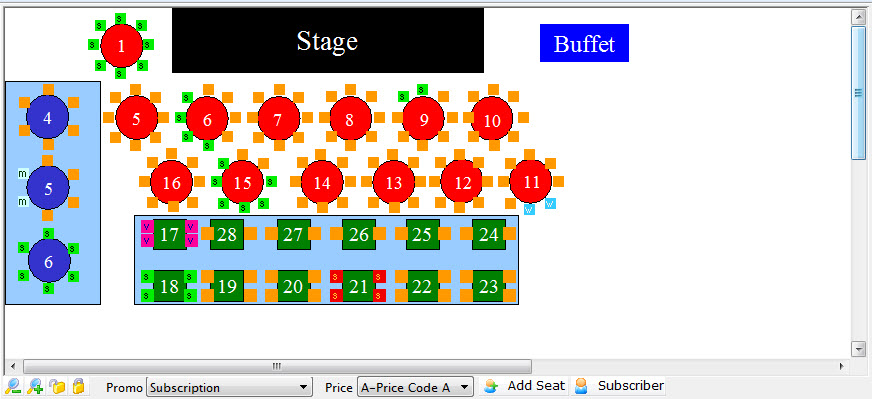
Parts of the Seat Management Section
| The Pricing Map |
 The Pricing Map for the Season Venue. Here you can:
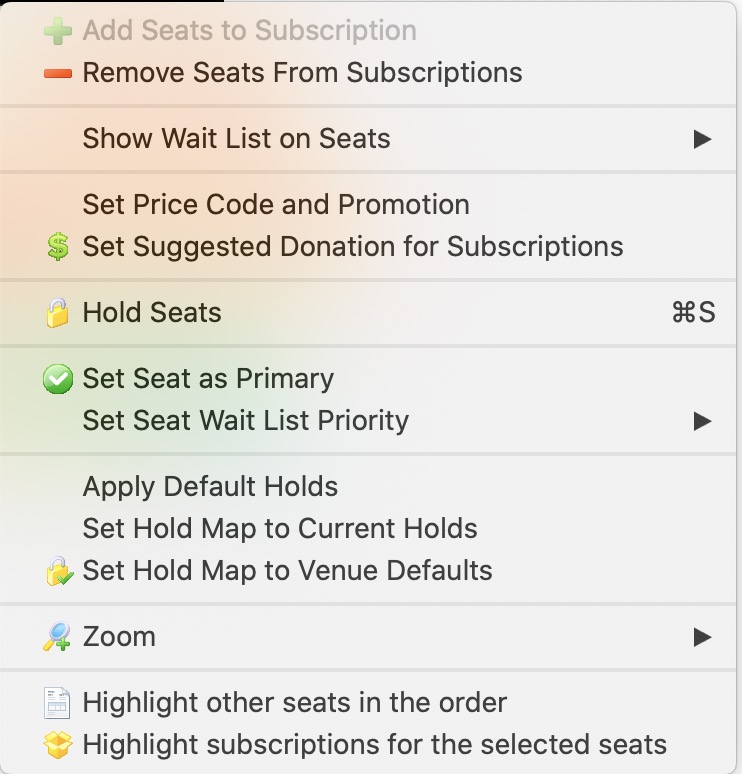
You can use the Context menu to access some additional features. |
 |
Zoom in on the Map. |
 |
Zoom out on the map. |
 |
When a seat is selected, clicking the un-lock button releases it for sale. |
 |
Allows you to put a hold on a seat using the selected letter. |
 |
A drop down menu to select from the available promotions. |
 |
The price code to use for the seats being subscribed. |
 |
Adds the Seat to the selected subscribers favorites. |
 |
Shows the Subscribers that have those seats, either primary or secondary. |
| Highlight Subscriptions | If you select a number of seats in an area, this menue item will let you highlight the subscribers with those seats. |