Removing Patrons from a Mail List
Removing Patrons from a Mail List
Removing the patron through the Mail List Window or Mail List Query methods are useful if you need to remove more than one patron from a mail list. Removing patrons throughout the Patron Window is useful if specific information is known about the patron you can use to locate their record (e.g. patron #).
To remove a patron from the mail list, you perform the following steps:
- Click the Mail List Tab
 tab in the Patron window.
To learn more about accessing the patron window click here. You can now view all mail lists the patron belongs to.
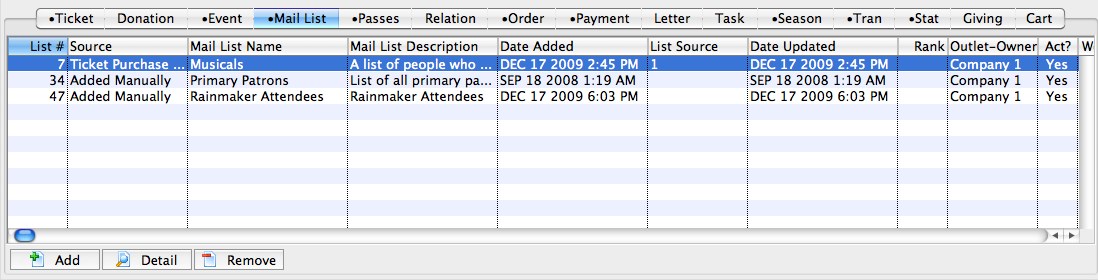
- Single click on the Mail List the patron should be removed from.
- Click the Remove
 button.
The patron is now removed from the list.