Adding Patrons to a Mail List Through a Database Query
Adding Patrons to a Mail List Through a Database Query
If you wish to add a large number of patrons from a list and they all have a common feature, using a query is the best technique. It is the same procedure as adding a new group.
To add a patron to a mail list throgh a database query, you perform the following steps:
- Open the Mail List Window.
Click here to learn how to open the window.
- Click the New
 button in the Mail List Criteria window toolbar / ribbon bar.
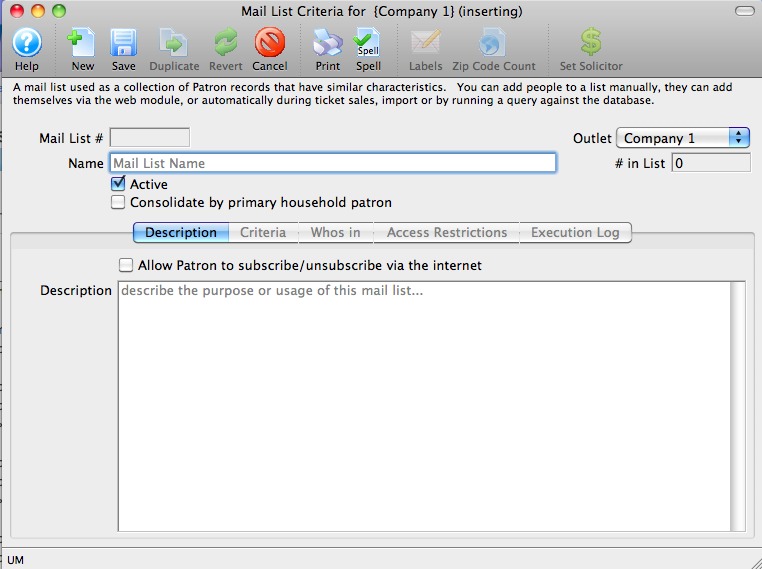
- Enter a Name for the new list.
This should be a short, but descriptive name for quick reference.
- Enter a detailed description of the mail list.
This is extremely important for other users who may use your mail list. If you describe the criteria of the list well, they will not need to attempt to decipher the code.
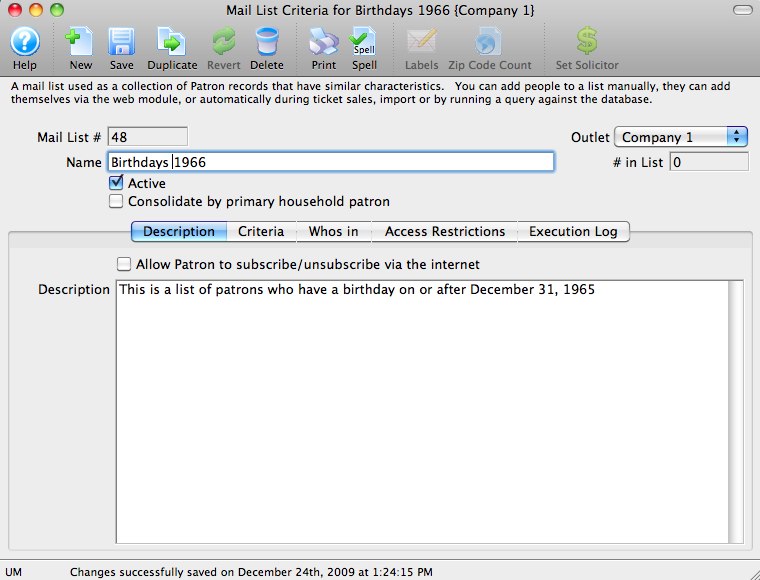
- Click the Save
 button.
You can now begin to enter your groups of criteria.
- Click the Criteria Groups
 Tab.
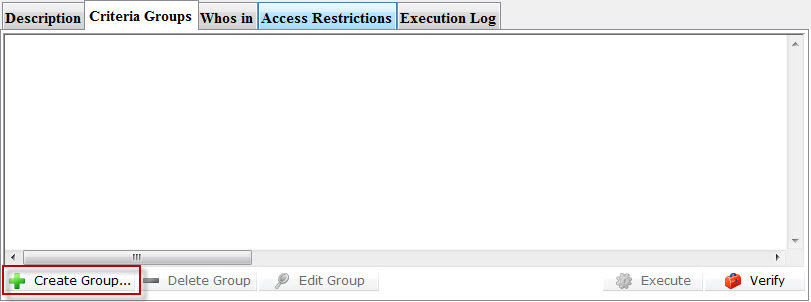
- Click the Create Group
 button.
- Choose "To Add Patrons To The Mail List".
The data selection window opens.
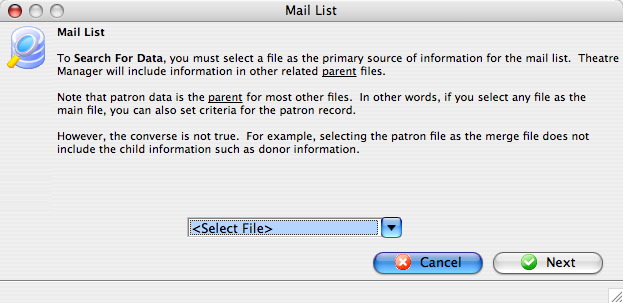
Select a file containing data all of the patrons required on the list will have in common. Using the Example List created in Creating a Database Query we want to add all of the patrons born in 1966 or greater.
The "Patron Data" file will be used for this example. - Select a file which contains the required data and click the Next
 button.
The Parameters window opens.
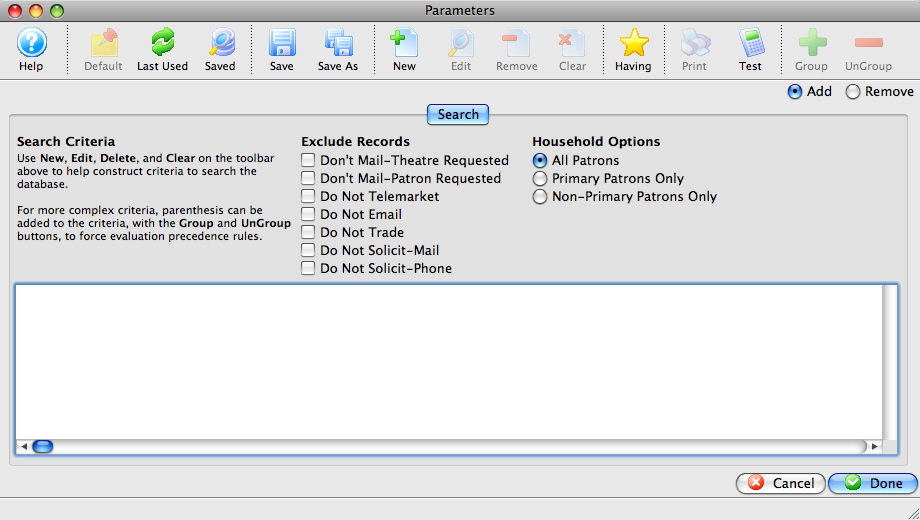
Click Here for a detailed description of the window.
- Click the New
 button.
The Add/Edit Parameters window opens.
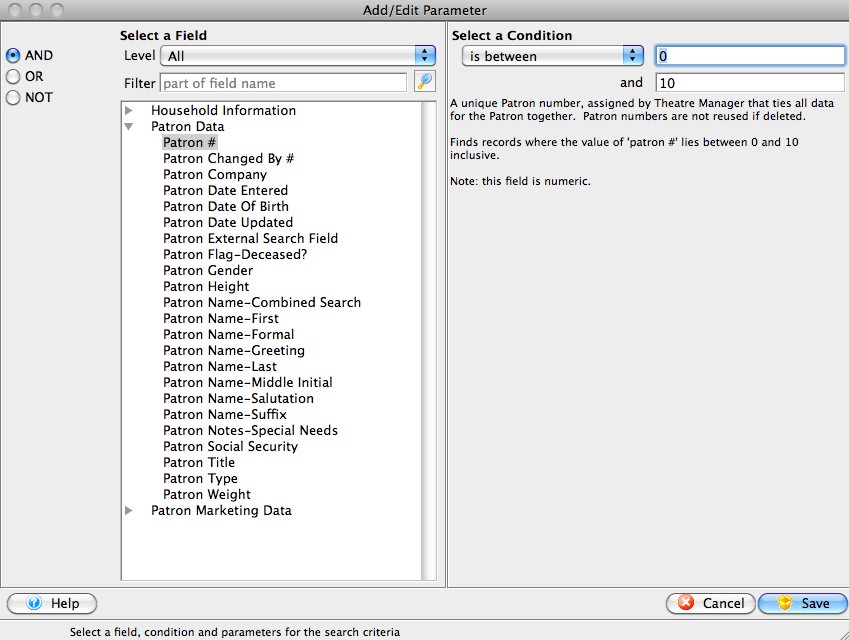
- Select the field to search by.
For the example you would use the "Patron Date of Birth" field.
- Fill the search parameters with the information to search by.
For the example, use "is greater than or equal to" and the date December 31 1965.
- Click the Save button.
The Parameters window returns and the selected criteria is displayed in the window.
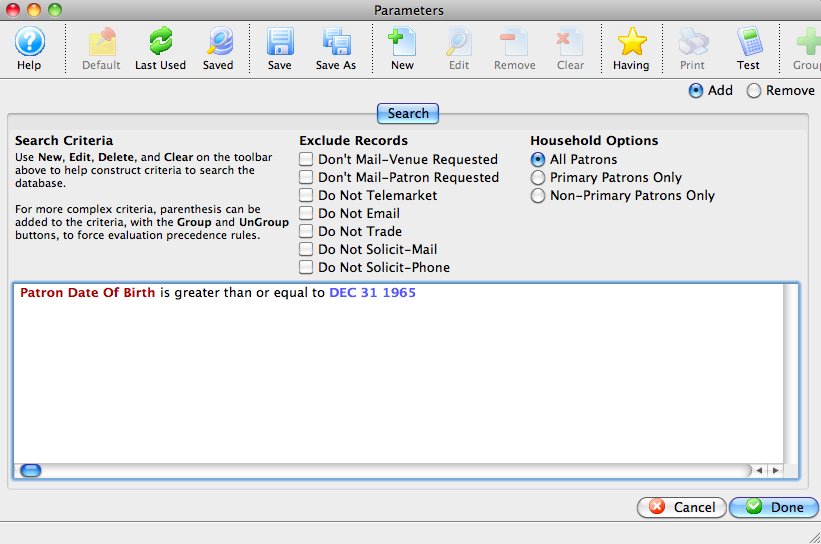
- Click the Done
 button.
The Mail List Criteria window returns.
- Click the Execute
 button.
If this is the first time the list has been executed, Theatre Manager will highlight each group as it is executed, then the Mail List Criteria window will open to the Who's In
 tab. Only patrons whose birthdays fall after December
31st 1965 will be added to the list.
If the mail list has been executed previously, the Previously Executed dialog opens.
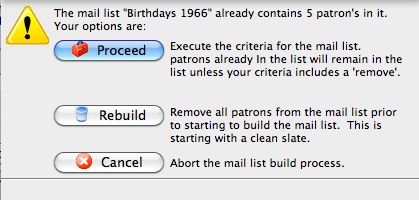
- Click the Proceed
 button.
If the mail list has not been updated for some time, click the Rebuild
 button. This ensures all data is current.