Adding Patrons to a Mail List Through the Batch Function
Adding Patrons to a Mail List Through the Batch Function
To add patrons to a mail list through the batch functions, you perform the following steps:
From the Mail List Window, you can quickly add patrons manually, if you have their patron number. Occasionally, the patrons you want to add to a mail list may belong to a report you have just printed, and you wish to add them to a list. Using the batch function you can quickly add the patrons manually by their patron number.
- Open the Mail List Window.
Click Here to learn how to access the window.
- Find the Mail List to add the patron to.
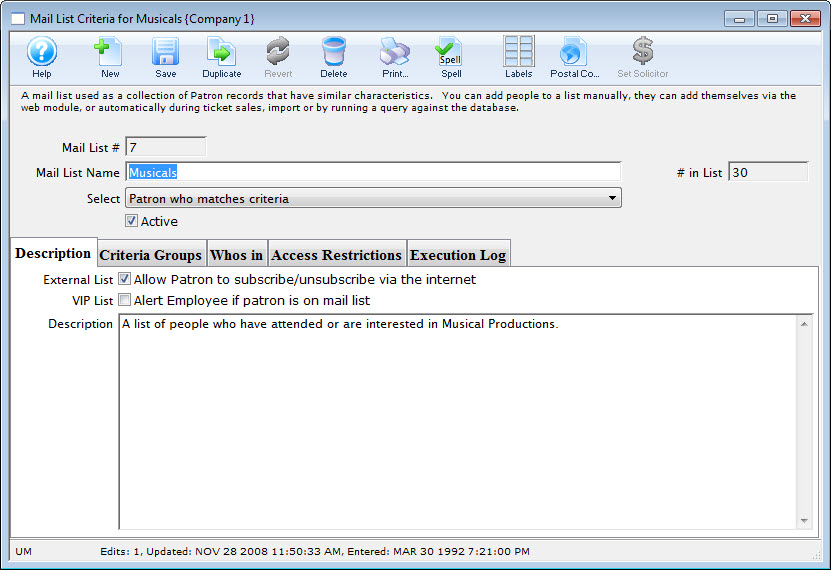
- Click the Who's In
 tab.
- Click the New
 Button.
The Contact List opens.
- Enter the search criteria for the patron and click the Search
 button.
Highlight patrons in the contact list who belong in the Mail List by single clicking on them.
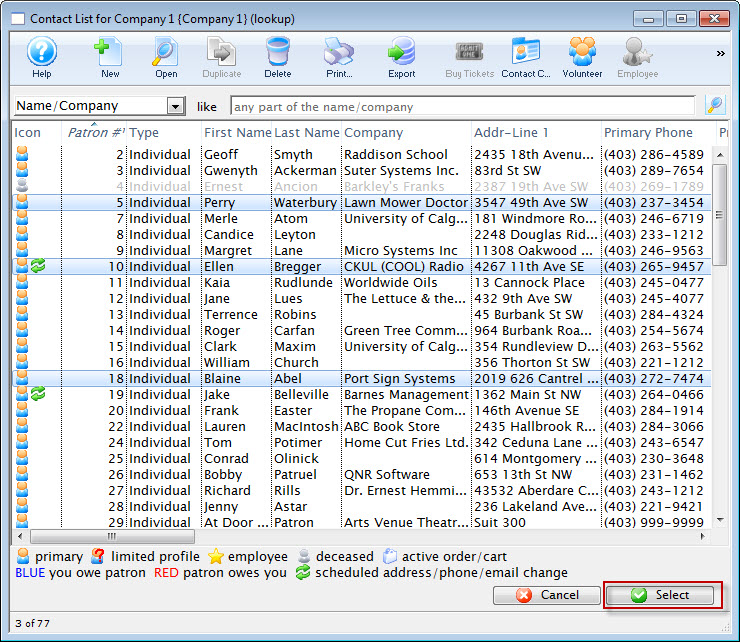
- Click the Select
 button.
The patron has now been added to the list. If the patron is already a member of the mail list you will hear a beep and receive the message that the patron is already on the list. Repeat this step until all the patrons have been entered.