Merging through the Patron Window
Merging through the Patron Window
When adding a Form Letter or Email to a single Patron's record, it is often easiest to merge using the capabilities of the Patron window.
- Open the Patron's record from the Patron List window.
Click here for more information on this process.
- Click on the Letters
 Tab at the bottom of the Patron window.
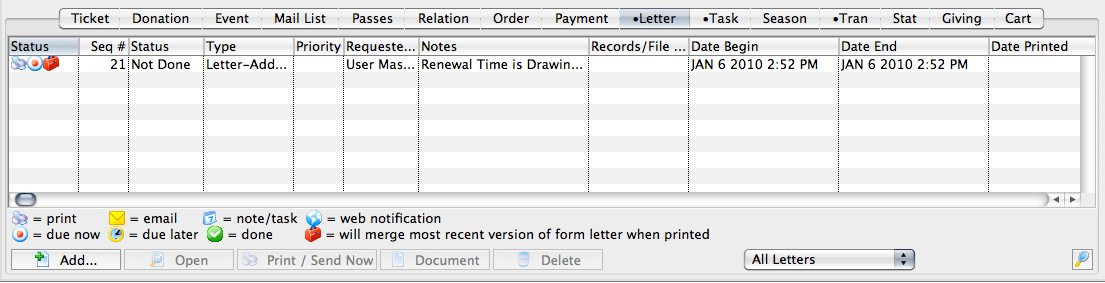
- Click the Add
 button and choose whether to add a Letter or an Email.
This will open the Form Letter Selection window.
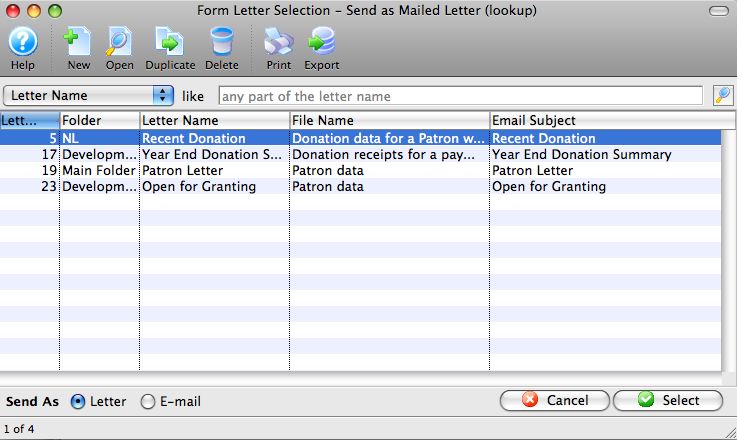
- Enter the search parameters or simply click the Search
 button.
If no search parameters are entered, Theatre Manager will return a list of all form letters.
- Click on the letter(s) to add to the patron to select them.
To select multiple letters, use the OPTION key (Mac) or the CTRL key (Windows).
- Check whether the letter will be sent as a Letter or an Email with the radio buttons in the bottom left of the window (will match the choice you made when you first clicked Add), and click the Select
 button at the bottom right of the window.
An email address and SMTP mail server must be entered into Company Preferences to send emails. Patrons to whom emails are being sent will need an email address entered into the Patron record.
- The Form Letters Selection window will close and the user will be returned
to the Patron window.
The Letter or Email will be added to the Patron's Letter
tab for later
printing.For more information about printing the letter or sending the email, click here.