Changing Prior Year Donations
Changing Prior Year Donations
Changing financial information about donations after your year is complete is usually not a good idea especially if its after your financial audit and approved financials have been send to the Government.
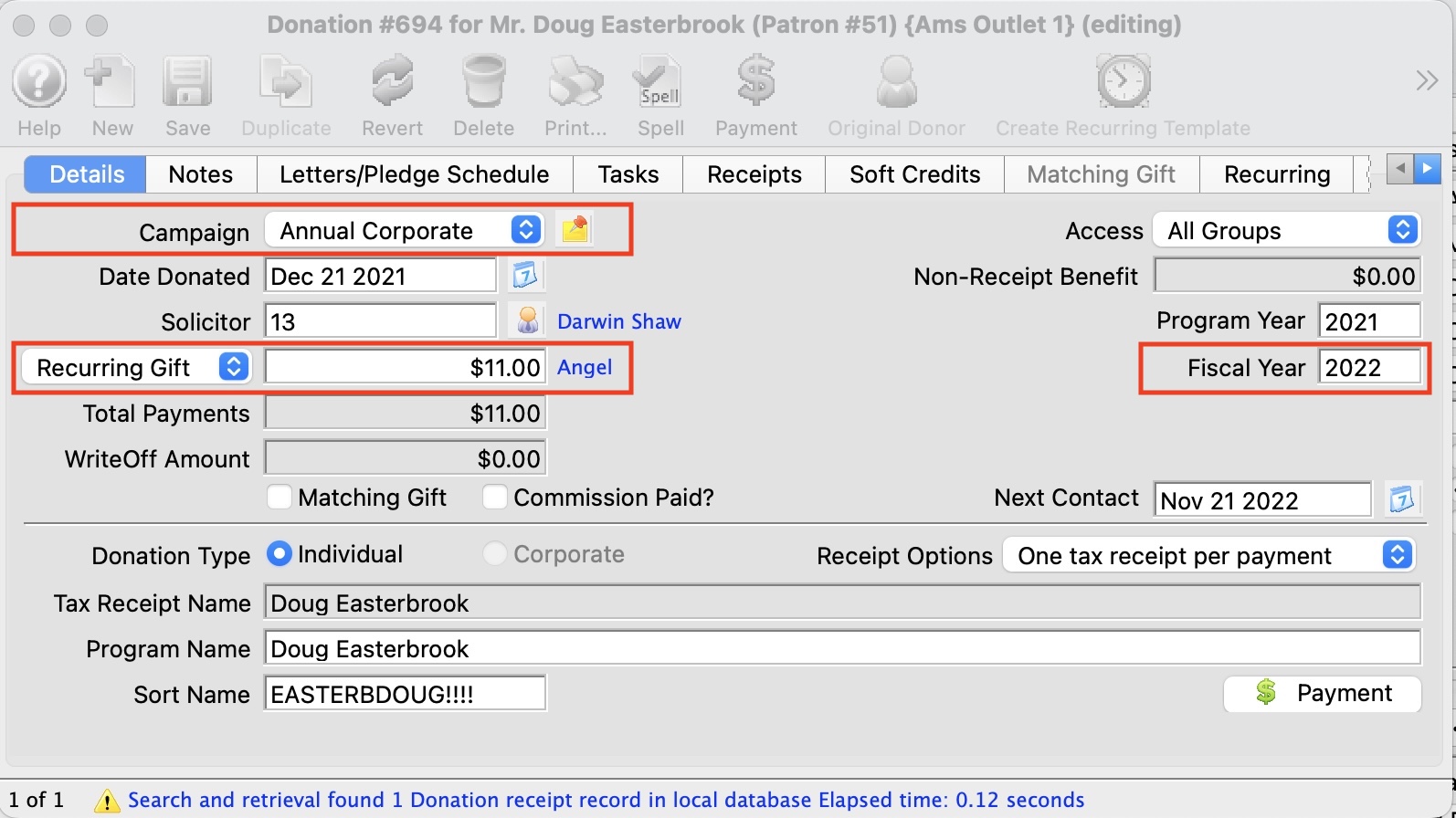
Changes to Campaign, Amount or Fiscal Year
If you need to do it, make sure you have a discussion with your accounting staff and/or auditors first.
 |
You will be reminded of the accounting ramifications if you happen to change any one of the following items for a donation (per the image below) that was entered for any fiscal year PRIOR to this year:
|
|
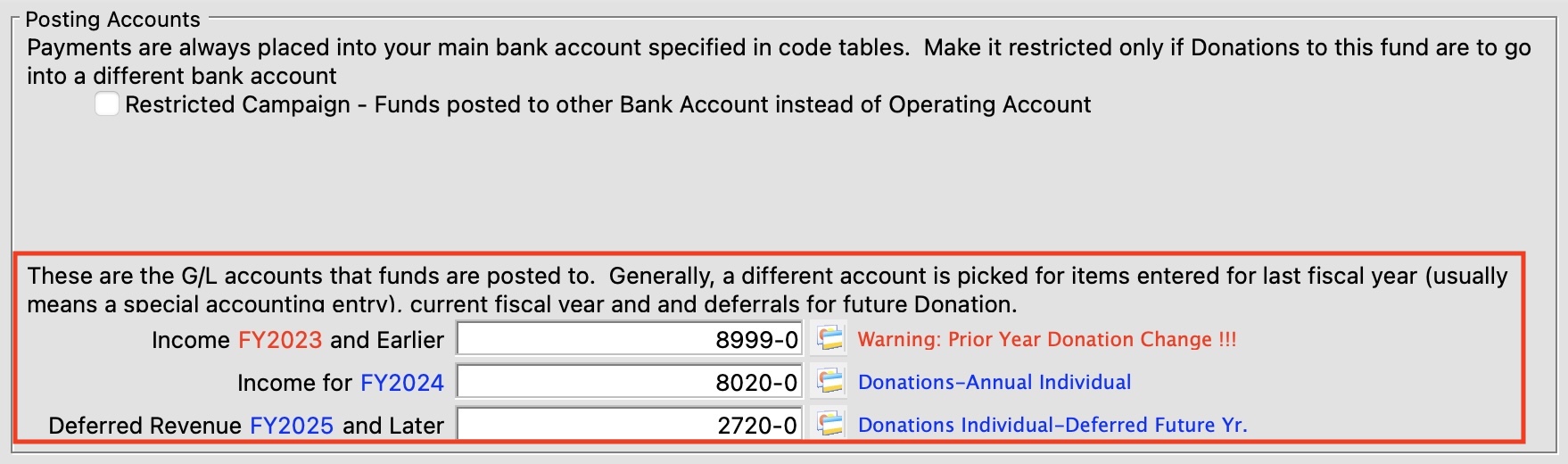
This process mentions fiscal prior year account setup in the campaign - refer to that if you need to see hour your accounts are set up and where things will post |
Changes to Campaign, Amount or Fiscal Year
If you change Campaign, Amount or Fiscal Year, you will see a messages similar to below below asking to confirm the change.
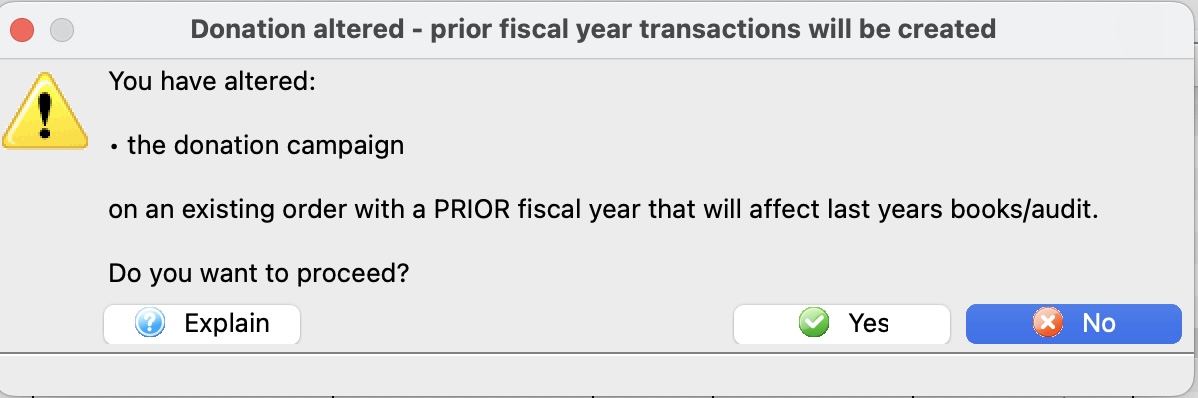
If you really want to change the prior year financial data, you will see a second message to confirm the change, as below.
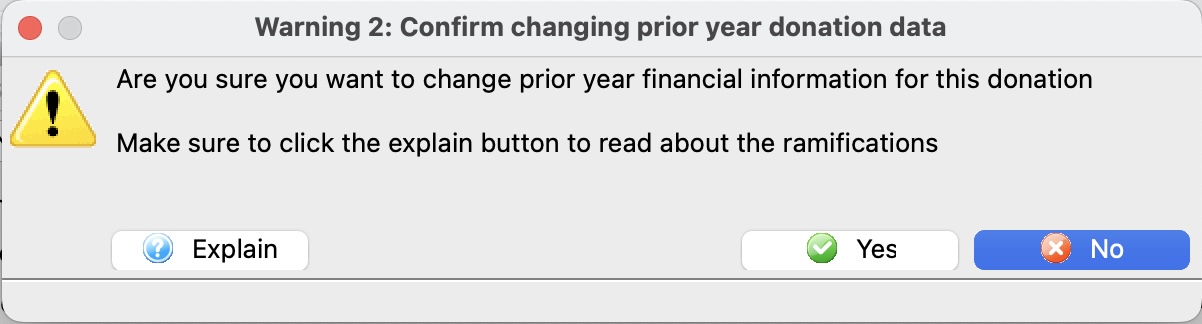
If you agree to both dialogs, the donation data will be changed.
Theatre Manager will create transactions that
- Reverses the original amount, campaign and fiscal year using the account number below that relates to the donation fiscal year
- Create a new transaction for the new amount, campaign and fiscal year
Since the Government has been told about the prior year, your finance people and auditor will need to know, so that they can amend prior year. This is especially important if it is a multi year pledge that is not full paid because of the discounting for present value that need to be done on Government forms.
|
In other words, if you need to do this, make sure your finance people know. IT may not be an issue at all.. but then again, it might be very important to know. |