Com Ports For Cash Drawer
Com Ports For Cash Drawer
You can change the Com Port settings using the device manager. The instructions below reflect windows 10 and are generally similar for most versions of windows. To access the device manager, search for
- Device Manager -or-
- devmgmt.msc
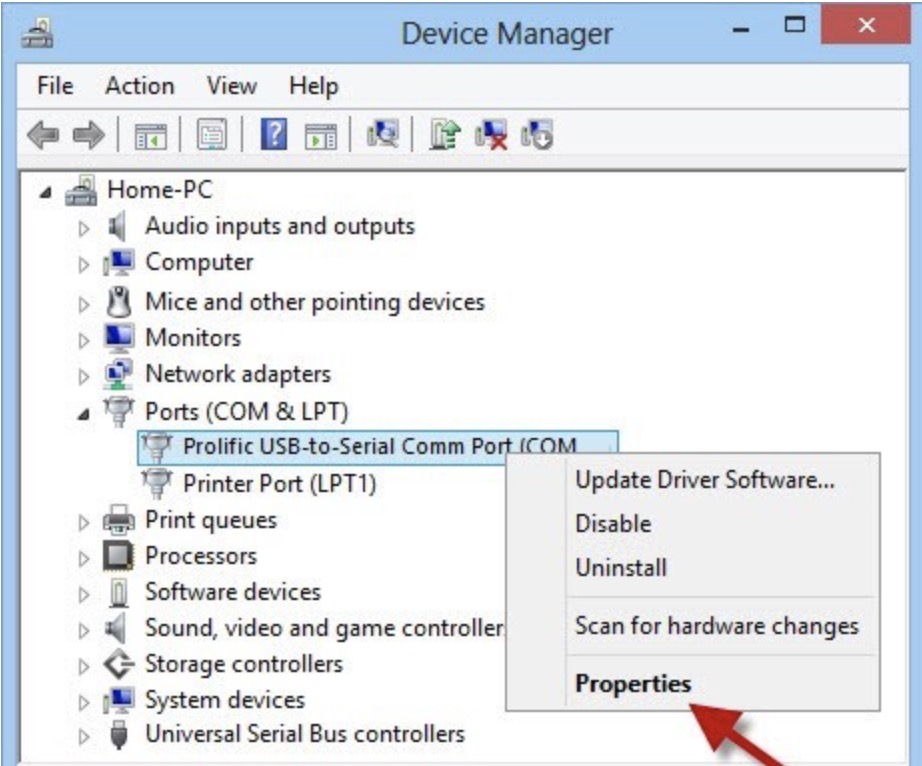
- Once you see the drivers as below, right click on the device you want to set the port for and select Properties
-
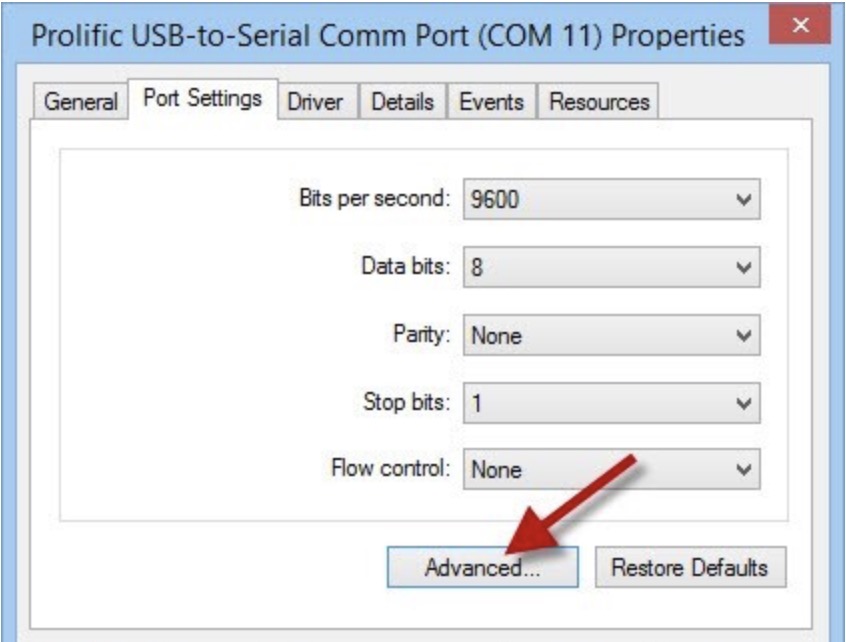
In the ports setting, make sure to set the all fields. Generally, for printers or cash drawers, they are similar to below.
Then click the Advanced button to set the actual port
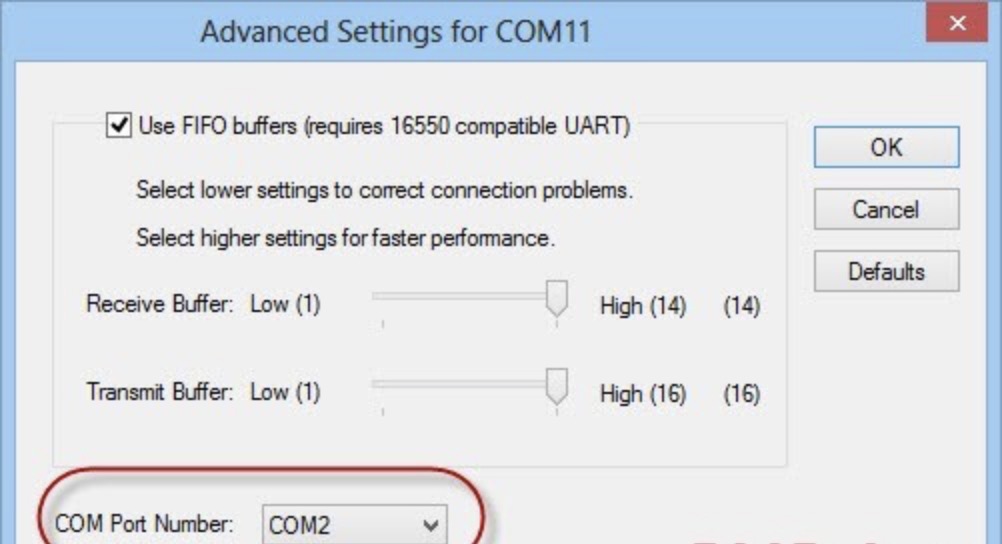
- On the advanced tab, set the com port name so that it matches what you set in Theatre Manager