Hosted Paypage Response/Receipt Data
Hosted Paypage Response/Receipt Data
You will need to log into your Moneris Resource Center online account at https://www3.moneris.com/mpg/index.php
Once you are logged into the online account setup, select Admin->Hosted PayPage config option.
Scroll down until you see a section that says Response/Receipt Data and click Configure Response Fields.

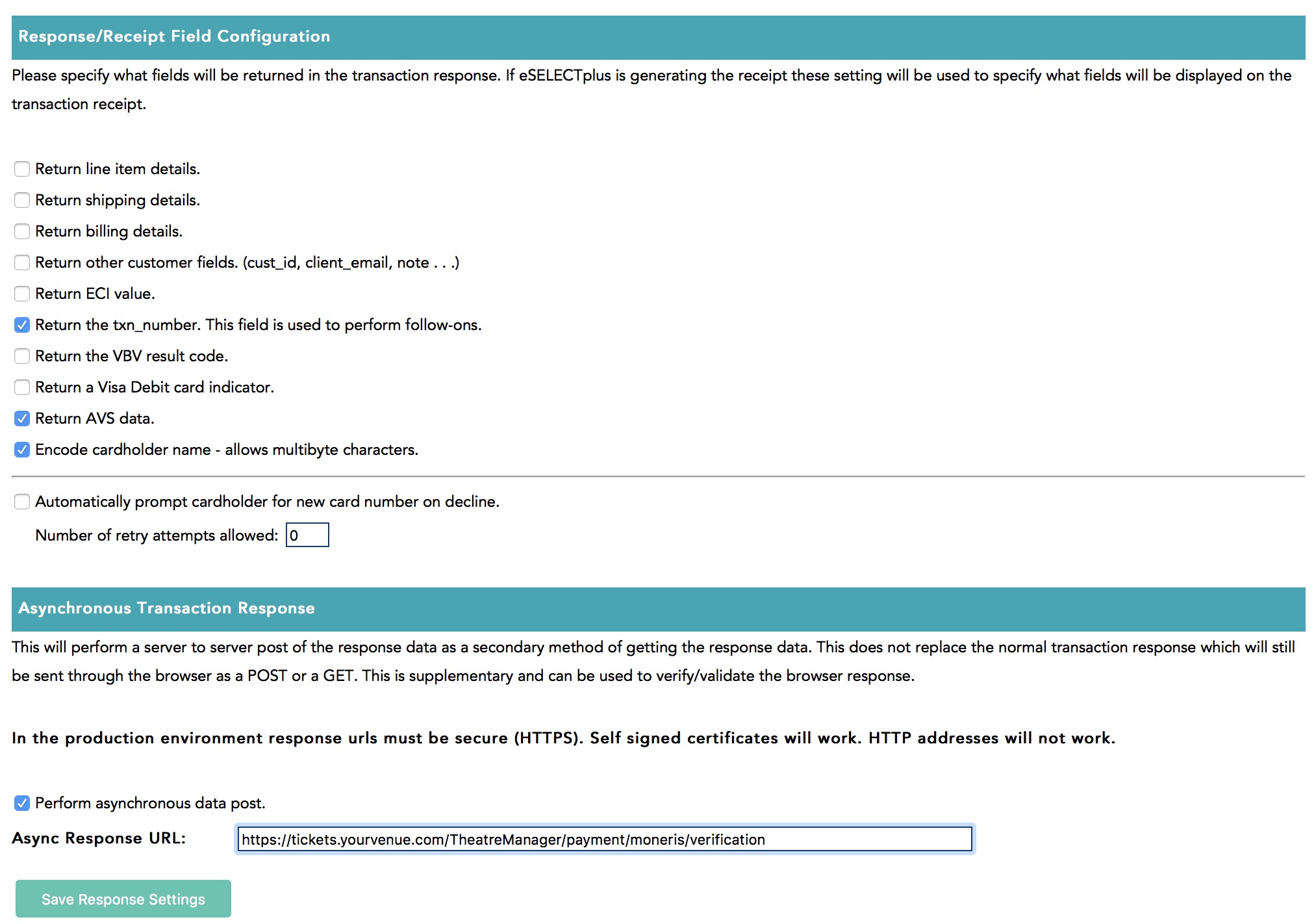
Response/Receipt Field Configuration
Set the options as follows:
- Return line item details - uncheck this, it is not used by Theatre Manager
- Return shipping details - uncheck this, it is not used by Theatre Manager
- Return billing details - uncheck this, it is not used by Theatre Manager
- Return other customer fields - uncheck this, it is not used by Theatre Manager
- Return ECI value - uncheck this, it is not used by Theatre Manager
- Return the txn_number. - you MUST CHECK THIS as it can be used in Theatre Manager to void transactions
- Return the VBV value - uncheck this, Verified by Visa is not used by Theatre Manager
- Return Visa Debit card indicator - uncheck this, it is not used by Theatre Manager
- Return AVS data - only CHECK THIS if you are wanting Moneris to check the postal code and you've allowed it as input on this screen
- Encode carholder name - allows multi byte characters - you MUST CHECK THIS since Theate Manager understands unicode characters - allows customers to put accents in their names.
- Automatically promptcardholder for a new card after a decline - check or uncheck this you wish
Asynchronous Transaction Response
Set the options as follows:
- Perform asynchronous data post - you MUST CHECK THIS as Theatre Manager relies on this feature to tell it what is going on during the credit card authorization
- Async Response URL - this must be https://tickets.yourvenue.org/TheatreManager/payment/moneris/verificati… where tickets.yourvenue.org is the URL to your ticketing web site