Logging in to the REST API From Browser
Logging in to the REST API From Browser
 |
The email address and password for the REST APR are the SAME as the email address and password for logging into the ticket web site.
For first time users:
|
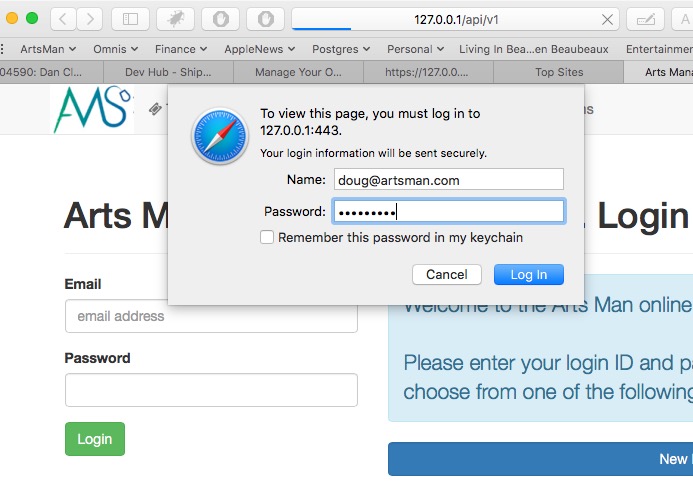 To begin using the API from a program or a browser, you need to start the login process. To do so send an https request that looks like:
https://tickets.yourvenue.org/api/v1
all examples use https://127.0.0.1/api/v1 as the example. please replace with your web site URL.
The server will respond with a login screen where you provide:
- The email address you use to log into the web site such as
myemail@venue.orgNote: if you have multiple logins in an outlet version of TM so there is ambiguity as to who you are, you may need to type your email address followed by:
- ;outlet=xx such as
myemail@venue.org;outlet=xx-and/or- - ;patron=yy such as
myemail@venue.org;outlet=xx;patron=yy
- ;outlet=xx such as
- the Password you use for online sales
If you get your password wrong, you will see the login window again.
|
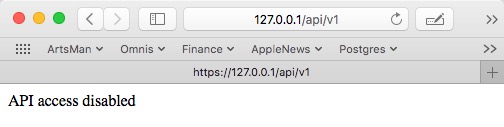 If you get your password correct, but are not enabled to use the API in your employee preferences, you will see a message similar to the one of the right that says API Access Disabled You will need to enable API access to continue. |
Successful access to API
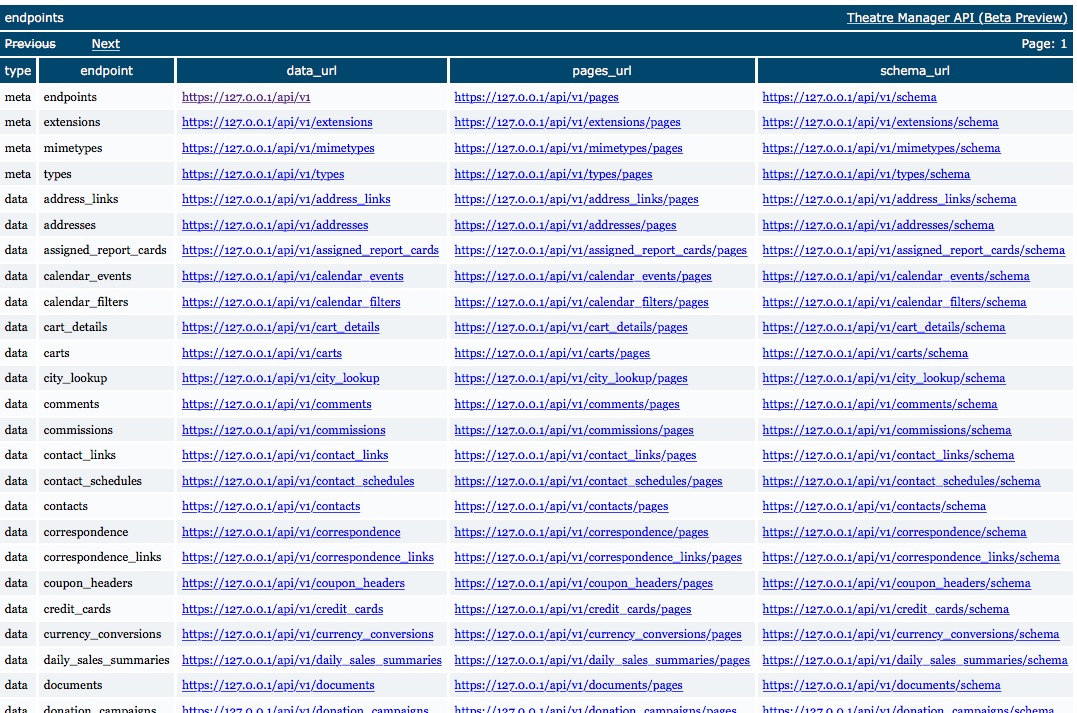
If you see the window below showing a list of the top level end points, you have successfully accessed the API.