Importing SVG Map
Importing SVG Map
After converting the Powerpoint PPT map to SVG format, you will need to import it into the database.
To do this:
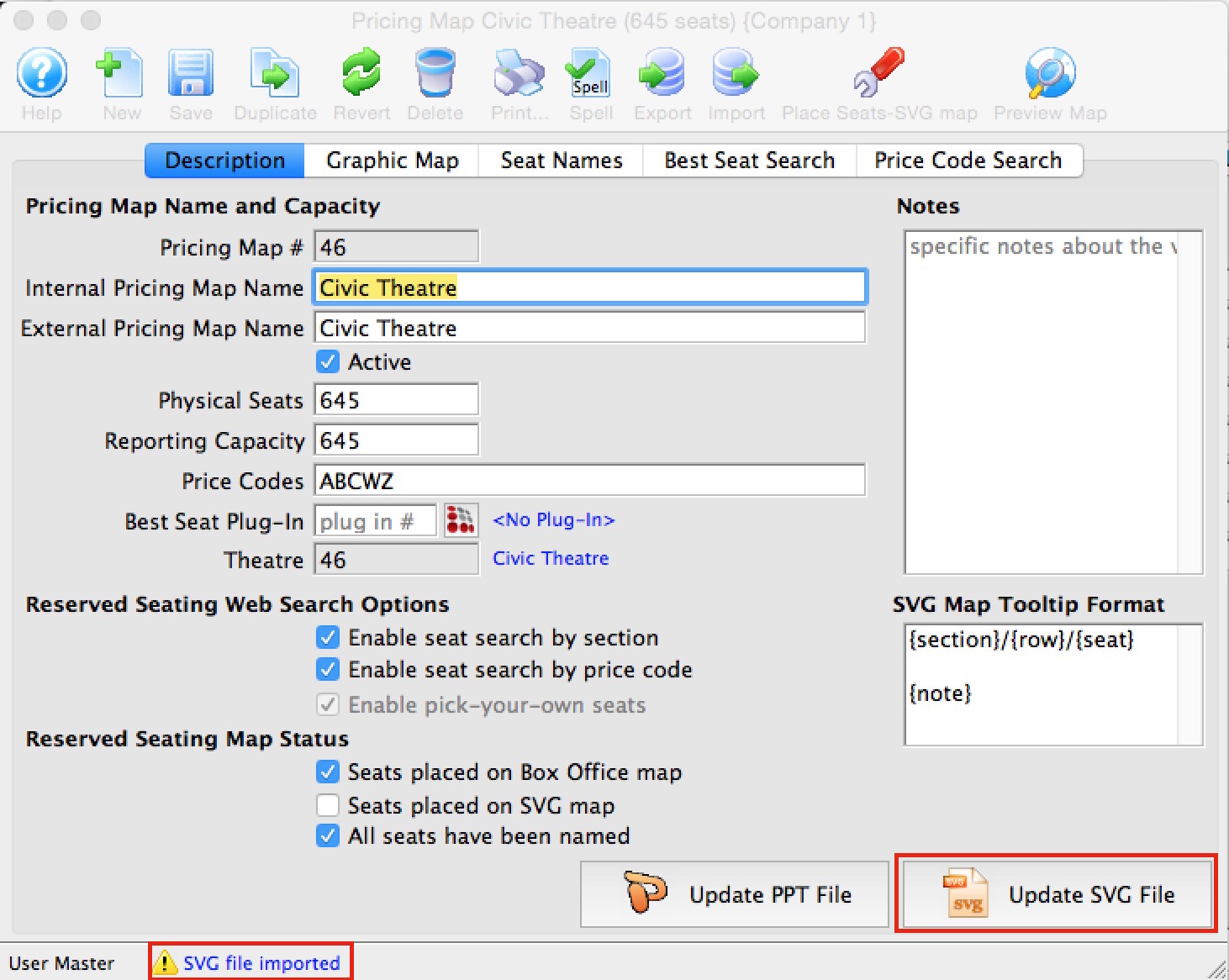
- Select the 'Description' tab on the Pricing Map editing window.
- Click on your SVG document
- Drag it on top of the button that will either be labelled 'Import SVG File' or 'Update SVG File' as indicated below
- Release the mouse
- If the message at the bottom of the screen indicates 'SVG file imported', you have completed the first step.