Changing Sort Order of a List
Changing Sort Order of a List
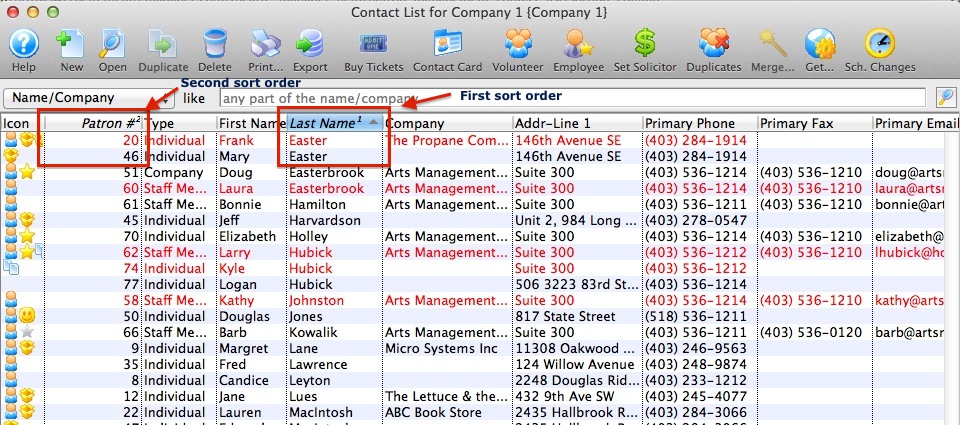
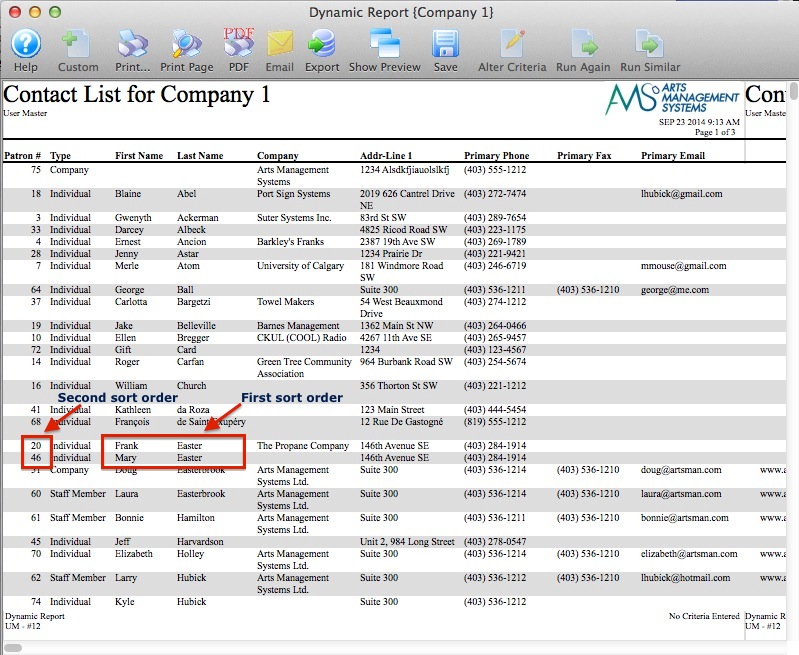
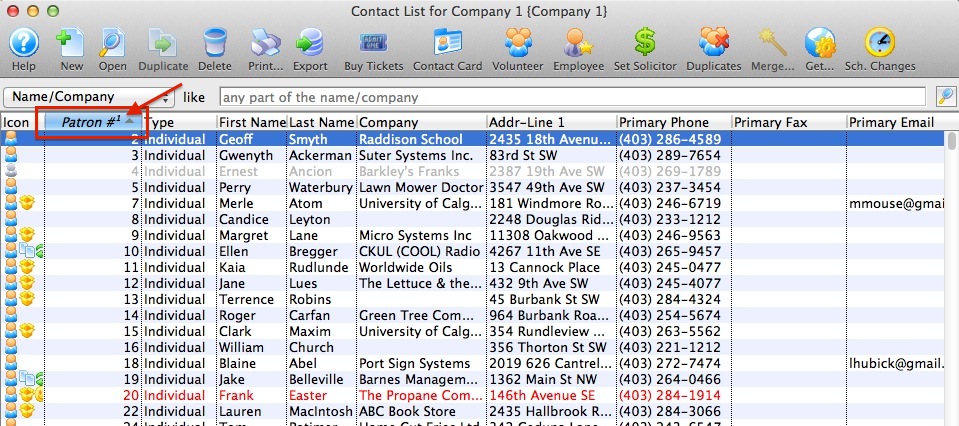
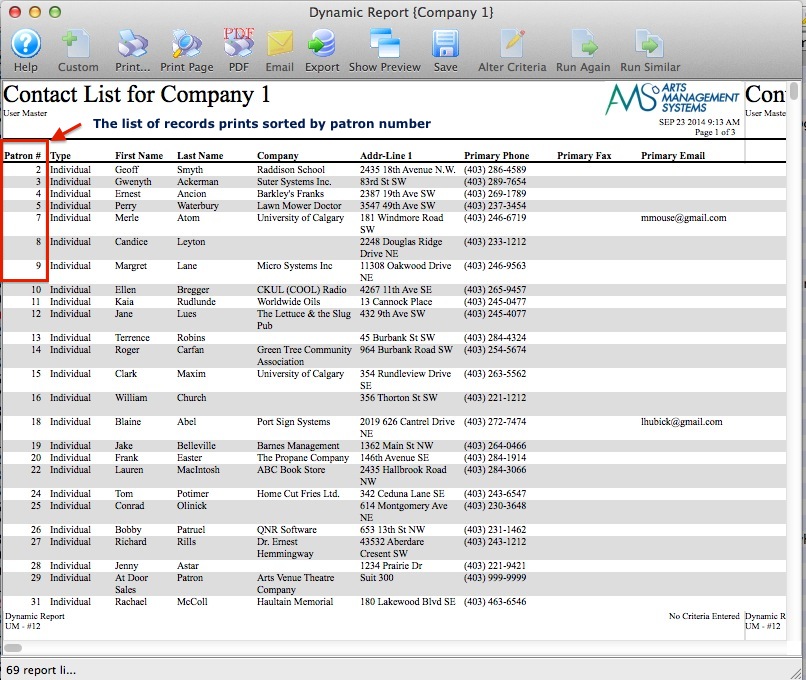
In any window in Theatre Manager that displays a list of records in a series of columns of information you can adjust the sort order by simply clicking on any one of the column headers. This feature allows you to sort any list window in the order of your preference then you can choose to print the list as shown or export the list. The list will print or export in the sort order that you choose.
Note that in this example the list is sorted by the patron number, denoted with a 1 to the right of the column title.
Note in this example the list is sorted first by Patron Last Name, then by Patron Number.