Setting a Custom Power Plan
Setting a Custom Power Plan
 |
Make sure to also turn off power saving on your ethernet card on all servers and workstations. |
Create a custom Power Plan
- Open the control panel.
- Click Power Options.
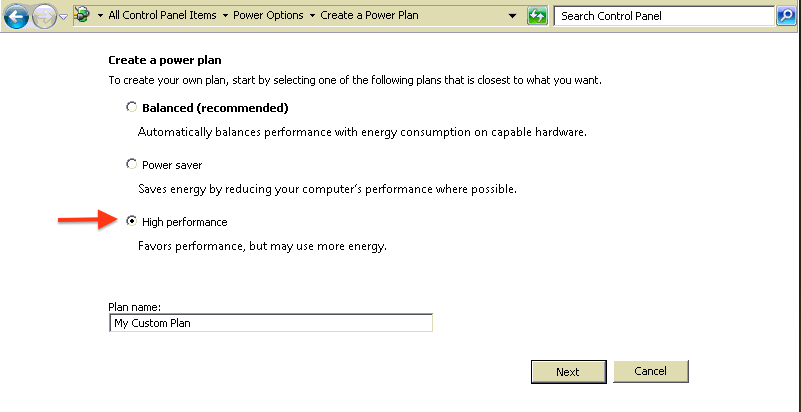
- Click the Create a Power Plan option
- Select the bullet next to "High Performance"
- Click Next.
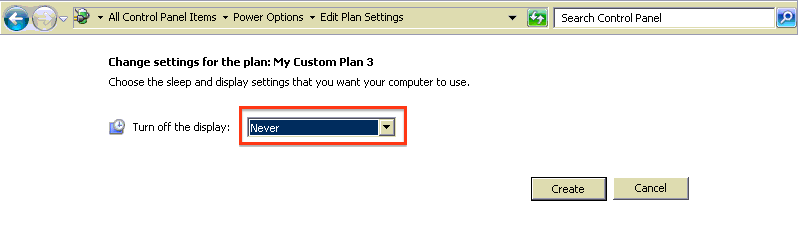
- Change the Display setting to "Never"
- Click Create.