Print Ticket Options Dialog
Print Ticket Options Dialog
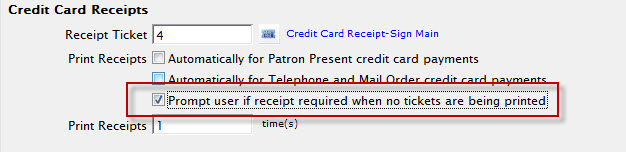
If the "Prompt user if receipt required when no tickets are being printed" option has been selected in the Ticket Faces tab of Company Preferences, You will be prompted to select a credit card/address ticket receipt.
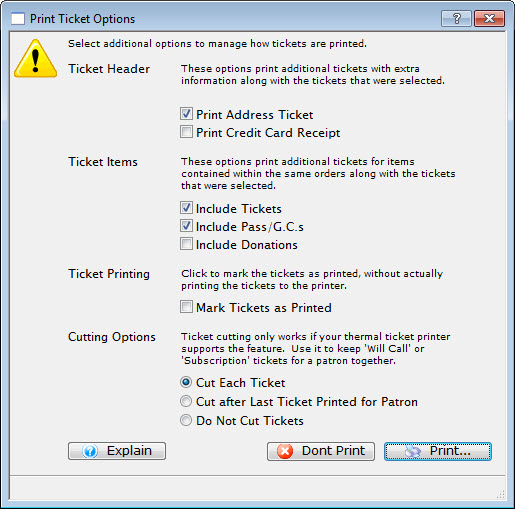
Parts of Print Ticket Options
| Ticket Header |
These options print additional tickets with extra information allong with the ticket that was selected:
|
| Ticket Items | These options print additional tickets for items contained within the
same orders along with the tickets that were selected:
|
| Ticket Printing | Enable to mark tickets as printed
without actually printing the tickets to the printer.
|
| Cutting Options | Ticket Cutting only works if your thermal printer supports this
feature. Use it to keep "Will Call" or "Subscription" tickets for a patron together:
|
To "Turn Off" this dialog:
- Select Setup >> Company Preferences >> Ticket Faces tab.
- Disable the Credit Card Receipts option - Prompt user if receipt required when no tickets are being printed.