Mail list of Patrons in a Household With More than One Member
Mail list of Patrons in a Household With More than One Member
Mail Lists can answer many different "Who" questions.
To create a Mail List that answers the question of the number of Patron Households that have more than one patron, you perform the following steps:
- Click the Mail List
 button in the main Theatre Manager toolbar / ribbon bar.
The Mail Lists window opens.
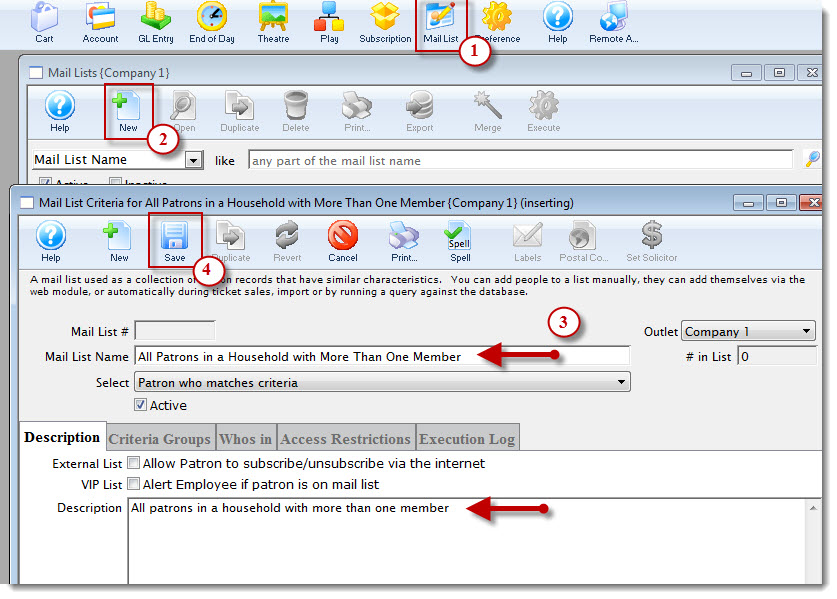
- Click the New
 button.
The Mail List Criteria window opens.
- Enter a descriptive name in the Mail List Name field and enter a description int the Description tab.
- Click the Save
 button.
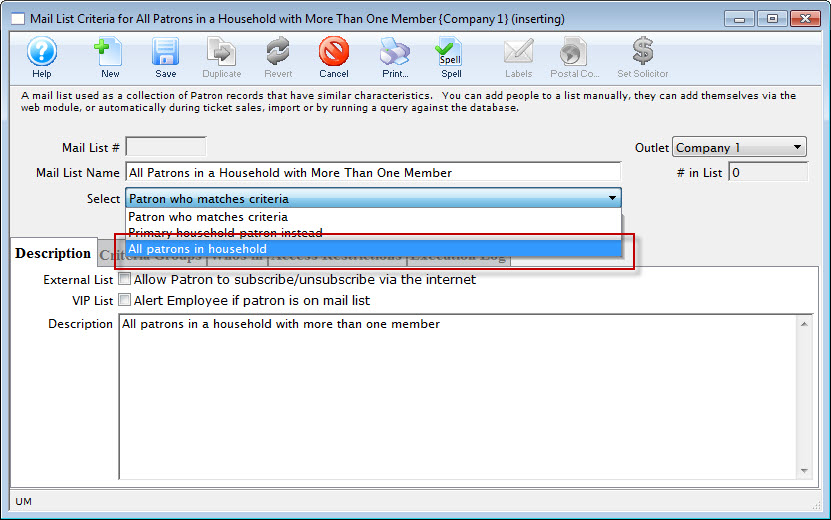
- Change the select drop down to All Patrons In Household and Save .
- Click the Criteria Groups tab.
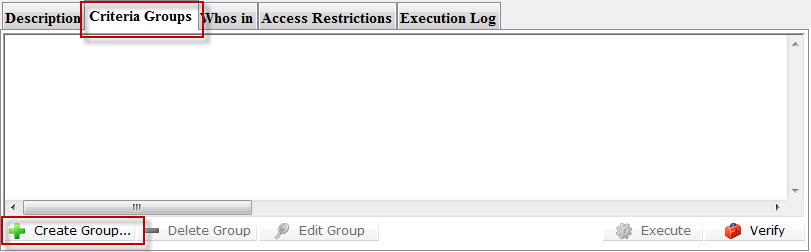
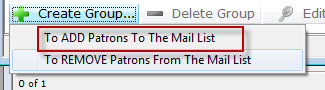
- Click the Create Group
 button and chose To ADD Patrons To The Mail List.
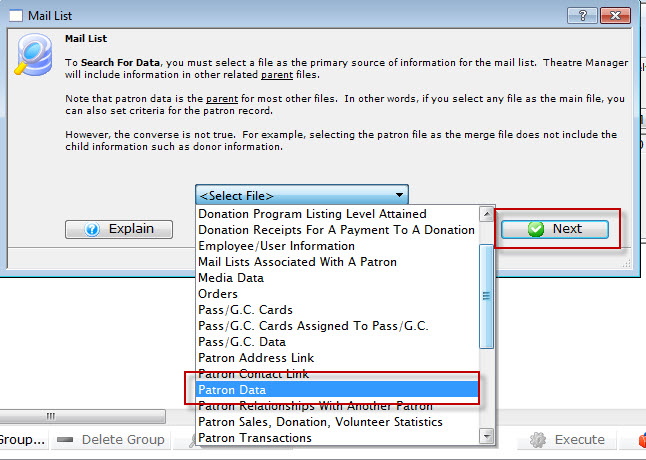
- Chose Patron Data from the drop down list, then click the Next
 button.
The The Parameters Search window opens.
- Click the New button.
The Edit Report Parameters window opens.
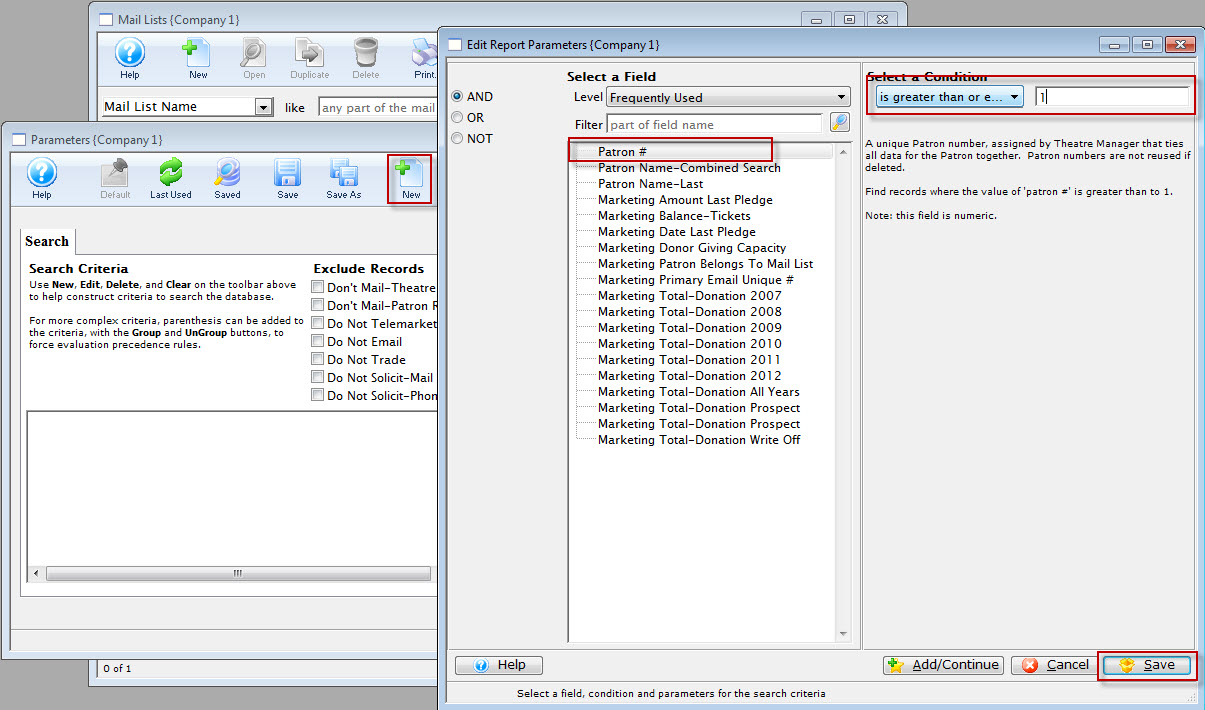
- Choose Patron # and select the condition - is greater than or equal to 1.
- Click the Save
 button.
You are returned to the Parameters window, Search. Note your selected criteria Patron # is greater than or equal to 1.
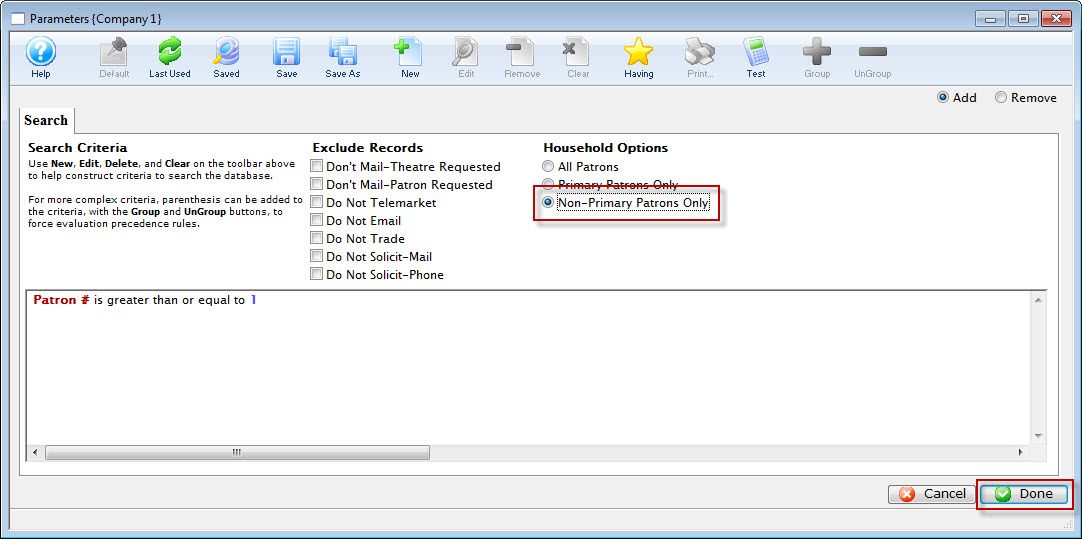 button.
You are returned to the Mail List Criteria window. Your final criteria should look EXACTLY like below.
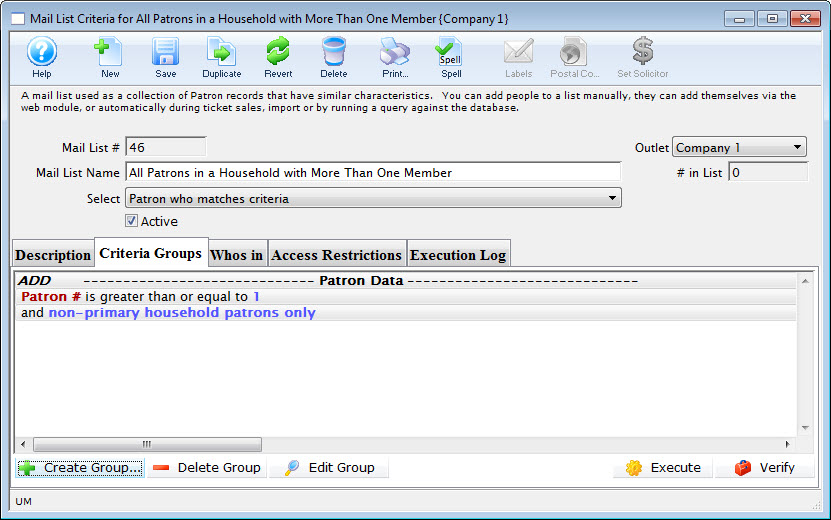
You now have a list of all patrons in the database who are part of a TM household with at least one primary member and one tertiary member.
The Mail List Search window opens.