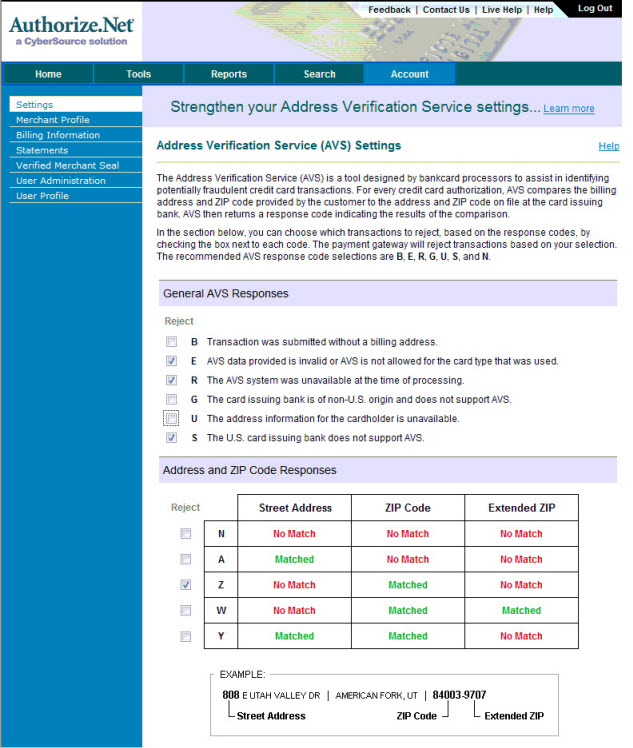
Authorize.net Address Verification Settings
Authorize.net Address Verification Settings
There are settings on the Authorize.net interface that need to be set up/changed - or you can get address mismatch or rejection issues. If you suddenly find you are getting a lot of rejections for credit card authorizations due to AVS errors, please verify your settings in the authorize.net portal.
To set these parameters, you perform the following steps:
- Open your online gateway to Authorize.net and choose Account >> Settings.
The main Settings window opens.
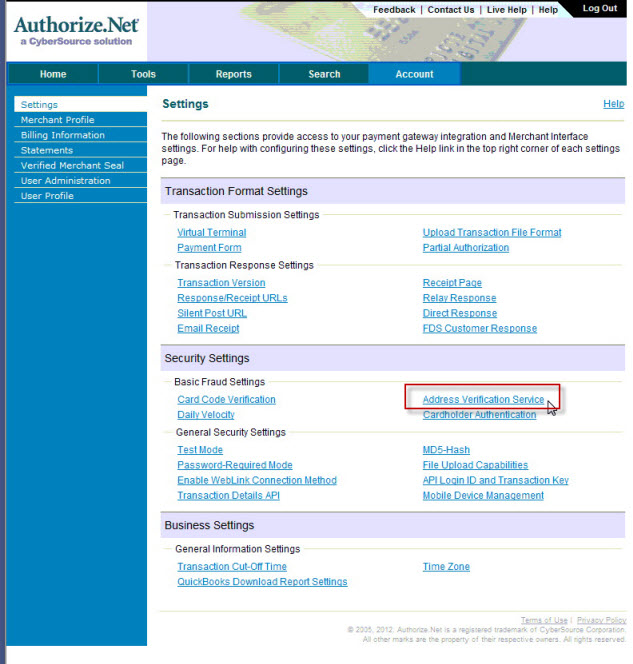
- In the Security Settings section, click on Address Verification Service.
The following window displays.
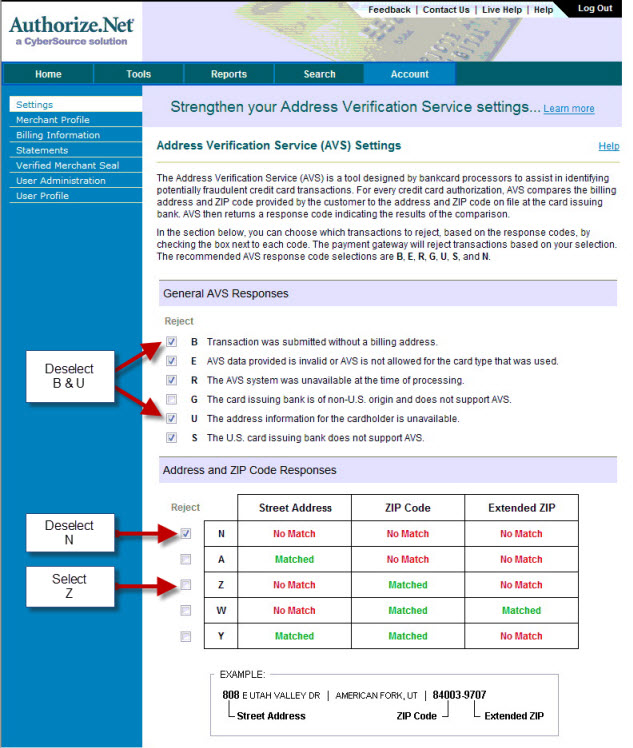
- Ensure the following settings are enabled:
General AVS Responses
B - Transaction was submitted without a billing address √ E - AVS Data provided is invalid or AVS is not allowed for the card type used √ R - The AVS system was unavailable at the time of processing G - The card issuing bank is of non-US origin and does not support AVS. U - The address information for the cardholder is unavailable √ S - the US card bank does not support AVS Address and Zip Code Resources
N A √ Z W Y
When complete, your page will look like the following: