Having Criteria
Having Criteria
- find donors HAVING a total of all donations over xxx
- find ticket buyers having purchased to multiple distinct events for the current season
- find subscribers that have a subscriber package set up for all of the last 10 years
- find gift certificate purchasers with an average gift certificate purchase over $25
- find auction item buyers with a maximum purchase over $1000 for all items bought
For example: if you used criteria to find all subscriber records in the past 5 years, you would get 1, 2 ,3 4 or 5 records - depending on how many years the person has been a subscriber. Since we know each subscription package has a year associated with it, if you make a having criteria that is having a unique count of subscription year >= 4, you would find people who were 4 or 5 year subscribers.
To create the query, you need two things:
- A normal query that finds all the records you want to aggregate in some way. eg: tickets with date sold since 2004 and price paid > 0
- An additional having clause that uses one field for the aggregation. eg
- sum price paid >500 -or-
- count ticket #> 50 -or-
- distinct count event # > 4
- Open the Mail List you want to add the criteria to.
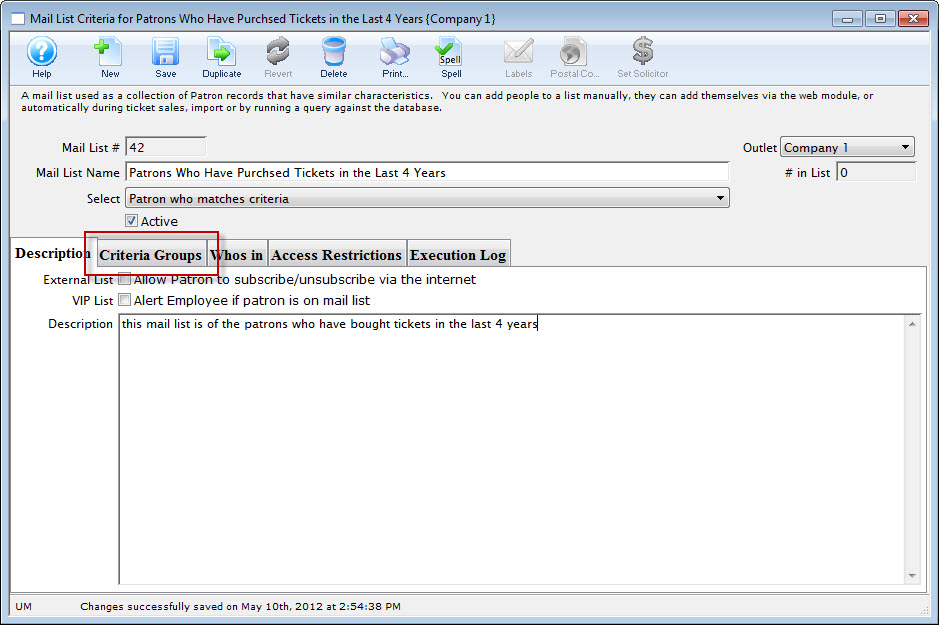
The Mail List Criteria window opens.
- Click the Criteria Groups
 tab.
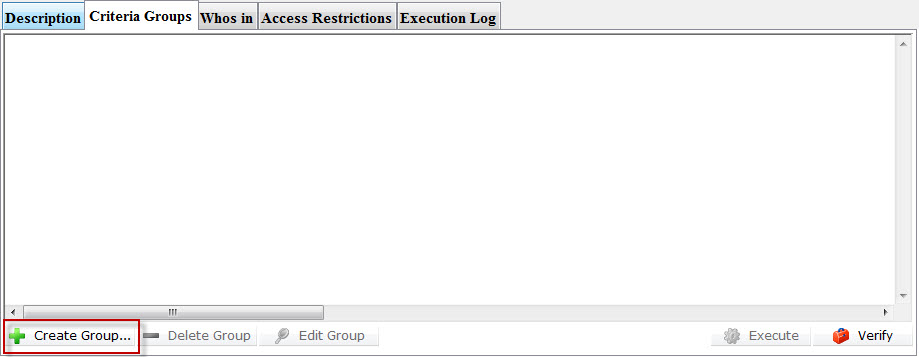
- Click the create Group
 button.
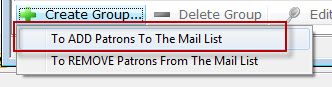
- Make your selection to Add or Remove Patrons from the listing.
The Mail List dialog opens.
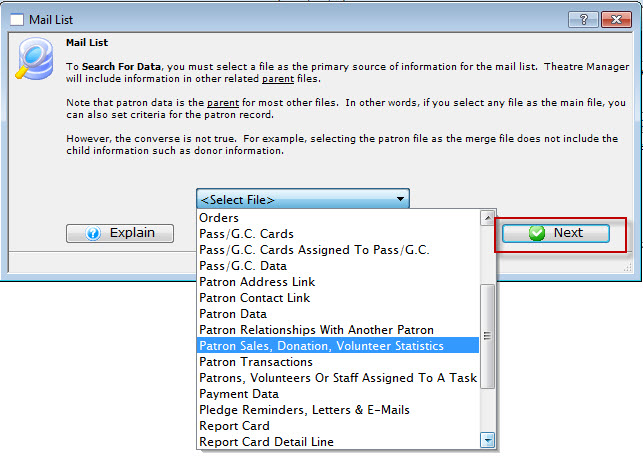
- Select the file for the primary source of information for your list. Then click the Next
 button.
The Parameters window opens.
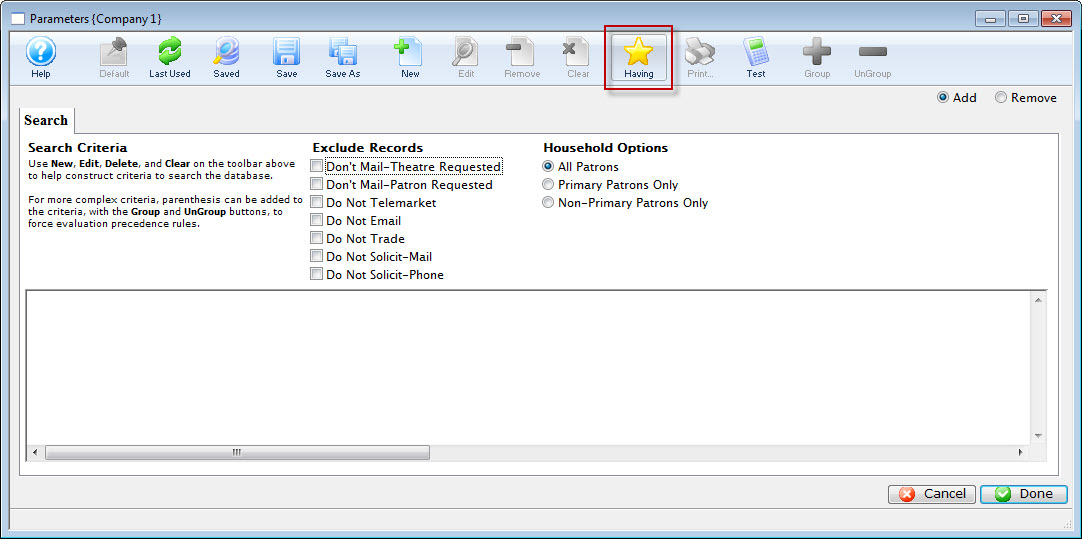
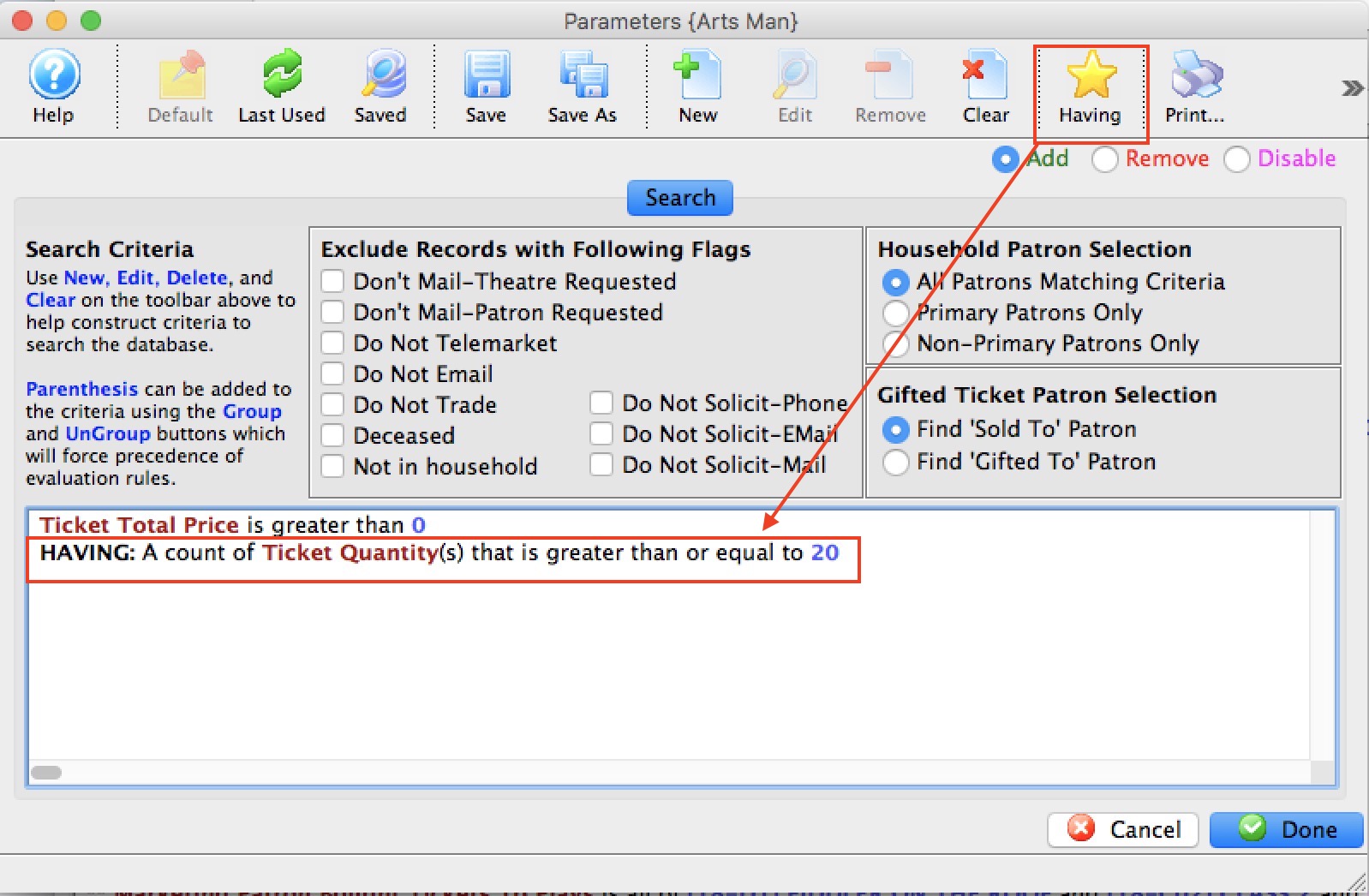
- Click the Having
 button.
The Edit Report Parameters window opens.
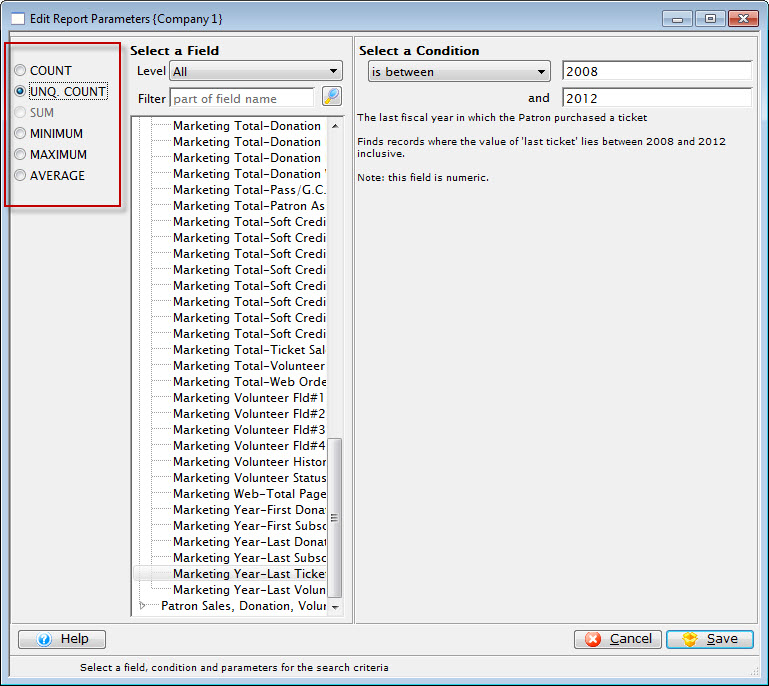
Note the criteria for selection on the left side of the window gives yous different options to choose from.
- Make your selections for the Criteria, and when complete, click the Save
 button.
You are returned to the Parameters window and your criteria selection appears in the search.
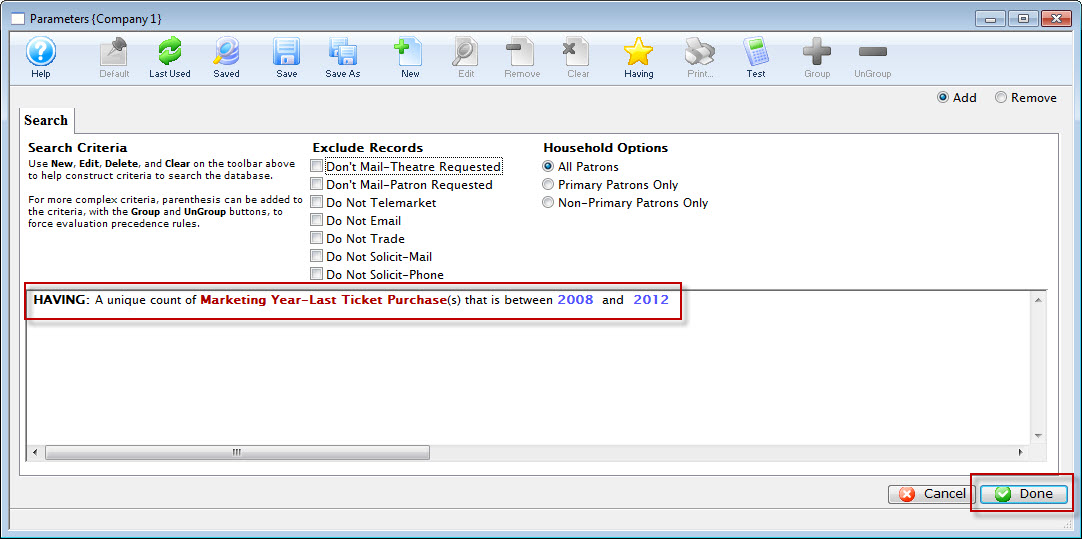
- Click the Done
 button.
You are returned to the Mail List window.
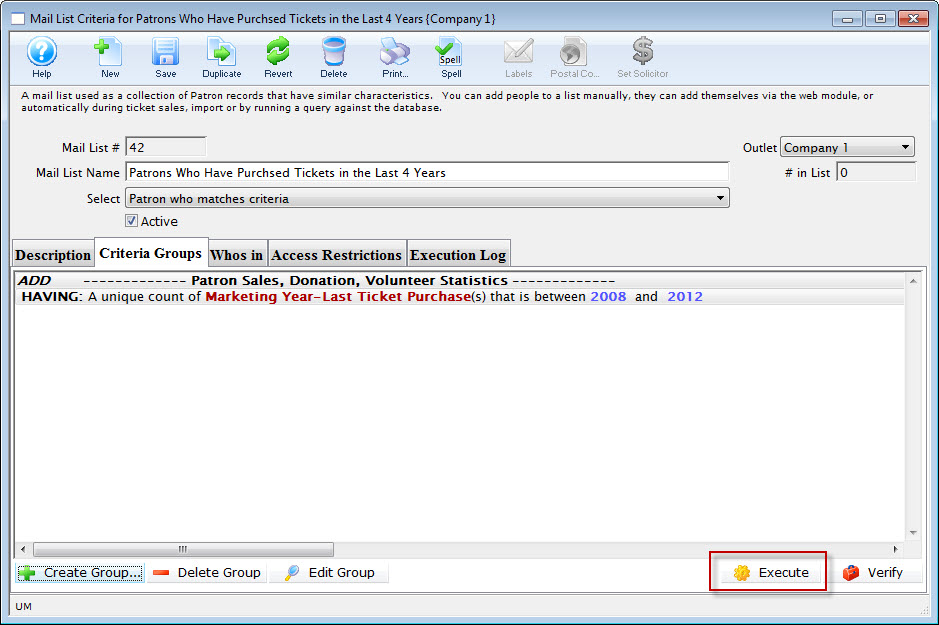
- Click the Execute
 to execute your search.
Donations HAVING given in more than xx years
Donations HAVING given in more than xx years
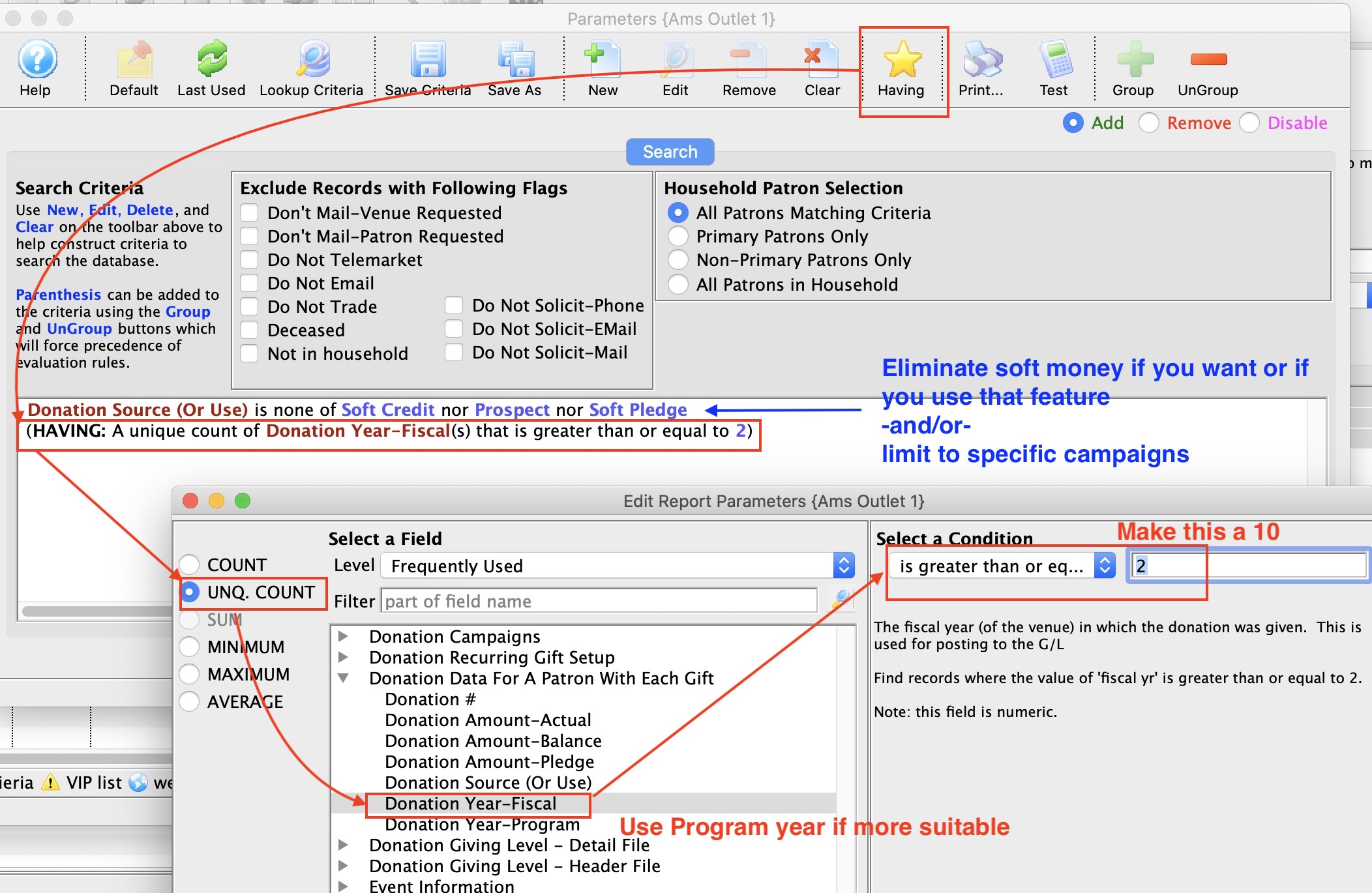
How to find people who have given:
- between xx times in the past number of years
- more than a xx times in the past number of years
Normal Criteria
The normal criteria is optional. If you don't specify anything, you will retrieve all donations. Some things you might want to include in criteria are one or more of:
- criteria to eliminate soft credits, prospects, and hard pledges which are not real money - unless you want to count those amounts towards the patrons giving
- donation date range - if you only want to look at a range of years, or only every second year, or only leap years, or anything you want ...
- Donation Campaigns - if you want to limit search to certain campaigns
- Donation actual amount - if you want to limit search to individual donations between a certain range, over a certain range, or anything you want
- belongs to mail list - if you want to find subscribers in your list, or volunteers, or people who bought giver certificates, or people who returned tickets for donations - anything simple or complex that you want relating to the patron
In short, you can limit the donations selected to ANY criteria you could enter (or select all donations)
Having Criteria
The HAVING clause re-examines the set of data is found using the normal criteria. It then imposes a further restriction on the aggregate set of data. Examples could be:
- the data must HAVE a UNIQUE number of fiscal years donated >=2 per patron (the example above) -or-
- the total count of donations must be >6
- the average donation across the number of years selected must be between x and y
- the distinct number of campaigns given to must between x and y
- and much more
Having - Patrons with count of tickets
Having - Patrons with count of tickets
The query is based on ticket data for a patron and you can add other criteria such as:
- Only specific shows in the past
- A certain fiscal year, season or range of seasons
- People who have donated money in the past and are large purchasers
- patrons who paid for their tickets (eg total cost > 0)
The example below shows the user of Ticket Quantity from the ticket data per performance in the having clause to obtain people who bought more than 20 tickets (in all time). The first line of criteria was added to make sure that they were Paid tickets and not comps.