Direct Link to Event
Direct Link to Event
https://tickets.yourvenue.org/TheatreManager/1/login?event=xx[&tmsource=yyyyyy]
To create links beside each event advertise on your web site:
Click here to purchase tickets to Event #1 - https://tickets.yourvenue.org/TheatreManager/1/login&event=51
Click here to purchase tickets to Event #2 - https://tickets.yourvenue.org/TheatreManager/1/login&event=52
Click here to purchase tickets to Event #3 - https://tickets.yourvenue.org/TheatreManager/1/login&event=58
Click here to purchase tickets to Event #4 - https://tickets.yourvenue.org/TheatreManager/1/login&event=62
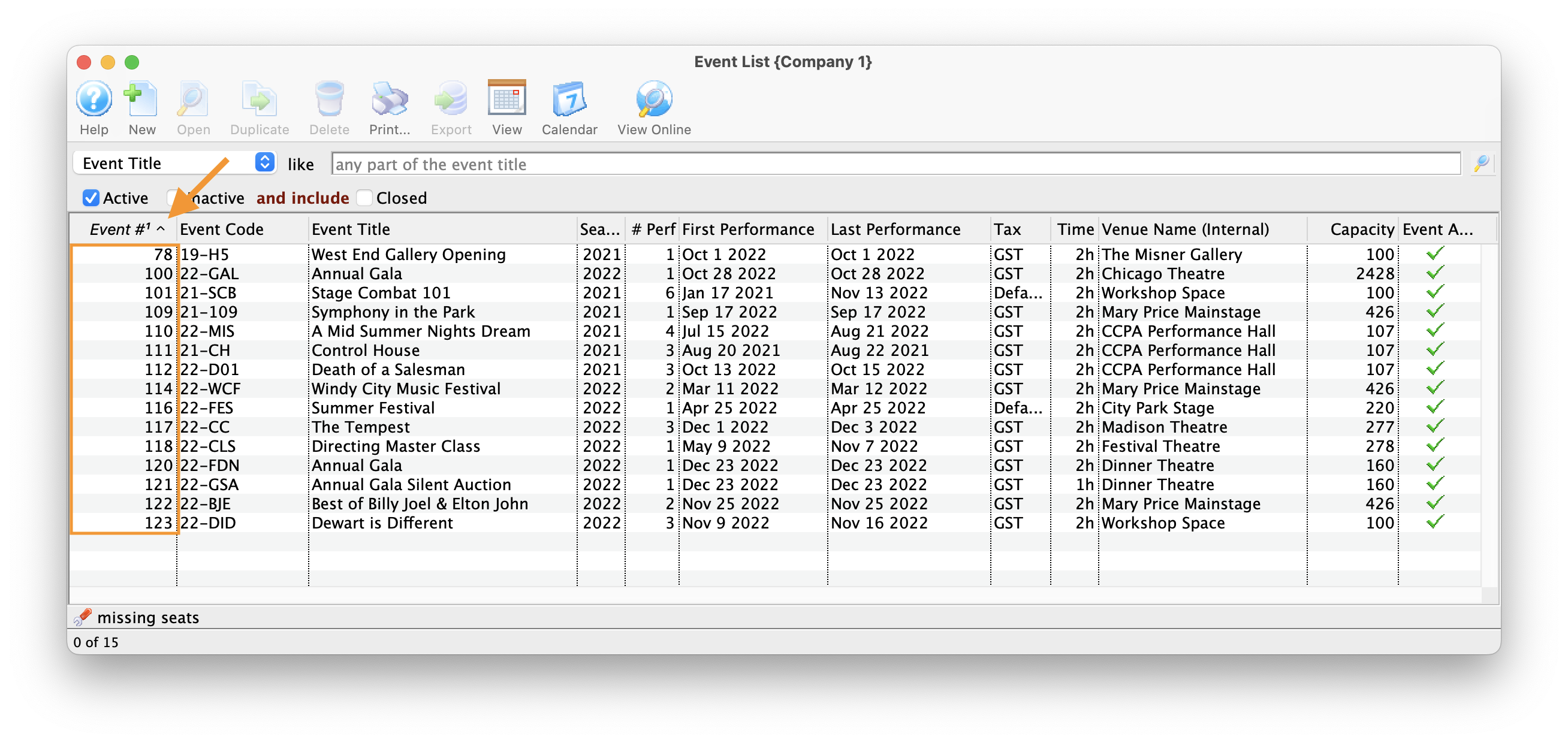
In the above examples the event value is defined by Theatre Manager as the unique event number for each different event. The event number is found by:
|
You can add other parameters to the event list such as:
Note: years are in yyyy format, Months are 0 to 12, genre # is from code tables, venue # is from list of venues. eg:
https://tickets.yourvenue.org/TheatreManager/1/login&event=51&year=2016&month&9&venue=5 |

- Click Setup >> Events.
- Click the
 button to populate the Event List.
- Locate the Event # column to the far left.
This column in the Event List shows the unique sequence number for each item in the list. Use the Event # to replace the "xx" in the link above.