New Button - Group
New Button - Group
To Add a New Group, you perform the following steps:
- In the Projects window, click the New
 button.
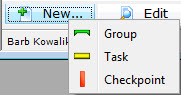
In the example shown, I want to insert the New Group, after the group Rehersals.
- In the New flyout, click Group
 .
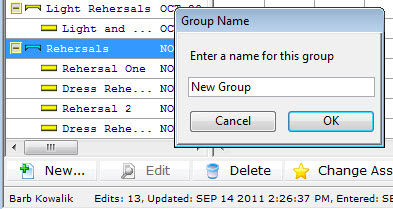
The Group Name Dialog opens.
Enter the name of your new group and click OK.
- You click and drag to right under the group Rehersals and you see the same ended line
 , then let go.
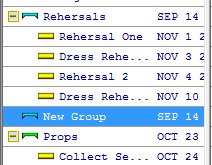
Your new group has been added.
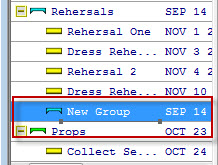
New Group is now a sub-group of rehersals. It needs to be at the same level as Rehersals.